English
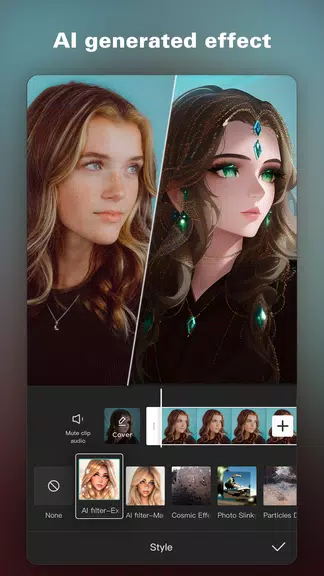
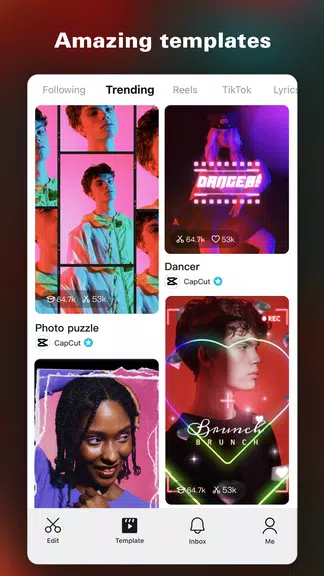
CapCut - Video Editor is a free, all-in-one video editing app that helps users produce polished videos and graphics quickly and without complexity. It combines core editing tools like trimming, splitting and merging with advanced options such as keyframe animation, chroma key, and smart stabilization, making it suitable for beginners and experienced creators alike. Users who want to craft social clips, short films, or promotional content will appreciate the extensive library of effects, filters, fonts, templates and audio assets that streamline creative workflows and speed up production.
⭐ Trim, split, and merge videos with ease using CapCut - Video Editor.
⭐ Control video speed and create smooth slow-motion effects.
⭐ Apply dynamic transitions, trending effects and a wide selection of filters.
⭐ Personalize projects with diverse fonts, styles and ready-made text templates.
⭐ Use advanced tools like keyframe animation, Chroma key background removal, Picture-in-Picture (PIP) splicing and smart stabilization.
✅ A comprehensive toolset that covers both basic edits and professional features.
✅ Access to unlimited creative video and audio assets to enhance projects.
✅ Intuitive interface that accelerates editing workflows for quick results.
✅ Collaboration and sharing are straightforward, helping creators publish content faster with CapCut - Video Editor.
❎ Advanced features such as keyframing and Chroma keying can have a learning curve for new users.
❎ Getting comfortable with the full set of professional tools may require time and practice.

KingRoot
Size:12.50M ToolsMonitora View
Size:276.10M ToolsFlashlight - Torch & Modes
Size:18.59M ToolsBirthday Reminder
Size:1.80M ToolsBYKKO Serv
Size:4.69M ToolsFilezy.
Size:40.60M ToolsEsma-ül Hüsna
Size:6.98M ToolsCHM Viewer
Size:50.00M ToolsRideAlong
Size:25.51M ToolsCrochet
Size:162.48M ToolsAndroid Info Master
Size:23.80M ToolsRSS Reader
Size:19.00M ToolsApril 2024 Clash of Clans Update: Unveiling a Fresh Companion, Enhanced Levels, Chat Tagging, and Be
2024-04-16Arrival of Genshin Impact 4.6 Update: 'Embers of Two Realms, Twilight of Crimson'
2024-04-16V2.2 of the Farlight 84 update introduces an overhauled Season structure, fresh in-game currency, an
2024-04-16Monster Never Cry is now accessible on both Android and iOS mobile devices.
2024-04-18PUBG Mobile Teams Up with Bentley Motors: Luxury Cars, Exclusive Collectibles, and Beyond
2024-04-18March 2024 Free Redemption Codes for Honkai: Star Rail
2024-04-18