English
CHM Viewer is a lightweight reader for Compiled HTML Help files, and CHM Viewer makes large manuals easy to browse; CHM Viewer focuses on fast, reliable rendering and a clean mobile interface so you can access offline documentation on Android without extra software.
Built to bring extensive CHM archives to a phone or tablet, this app emphasizes stability and predictable behavior when opening complex help files and developer guides. The core rendering engine is implemented in native C++ for speed and low memory overhead, while the front-end follows modern Material 3 principles using Jetpack Compose to provide a familiar, touch-friendly layout. Designers and technical writers will appreciate that layout fidelity is preserved across content types so code samples, tables, and images display consistently.
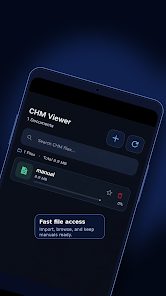
CHM Viewer opens large CHM files quickly and preserves the internal structure of compiled help documents, including a full table of contents and sidebar navigation for jumping between chapters and sections. The app supports system dark and light themes so pages remain readable in different lighting conditions, and a gallery of visual adjustments lets you change font size and line spacing to suit your preferences. While the app is intentionally lightweight, it includes practical conveniences such as an automatic resume feature that returns you to the last-read location and a simple bookmarking mechanism for marking important pages.
The reading experience is centered on familiar mobile gestures: pinch-to-zoom for detailed diagrams, swipe or scroll for linear navigation, and taps on links inside the CHM content to follow cross-references or open local anchors. A persistent sidebar exposes the TOC and lets you jump directly to a section without losing your place. Controls are unobtrusive so the content stays front and center, and the interface adapts to both portrait and landscape orientations for comfortable single- or two-handed use. Menu controls allow quick adjustments to text scaling and theme preferences.
CHM documents are inherently organized into topics, sections, and nested indexes, and CHM Viewer preserves that hierarchy so you can follow the same progression found in desktop help systems. Chapters and subsections appear in the table of contents and open as discrete pages, which makes it easy to track reading progress through visual indicators and the last-position resume. This structure also helps when studying technical material in stages: you can move through sections sequentially or jump to a specific topic as needed.
Because CHM Viewer relies on a native rendering core, it handles large files and complicated HTML constructs with minimal lag. The app avoids unnecessary background activity to conserve battery life, making it suitable for long commuting or field sessions without access to Wi‑Fi. All content is opened locally from files stored on your device or SD card; there is no requirement for online connectivity to read or navigate CHM archives. Stability and consistent behavior with heavyweight documents are priorities, and the app is optimized to recover gracefully from interrupted reads.
Customization focuses on readability and system integration rather than cosmetic extras. You can adjust font size and spacing, toggle dark mode or follow the system theme, and rely on Android accessibility features such as system font scaling and screen readers where available. The UI uses clear contrast and touch targets sized for accessibility, helping users who need larger text or assistive navigation. CHM Viewer is designed to interoperate with file managers and other Android apps that hand off local files for viewing.
CHM Viewer is purpose-built for Compiled HTML Help files and intentionally does not support other ebook formats as a single, unified feature set. It is a read-only application: editing, exporting, or converting CHM content is not provided. The app also does not include cloud sync, online collaboration, or multiplayer features; all content is managed locally so you remain in control of your documents. For users who need a focused, reliable CHM reader on Android, CHM Viewer offers a stable, performant option that keeps the document content central and accessible.
Install CHM Viewer to carry reference manuals, developer guides, and technical help collections on your Android device; the app prioritizes clear presentation, efficient performance, and offline reliability so you can consult large CHM libraries with confidence.
Colorimeter
Size:5.45M ToolsChatBoost
Size:19.33M ToolsRemote Fire TV
Size:48.04M ToolsgetConf - Hidden Settings
Size:16.66M ToolsTracker Detect Pro
Size:10.39M ToolsWiFi Speed Test Pro
Size:8.11M ToolsGG Mouse Pro 2
Size:45.82M ToolsResource Monitor Mini Pro
Size:3.19M ToolsSmart Keyboard Pro
Size:23.22M ToolsMyScript Math: Solve & Plot
Size:108.76M ToolsText Repeater
Size:11.73M Tools3Dcalc+
Size:12.59M ToolsApril 2024 Clash of Clans Update: Unveiling a Fresh Companion, Enhanced Levels, Chat Tagging, and Be
2024-04-16Arrival of Genshin Impact 4.6 Update: 'Embers of Two Realms, Twilight of Crimson'
2024-04-16V2.2 of the Farlight 84 update introduces an overhauled Season structure, fresh in-game currency, an
2024-04-16Monster Never Cry is now accessible on both Android and iOS mobile devices.
2024-04-18PUBG Mobile Teams Up with Bentley Motors: Luxury Cars, Exclusive Collectibles, and Beyond
2024-04-18March 2024 Free Redemption Codes for Honkai: Star Rail
2024-04-18