English
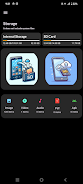
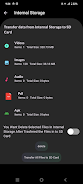
Easy File Transfer is a lightweight Android app for moving files between devices on the same Wi-Fi network or via a mobile hotspot. The app transfers photos, videos, documents and folders without using cloud storage and preserves file names and timestamps.
Open Easy File Transfer, choose Send or Receive, select files or folders, and follow the on-screen instructions to connect devices. For PC transfers, scan the displayed QR code or open the provided address in a browser to download files directly.
Easy File Transfer requests only the permissions needed to access files and to create a local hotspot when necessary. Transfers remain on your local network unless you choose to share files elsewhere. The app runs on Android 5.0 and above; transfer speed depends on network quality.
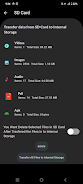
Easy File Transfer
Size:26.81M ToolsSmart Document Reader
Size:13.00M ToolsQr and Barcode Generator
Size:15.00M ToolsAge in Days Calculator
Size:30.00M ToolsRoofing Reimagined
Size:20.00M ToolsHiper Descontos
Size:45.00M ToolsColleague
Size:79.00M ToolsTrestory Max
Size:41.00M ToolsMediaHub: Video Downloader
Size:10.00M ToolsPortuguese-German translator
Size:23.00M ToolsWeiki - Wake up naturally
Size:12.00M ToolsAll Clean Master
Size:10.00M ToolsApril 2024 Clash of Clans Update: Unveiling a Fresh Companion, Enhanced Levels, Chat Tagging, and Be
2024-04-16Arrival of Genshin Impact 4.6 Update: 'Embers of Two Realms, Twilight of Crimson'
2024-04-16V2.2 of the Farlight 84 update introduces an overhauled Season structure, fresh in-game currency, an
2024-04-16Monster Never Cry is now accessible on both Android and iOS mobile devices.
2024-04-18PUBG Mobile Teams Up with Bentley Motors: Luxury Cars, Exclusive Collectibles, and Beyond
2024-04-18March 2024 Free Redemption Codes for Honkai: Star Rail
2024-04-18