English
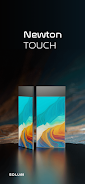
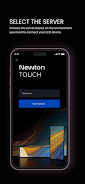
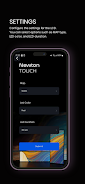
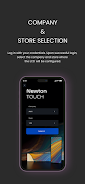
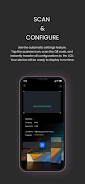
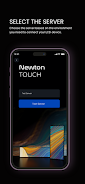
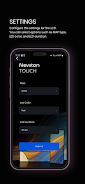
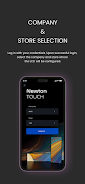
SoluM LCD Setup is a companion utility that makes configuring and managing SoluM LCD devices straightforward for technicians and IT teams. Connect with your SoluM SaaS credentials to choose the target company and store, customize MAP selection, LED color, display duration and other device parameters, then use the built-in QR scanner to sync those settings to the hardware in the field.
SoluM LCD Setup supports quick login with SoluM SaaS credentials and direct selection of company and store so configurations apply to the correct location.
Configure MAP selection, LED color and display duration from a single interface and apply the same profile across multiple units to reduce manual work.
The integrated QR code scanner writes chosen settings to each SoluM LCD device on site to avoid manual entry errors during provisioning.
Using SoluM LCD Setup reduces setup time, simplifies device provisioning for store and IT teams, and helps ensure consistent behavior across displays with minimal training.
Centralized company and store selection and customizable parameters let teams tailor display behavior per location without visiting each unit to change settings manually.
A valid SoluM SaaS account is required to access and configure devices.
Physical access to each display is necessary to scan the device QR code during initial setup.
The app is designed specifically for SoluM LCD hardware and is not intended for non-SoluM displays.

SoluM LCD Setup
Size:14.80M ProductivityQueueCut
Size:38.96M ProductivityMinu Telia
Size:6.00M ProductivityHook AI
Size:61.69M ProductivityAgroCat
Size:14.00M ProductivitySeedling
Size:38.32M ProductivityGoIQ CRM
Size:146.00M ProductivityFunny Ringtone
Size:12.00M ProductivityKawaii Animes
Size:52.00M ProductivityClay Art Step By Step Gallery
Size:10.01M ProductivityHumans
Size:32.00M ProductivityNS Track
Size:58.00M ProductivityApril 2024 Clash of Clans Update: Unveiling a Fresh Companion, Enhanced Levels, Chat Tagging, and Be
2024-04-16Arrival of Genshin Impact 4.6 Update: 'Embers of Two Realms, Twilight of Crimson'
2024-04-16V2.2 of the Farlight 84 update introduces an overhauled Season structure, fresh in-game currency, an
2024-04-16Monster Never Cry is now accessible on both Android and iOS mobile devices.
2024-04-18PUBG Mobile Teams Up with Bentley Motors: Luxury Cars, Exclusive Collectibles, and Beyond
2024-04-18March 2024 Free Redemption Codes for Honkai: Star Rail
2024-04-18