English
Photo Recover Pro is a compact file recovery utility designed to help you scan and restore accidentally deleted photos, videos, audio and documents directly on an Android device. Photo Recover Pro starts with a straightforward scan and preview workflow so you can locate lost memories or work files quickly, inspect recoverable items, and selectively restore only what you need — all without root access or an internet connection to protect your privacy.
Photo Recover Pro provides both quick and deep scan modes that search internal storage and removable SD cards for common and many less-common file types. Supported formats include JPG, PNG, GIF, HEIC, RAW variants, MP4, MOV, AVI, MKV and a wide range of audio and document files. The app shows thumbnails and basic metadata such as date, size and original path when available, so previews are informative before restoration.
The user flow is built around four clear steps: choose a storage target (internal or SD), start a quick or deep scan, preview results, and restore selected items to a destination folder. Controls are simple: tap a thumbnail to open a larger preview, long-press to select multiple items for batch restore, and use on-screen filters to narrow results by date, size or type. Scan progress is visible at all times and you can pause or cancel a scan without losing previously discovered items.
The interface is clean and optimized for phones and tablets, with legible labels and large touch targets to improve usability. You can filter by file category, sort results by newest, largest or type, and choose whether recovered files are written back to their original locations or a dedicated recovery folder. Duplicate and large-file indicators help you manage storage space before committing to recovery.
All scanning and restoration happens locally on your device, so Photo Recover Pro does not upload your content or require an account. Because no internet access is needed, you can run scans while offline and keep sensitive files private. Deep scans are more thorough but take longer and use more battery; a quick scan offers a faster alternative when you need to examine recent deletions.
The app is designed with accessibility in mind: the layout favors contrast and readable text sizes, and interactive elements are arranged for easy reach with one hand. Beginners benefit from on-screen hints and a guided restore flow, while experienced users can rely on advanced filters and batch operations to recover many files at once. Regular use is straightforward and the app minimizes unnecessary options to reduce confusion.
No recovery tool can guarantee restoration of every file. Photo Recover Pro can often recover deleted items that have not been overwritten, but files that have been partially erased, heavily corrupted or overwritten by new data may not be salvageable. Deep scans increase chances of finding fragments but require more time. To improve recovery likelihood, stop adding new data to the device, remove the SD card for dedicated scanning if possible, and run a scan as soon as you notice a deletion.
Because data loss can happen multiple times, Photo Recover Pro is useful as part of a regular maintenance routine. Use the app to identify and remove large duplicates that consume space, perform occasional scans after major file operations, and keep a dedicated recovery folder to avoid accidental overwrites. The combination of fast previews, selective restore and batch operations makes repeated use efficient and practical.
Photo Recover Pro targets users who want a simple, privacy-conscious recovery tool without complex setup. It balances a clean visual design with practical controls and useful filters so both casual users and power users can recover files with confidence. Remember that successful recovery depends on how soon you scan after deletion and whether data has been overwritten; the app provides clear guidance and in-app information to help you make the best recovery decisions.
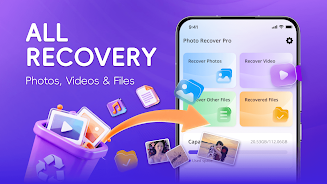

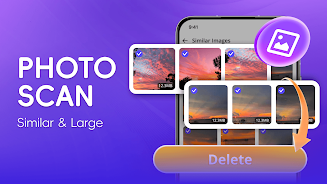
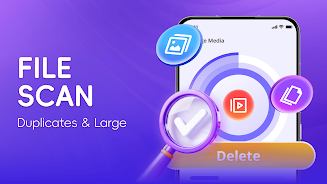
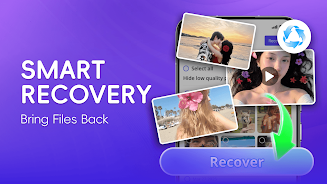
Photo Recover Pro
Size:39.32M ToolsFutemax Futebol Ao Vivo
Size:23.65M ToolsDiffPad – Text Compare Tool
Size:14.25M ToolsQR Genius
Size:57.00M ToolsGOA
Size:34.07M ToolsLingua AI
Size:61.19M ToolsFru Bomb
Size:15.67M ToolsCrispBoost
Size:66.45M ToolsBird Batch Manager
Size:57.88M ToolsSplit Bill
Size:23.67M ToolsHidden camera Detector
Size:14.79M ToolsMiscrits Engine
Size:14.00M ToolsApril 2024 Clash of Clans Update: Unveiling a Fresh Companion, Enhanced Levels, Chat Tagging, and Be
2024-04-16Arrival of Genshin Impact 4.6 Update: 'Embers of Two Realms, Twilight of Crimson'
2024-04-16V2.2 of the Farlight 84 update introduces an overhauled Season structure, fresh in-game currency, an
2024-04-16Monster Never Cry is now accessible on both Android and iOS mobile devices.
2024-04-18PUBG Mobile Teams Up with Bentley Motors: Luxury Cars, Exclusive Collectibles, and Beyond
2024-04-18March 2024 Free Redemption Codes for Honkai: Star Rail
2024-04-18