English
todo is a simple, private to-do list app designed to help you capture and manage tasks with minimal fuss while keeping all data on your device. The todo approach favors clarity and speed: add a task, edit it, and mark it complete in a few taps. For people who want a focused, no‑frills workflow, todo reduces the friction between idea and action so you can organize daily errands, work items and short-term projects without distraction.
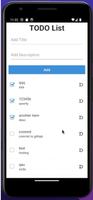
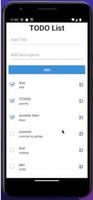
The app centers on a straightforward task list interface that supports quick entry and easy editing. Primary controls are intentionally simple: a single tap to open the quick-add field, tap an item to edit it, and a clear gesture to mark tasks done. Visual indicators show open and completed items at a glance and a concise count helps you see progress for the day. Sorting and simple filters let you surface what’s important now versus later, and separate lists provide lightweight organization for home, work or project-specific task groups.
todo was built for speed and minimal cognitive load. Typing is fast with a persistent quick-entry bar and common keyboard shortcuts are supported on devices that provide them. Touch targets are sized for comfortable tapping, and short-press and long-press interactions let you access editing or moving options without opening dense menus. The app avoids stacking multiple settings screens; instead you get the most-used controls up front so routine task management becomes automatic rather than ritualized.
Rather than complicated project management features, todo focuses on practical organization tools that help you progress through a day’s work. You can maintain multiple lists to separate errands, work tasks and short-term projects, reorder items to reflect priority, and apply simple sorts to view tasks by creation time or manual priority. Completion is treated as the primary progression mechanic: clearing tasks produces a clear visual change, and the list count gives a steady sense of accomplishment that encourages continued use. This makes todo especially useful for daily routines and recurring personal workflows.
The visual style is intentionally minimal: clean typography, restrained contrast, and a compact layout that prioritizes legibility over ornament. This reduces distraction so your tasks stand out. A small set of display options lets you adjust text size and compactness to suit your preferences or accessibility needs. The interface was designed with readability and large touch targets in mind, and it works well with Android accessibility services so users who rely on screen readers or magnification tools can navigate lists comfortably.
One of todo’s key strengths is its privacy-first design: data is stored locally on your device and the app does not require an account to function. Because everything is kept on-device, todo is fully usable offline and performs predictably without network dependencies. This approach lowers the risk of accidental data sharing and keeps your personal tasks under your control, making the app a good fit for users who prioritize privacy and offline reliability.
todo intentionally keeps its feature set small, so it may not meet the needs of users seeking advanced project management, team collaboration, or integrations with external services. There are no built-in multiuser features or cloud-first syncing, and the app does not aim to replace heavyweight task platforms. Instead, todo is best for individuals who want a fast, private, and lightweight productivity tool to manage day-to-day tasks without a steep learning curve or configuration overhead.
Because todo focuses on core task management behaviors, it offers strong replay value for people who prefer consistent, repeatable workflows. The simplicity of the interface reduces setup time and ongoing maintenance, so users return to the app as part of their daily routine rather than spending energy maintaining lists or navigating complex features. If you value a calm, private place to capture things that need to get done, todo provides a small, dependable environment to plan and finish tasks.
Petmo
Size:71.21M Toolstodo
Size:31.22M ToolsCleaner Mate
Size:23.20M ToolsTranslate All Language
Size:14.64M ToolsJoker's Carousel
Size:11.00M ToolsCoral Pale Quokka Lynx
Size:15.00M ToolsClyoXVPN
Size:109.04M ToolsPerfect Trans
Size:19.60M ToolsTTUtil
Size:22.06M Toolscoin dash: jump quest
Size:24.40M ToolsVTX Proxy
Size:23.82M ToolsIMB MAX
Size:19.50M ToolsApril 2024 Clash of Clans Update: Unveiling a Fresh Companion, Enhanced Levels, Chat Tagging, and Be
2024-04-16Arrival of Genshin Impact 4.6 Update: 'Embers of Two Realms, Twilight of Crimson'
2024-04-16V2.2 of the Farlight 84 update introduces an overhauled Season structure, fresh in-game currency, an
2024-04-16Monster Never Cry is now accessible on both Android and iOS mobile devices.
2024-04-18PUBG Mobile Teams Up with Bentley Motors: Luxury Cars, Exclusive Collectibles, and Beyond
2024-04-18March 2024 Free Redemption Codes for Honkai: Star Rail
2024-04-18