English
Smart Notepad is a lightweight, privacy-focused note-taking app that stores your notes, memos and to-do lists locally on your Android device. Smart Notepad puts speed and simplicity first: a clean interface lets you capture ideas or tasks in seconds, protect sensitive entries with a PIN or device biometric, and share single notes when you need to send text to another app or collaborator. Because the app keeps data on your phone, it is well suited to users who prefer control over automatic cloud syncing and who value a small storage and battery footprint.
The core of Smart Notepad is straightforward: create plain-text notes, manage short memos and build simple to-do items in the same place without navigating through complex menus. Notes are stored locally so they remain private by default. The app offers individual note protection with PINs and Android biometrics so you can lock specific entries while leaving others open for quick access. Sharing uses the standard Android share sheet so you can copy a note into messaging apps, email, or save it to a file if you want an external backup. The interface emphasizes speed — tap to add, type, and save — and minimizes distractions so recurring use stays efficient.
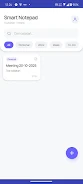
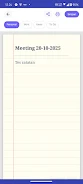
Interactions in Smart Notepad are designed to feel familiar to anyone who uses basic productivity apps. Creating a note is a single tap away, and a compact edit view keeps the keyboard and content area close together for rapid typing. Checklists for basic to-do tracking are integrated into note entries so you can toggle items off or on as you progress through tasks. The note menu exposes actions such as locking, sharing, and deleting, keeping the main screen uncluttered. Search and sorting are intentionally simple so you can find recent notes quickly without steep learning curves.
Organization in Smart Notepad focuses on real-world progression: new notes appear at the top so current work is immediately accessible, and older items remain in the list for manual review or deletion. You can mark essential entries for attention, making it easier to follow ongoing tasks or reference critical information. Visual design choices favor clarity over heavy theming; the app provides a clean, neutral color palette and readable typography that supports long-form note-taking. Basic display settings such as text size and list density allow you to tailor the reading experience to your device and eyesight without introducing unnecessary complexity.
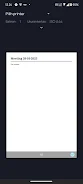
Smart Notepad uses a minimal visual approach that keeps the emphasis on content. High-contrast type, generous tap targets and simple layouts reduce friction when you’re working on the go. The app is suitable for single-handed use on phones and retains a consistent look across different screen sizes. Accessibility considerations guide font choices and spacing so that the interface remains usable for a wide range of users, and device biometric compatibility makes unlocking protected notes fast and convenient.
Because Smart Notepad stores data locally, it works completely offline and does not depend on a network connection for everyday operation. This design minimizes background data use and eliminates automatic syncing to external services. If you want to create an external copy of a note or share content with another app, the built-in share option hands the text to whatever app you choose, enabling manual backup or export without a dedicated cloud feature. This model gives you full responsibility for backups and cross-device transfers while keeping the app small and battery-friendly.
Smart Notepad favors simplicity, so it intentionally avoids complex formatting, embedded media, and full-scale organization systems found in some heavy note platforms. There is no automatic cloud synchronization or advanced collaborative editing; if you need real-time multi-device syncing or rich media notes, a different app may be more appropriate. On the other hand, Smart Notepad is an excellent fit for users who want a fast, unobtrusive place to jot ideas, manage short checklists, and secure sensitive entries locally without unnecessary features.
Over time, Smart Notepad proves useful through repetition: quick capture, focused editing, and reliable local storage make it a practical everyday tool. The combination of PIN and biometric protection, straightforward sharing, and a modest resource footprint keeps the app relevant for people who prioritize privacy, responsiveness, and a no-frills workflow on phones of all ages. If your priority is a simple, private notes app that stays out of the way while keeping your information under your control, Smart Notepad delivers that experience.
Smart Notepad
Size:108.73M ToolsFuraha Baraka Farms
Size:50.99M ToolsSmart Budget Tracker
Size:40.91M ToolsDiablo BT
Size:18.83M ToolsTV Brasil - TV ao Vivo
Size:20.81M ToolsPetmo
Size:71.21M Toolstodo
Size:31.22M ToolsCleaner Mate
Size:23.20M ToolsTranslate All Language
Size:14.64M ToolsJoker's Carousel
Size:11.00M ToolsCoral Pale Quokka Lynx
Size:15.00M ToolsClyoXVPN
Size:109.04M ToolsApril 2024 Clash of Clans Update: Unveiling a Fresh Companion, Enhanced Levels, Chat Tagging, and Be
2024-04-16Arrival of Genshin Impact 4.6 Update: 'Embers of Two Realms, Twilight of Crimson'
2024-04-16V2.2 of the Farlight 84 update introduces an overhauled Season structure, fresh in-game currency, an
2024-04-16Monster Never Cry is now accessible on both Android and iOS mobile devices.
2024-04-18PUBG Mobile Teams Up with Bentley Motors: Luxury Cars, Exclusive Collectibles, and Beyond
2024-04-18March 2024 Free Redemption Codes for Honkai: Star Rail
2024-04-18