English
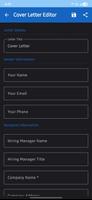
My Resume Maker is a practical, step-by-step resume editor that helps you build a clean, recruiter-ready CV fast. My Resume Maker guides you through every section — contact details, a concise summary, work history, education and skills — and balances a structured workflow with flexible editing so you finish polished documents with minimal fuss. Designed for quick results and careful detail, the app keeps ATS compatibility and human readability in mind from the first screen to the final export.
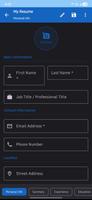
The app follows a clear progression system that works like a checklist: start a new profile, complete core fields, add experience entries and then refine achievements, dates and responsibilities. Each step includes short guidance explaining what to enter and why it matters, helping you prioritize measurable accomplishments over vague descriptions. Progress indicators update as you move through sections so you can track completeness at a glance and return to unfinished areas without guesswork.
Controls are touch-friendly and designed for efficiency. Form fields allow inline editing so you can change text without leaving the page, drag-to-reorder handles let you rearrange sections and entries, and simple toggles hide optional blocks like languages or hobbies when they aren’t relevant. Preview modes for desktop and mobile show how the resume will render, and keyboard shortcuts on tablets make repetitive edits quicker for power users.
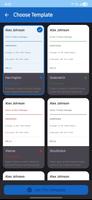
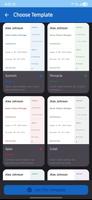
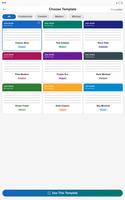
My Resume Maker ships with a selection of modern, ATS-aware templates that vary in layout density and visual emphasis. Templates are intentionally minimalist to improve parsing by recruitment systems while still offering personality through typography and subtle color accents. You can adjust fonts, switch heading sizes, modify section order and hide or rename fields to match regional conventions; optional photo and signature fields are available when appropriate. These customization options let you tailor the visual tone without breaking layout integrity during export.
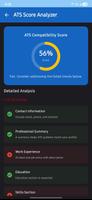
Built-in guidance helps you transform role descriptions into impact-focused bullet points: contextual tips appear as you type, concise examples illustrate how to quantify results, and simple checks flag missing dates or unusually short summaries. These quality signals are designed to improve readability for both recruiters and automated parsers without pushing aggressive recommendations, so you retain full control over wording and presentation.
Exported PDFs preserve layout, fonts and spacing so the file you send matches the preview. My Resume Maker emphasizes reliable local exports and supports offline editing, so you can work on drafts without an internet connection and export when you’re ready. Files are stored locally by default, which simplifies manual backups and version control through exported copies rather than automatic cloud synchronization.
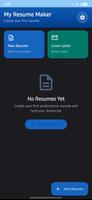
The app makes it easy to maintain several resume profiles for different roles or industries. Save distinct versions tailored to specific job types, reuse sections across profiles and clone profiles when you need a new baseline. This approach reduces repetitive rebuilding and speeds up applications when you’re targeting roles that require slightly different focuses or keywords.
Accessibility is considered throughout: templates use clear contrast, font sizes can be adjusted for readability and input fields include straightforward labels compatible with screen readers. Guided prompts reduce cognitive load for users unfamiliar with resume conventions, and consistent layouts help anyone scan and edit information quickly. These design choices support a broad range of users, including students, career changers and professionals returning to the job market.
Replay value comes from iterative refinement — update achievements, add new entries and export multiple tailored versions for different applications. The app prioritizes predictable, offline-first editing and dependable PDF output rather than collaborative editing or automatic cloud sync, so teams should plan for manual sharing of exported files when necessary. The emphasis on PDF keeps formatting consistent but may require conversion if other formats are needed.
Beyond layout tools, the editor offers short writing hints and examples to help you quantify impact and prioritize relevant skills. Realistic sample entries and explanations clarify what recruiters look for, and progress markers encourage finishing important sections. Taken together, these practical features help you send clearer, more effective resumes while keeping full control over content and presentation.
My Resume Maker
Size:24.97M ToolsSmart Notepad
Size:108.73M ToolsFuraha Baraka Farms
Size:50.99M ToolsSmart Budget Tracker
Size:40.91M ToolsDiablo BT
Size:18.83M ToolsTV Brasil - TV ao Vivo
Size:20.81M ToolsPetmo
Size:71.21M Toolstodo
Size:31.22M ToolsCleaner Mate
Size:23.20M ToolsTranslate All Language
Size:14.64M ToolsJoker's Carousel
Size:11.00M ToolsCoral Pale Quokka Lynx
Size:15.00M ToolsApril 2024 Clash of Clans Update: Unveiling a Fresh Companion, Enhanced Levels, Chat Tagging, and Be
2024-04-16Arrival of Genshin Impact 4.6 Update: 'Embers of Two Realms, Twilight of Crimson'
2024-04-16V2.2 of the Farlight 84 update introduces an overhauled Season structure, fresh in-game currency, an
2024-04-16Monster Never Cry is now accessible on both Android and iOS mobile devices.
2024-04-18PUBG Mobile Teams Up with Bentley Motors: Luxury Cars, Exclusive Collectibles, and Beyond
2024-04-18March 2024 Free Redemption Codes for Honkai: Star Rail
2024-04-18