English
Autenticador is a compact authenticator app that generates time-based one-time passwords (TOTPs) to add a second, dynamic layer of security to online accounts. Autenticador produces short-lived numeric codes you enter alongside your password during two-step sign-in, reducing the window for misuse and helping protect sensitive data without relying on SMS or email. The app is designed to be simple to set up and unobtrusive in daily use while prioritizing fast code generation and minimal battery impact.
Autenticador creates rotating TOTP codes that refresh at regular intervals, typically every 30 seconds, and presents them clearly so you can complete two-factor authentication (2FA) prompts quickly. These codes are calculated locally based on a secret shared with the service you want to secure, which means Autenticador can operate without a network connection and avoids sending codes over potentially insecure channels. The brief validity of each code cuts down the effective time available for brute force attempts and makes phishing or interception less useful to attackers.
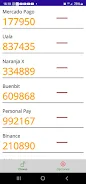
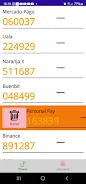
Setting up an account in Autenticador is intended to be straightforward: you provide the service’s shared secret or scan a setup QR code when available, then the app begins deriving time-based codes automatically. The user interface focuses on large, easy-to-read numeric displays and clear labels so codes and countdown timers are visible at a glance. Basic controls include adding and renaming entries, viewing the current code and its remaining validity, and removing old or unused entries. Because the app computes codes locally from the secret and the device clock, it remains responsive even when you’re offline.
Autenticador lets you organize multiple accounts so you can manage personal and work credentials in one place without confusion. You can assign descriptive labels to each entry to distinguish similar accounts, and arrange entries in the preferred order for easier access. The app is designed to avoid needless complexity while offering practical customization: clear labeling, optional grouping by category, and visual cues that help you find the right code fast during a sign-in flow.
Because Autenticador uses short-lived codes as a second factor, it complements rather than replaces a strong primary password. A limitation to be aware of is physical device dependency: if you lose the phone or tablet that runs Autenticador, recovering accounts requires recovery codes or contact with the services you secured. The app encourages users to keep backup recovery tokens or follow provider-specific account recovery procedures. Autenticador does not transmit your secrets off the device by default, and it does not rely on external servers to generate codes, which reduces the attack surface compared with online code delivery methods.
The interface emphasizes clarity and fast access: large fonts, readable contrast, and a straightforward layout make it practical for people who need quick code entry during sign-in. Autenticador aims to support a range of users by minimizing unnecessary animations and keeping interactive elements large enough for easy tapping. Where available on the device, standard accessibility features such as screen readers and high-contrast modes are respected so that users with diverse needs can operate the app reliably.
Autenticador is engineered to compute TOTPs with minimal CPU use and low battery cost because calculations run locally on short schedules tied to the device clock. That local computation also means the app functions offline in situations where network connectivity is unavailable or restricted, making it a dependable second-factor generator for travel or low-connectivity environments. Because the codes depend on accurate time, the app performs a simple clock check and offers guidance if device time appears to be desynchronized from standard time sources.
Use Autenticador for a variety of accounts that support time-based two-factor authentication: email providers, cloud services, developer platforms, financial services that permit TOTPs, and many personal accounts where added security is desired. The app is intentionally task-focused so you can integrate it into existing two-step login workflows without changing how you sign in. While it doesn’t replace password best practices, Autenticador significantly raises the barrier to unauthorized access by requiring a code that changes every minute.

Autenticador
Size:33.37M ToolsRustavoil
Size:55.66M ToolsCH Chat Ai
Size:10.53M ToolsOneLiker
Size:28.15M ToolsKLEMU
Size:98.35M ToolsWiFi Commander
Size:63.36M ToolsNezHub
Size:19.30M Tools3D Model Viewer
Size:9.35M ToolsInfinitus App
Size:40.68M ToolsPDFEssence
Size:84.49M ToolsTasky
Size:17.58M ToolsMy Resume Maker
Size:24.97M ToolsApril 2024 Clash of Clans Update: Unveiling a Fresh Companion, Enhanced Levels, Chat Tagging, and Be
2024-04-16Arrival of Genshin Impact 4.6 Update: 'Embers of Two Realms, Twilight of Crimson'
2024-04-16V2.2 of the Farlight 84 update introduces an overhauled Season structure, fresh in-game currency, an
2024-04-16Monster Never Cry is now accessible on both Android and iOS mobile devices.
2024-04-18PUBG Mobile Teams Up with Bentley Motors: Luxury Cars, Exclusive Collectibles, and Beyond
2024-04-18March 2024 Free Redemption Codes for Honkai: Star Rail
2024-04-18