English
DeepRestore is a compact, privacy-focused recovery utility designed to help Android users check for and attempt to restore accidentally deleted photos, videos and common documents directly on their device. The app performs scans and reconstruction entirely on the phone, so nothing is uploaded to external servers, making it useful for anyone who wants a quick, local check of recoverable files before pursuing other recovery steps. DeepRestore aims to be approachable for non-technical users while exposing enough options for more careful recovery attempts.
The core functionality centers on locating file remnants that remain on accessible storage. DeepRestore offers a quick scan mode to produce fast results for recently deleted items and a deeper scan mode that searches more thoroughly across free space; deeper scans take longer but may reveal files that a quick pass misses. The app recognizes common image and video containers, plus many document formats, and presents thumbnails and metadata so you can preview items before attempting recovery. All processing is done on-device and the recovery workflow is intentionally limited to local export to preserve privacy.
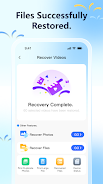
Interface controls are straightforward: a single-scan button starts analysis, a progress indicator shows estimated completion, and recovered items are presented in a simple gallery-style view with checkboxes for selective restore. Tap a thumbnail to open a preview that displays file name, original path (if available), size and modification date. Settings let you filter by file type and sort results by age or size, and a compact file-browser view allows manual selection of folders to inspect. The layout is kept clean to reduce confusion for users who prefer quick outcomes over technical detail.
DeepRestore guides users through a clear progression: choose storage to scan, run a quick scan to get immediate feedback, then opt into a deeper scan if needed. Progress bars and stage labels indicate whether the app is scanning directory entries, rebuilding file headers, or indexing thumbnails, so you always know what phase is running. Scans can be paused and resumed during the same session, and results are preserved until the app is closed so you can review findings without re-scanning repeatedly. Deeper scans require more time and battery, so the app suggests charging or keeping the device active during longer operations.
Supported item types include mainstream photo formats like JPEG and PNG, common video containers such as MP4, and document formats including PDF, DOCX and common plain-text files. Results vary by device model, Android version and whether freed storage sectors have been overwritten since deletion; as a consequence, recovery is never guaranteed. System-level encryption, manufacturer-specific storage layouts and certain file system behaviors can limit what the app can detect, so some deleted files may be irretrievable despite a full scan.
Before running a scan you can customize filters to focus on specific file types or time ranges, and after scanning you can select individual items to export to a chosen local folder. Recovered files are written back to user-accessible storage so they can be opened by other apps for viewing or editing. The app avoids automatic mass-restores to prevent accidental overwrites and emphasizes selective recovery so you can keep only the items you need. Export locations are user-specified and nothing is sent outside the device unless you explicitly use Android’s system share features.
DeepRestore is designed to operate fully offline and to be tolerant of intermittent connectivity by not relying on network services. Accessibility considerations include readable font sizes, logical focus order for screen readers and comfortable contrast levels to help users with visual impairments. Tooltips and inline help explain each control and step, lowering the barrier for users who are unfamiliar with recovery terminology. The app is intended as a first-line tool for quick recovery checks rather than a replacement for professional recovery services in complex cases.
To improve the chance of successful recovery, stop writing new files to the storage area where deletion occurred as soon as you notice a missing item and run a scan as soon as possible. Remember that DeepRestore cannot recover files that have been overwritten or permanently erased by secure-wipe routines; it also cannot bypass system protections that restrict access to certain storage areas. Use the app to determine whether recoverable copies exist and export any found items to a safe location for backup or further inspection.
If you need a simple, on-device tool for checking recoverable media and documents without sending private data elsewhere, DeepRestore provides a user-friendly option that balances privacy, control and straightforward recovery workflows.



Marsh Virid Dark Zeal
Size:16.00M ToolsAloha
Size:64.30M ToolsLynx Khaki Use Key
Size:16.00M ToolsLocal Ai LLM
Size:34.14M ToolsFireAdmin
Size:55.93M ToolsDeepRestore
Size:14.25M ToolsAlright Voice Recorder
Size:10.00M ToolsGDSC DeKUT
Size:28.61M ToolsBold Browser
Size:94.70M ToolsBrain Box
Size:16.84M ToolsNeo Clean
Size:32.78M ToolsSweepFlowGo
Size:141.00M ToolsApril 2024 Clash of Clans Update: Unveiling a Fresh Companion, Enhanced Levels, Chat Tagging, and Be
2024-04-16Arrival of Genshin Impact 4.6 Update: 'Embers of Two Realms, Twilight of Crimson'
2024-04-16V2.2 of the Farlight 84 update introduces an overhauled Season structure, fresh in-game currency, an
2024-04-16Monster Never Cry is now accessible on both Android and iOS mobile devices.
2024-04-18PUBG Mobile Teams Up with Bentley Motors: Luxury Cars, Exclusive Collectibles, and Beyond
2024-04-18March 2024 Free Redemption Codes for Honkai: Star Rail
2024-04-18