English
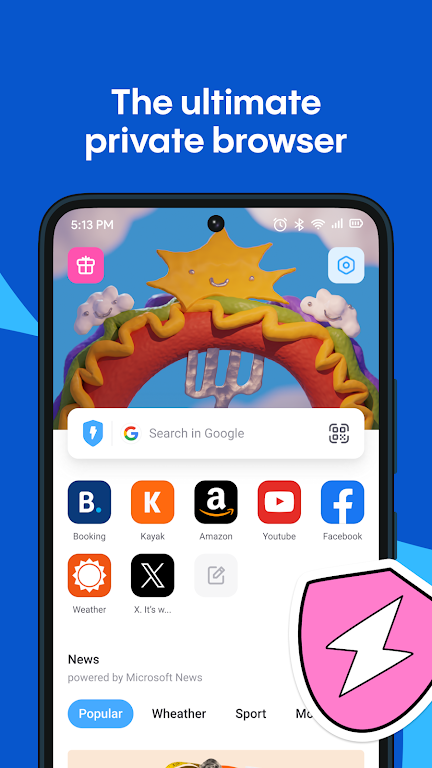
Aloha is a fast, privacy-centered browser that brings a built-in VPN, an ad blocker, a lightweight crypto wallet and a robust download manager together in a single app. From the first run you’ll notice Aloha’s focus on simple controls and real-world utility: private tabs that feel like incognito but keep session state when you want, a free express VPN for basic geo-unblocking and encryption, and integrated tools for managing media files and small Web3 interactions without switching apps. This description explains how the app works in day-to-day use, what to expect from controls and progression, and how it balances convenience with privacy.
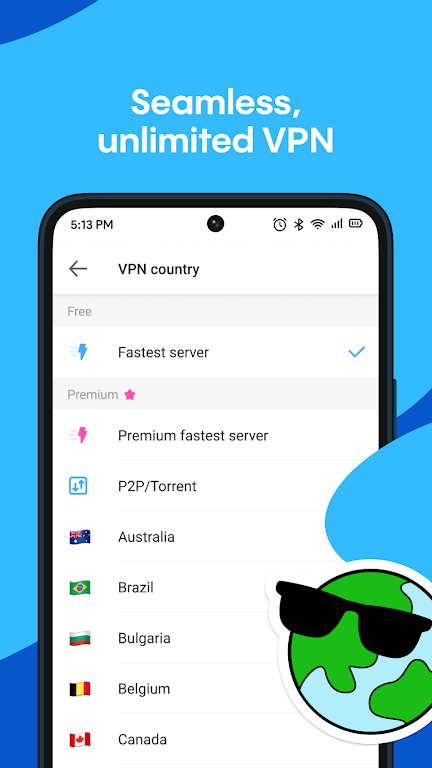
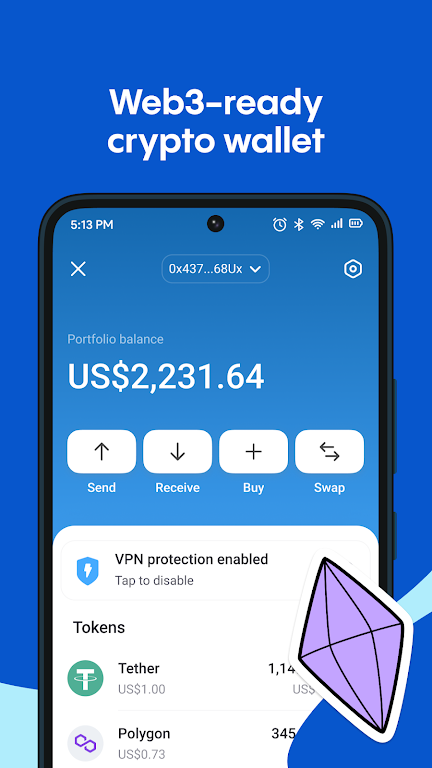
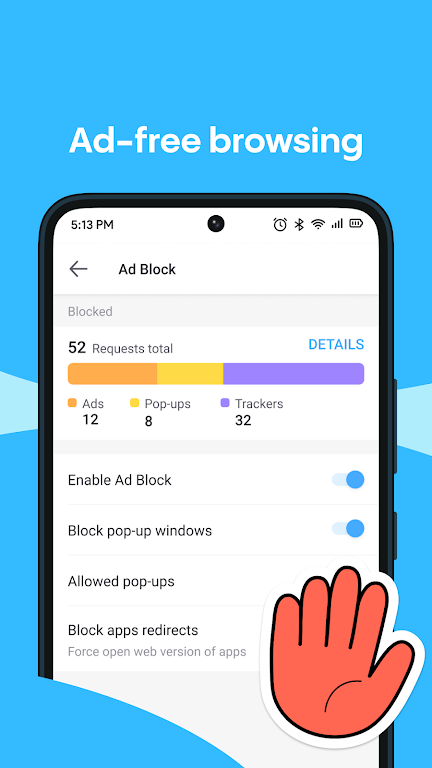
The browser’s main features are designed to reduce friction when you browse, stream or manage digital content. The private tabs behave like separate sessions, keeping cookies and browsing history isolated while allowing you to reopen pages you were viewing. The built-in VPN provides an on-demand encrypted connection with simple on/off controls and server selection where available; it’s intended for privacy and basic geo-restrictions rather than advanced VPN use. A native ad blocker removes many common intrusive elements to speed up page loads and reduce clutter, and a compact crypto wallet supports common Web3 interactions directly inside the browser so you can view decentralized sites and make straightforward transactions without a separate extension. The download manager is optimized for media: it queues downloads, resumes interrupted transfers and stores video and audio in an internal library for offline playback.
Controls are designed for touch-first devices: swipe gestures to switch tabs, long-press for contextual options, and an intuitive address bar with quick search and site shortcuts. Media playback uses in-app controls that support play, pause, seek and background audio, and the file manager exposes downloaded files in a familiar folder structure so you can move, rename or delete media. Setting the browser as your default, pinning favorite pages to the home screen, and configuring the ad blocker rules are all accessible from a compact settings panel. These controls are straightforward for new users but include options for people who want finer control over privacy and downloads.
While not a game, the app supports a form of practical progression: as you customize privacy settings, whitelist sites, and tune download behavior, the browser becomes more tailored to your workflow. Home screen tiles, theme choices, default search engine selection and toolbar layout let you prioritize frequently visited sites and tools. The encrypted vault acts as a local password and secure notes area; it can store credentials and small private items without requiring an online account. Customization focuses on making common tasks faster and reducing the need for multiple separate utilities on a device.
The interface favors a clean, minimal visual style with clear typography and unobtrusive icons so content takes center stage. Tabs are organized in a layered card view for quick navigation between sessions, and the built-in media player presents a compact overlay for ongoing playback while you continue browsing. Pages load using a performance-optimized engine that prioritizes responsiveness on midrange hardware, and the UI scales across phone and tablet layouts to maintain discoverability of core features.
Downloads and the internal media library enable substantial offline use. Videos and audio saved through the download manager are playable without an internet connection, and the file manager supports basic operations such as batch delete and rename. Wi‑Fi file sharing allows quick transfers to other devices on the same network without third-party cloud services, which is useful for moving content between a phone and a tablet. Offline playback, playlist creation and local storage are central to the app’s utility for users who want uninterrupted access to their media.
Security is a core focus: private tabs, an encrypted vault and the optional VPN are intended to improve privacy on public networks and reduce tracking. The crypto wallet supports everyday Web3 interactions but is not positioned as a replacement for advanced, hardware-backed wallets; users should evaluate their security needs before storing large amounts of value. The free VPN can be subject to regional speed or server constraints and is best suited for casual privacy and content access rather than professional-grade anonymity. Regular updates from the developer address security patches and compatibility improvements.
The app’s main advantage is consolidation: Aloha reduces the need for separate downloaders, media players and lightweight wallets by integrating them into a single browser, which simplifies workflows and saves storage space. Users who prefer minimal apps may find the feature set denser than necessary, and power users requiring advanced wallet features or enterprise-level VPNs will want dedicated solutions. For everyday browsing, media management and basic Web3 usage, the combination of features offers useful convenience while keeping control local to your device.
The app is maintained by the team behind Aloha Browser, a group focused on blending privacy tools and utility into a single, easy-to-use application. The developers publish periodic updates that refine the ad blocker, improve the download engine and add small usability improvements, and they communicate known limitations in release notes so users can make informed choices about privacy and offline workflows.
Marsh Virid Dark Zeal
Size:16.00M ToolsAloha
Size:64.30M ToolsLynx Khaki Use Key
Size:16.00M ToolsLocal Ai LLM
Size:34.14M ToolsFireAdmin
Size:55.93M ToolsDeepRestore
Size:14.25M ToolsAlright Voice Recorder
Size:10.00M ToolsGDSC DeKUT
Size:28.61M ToolsBold Browser
Size:94.70M ToolsBrain Box
Size:16.84M ToolsNeo Clean
Size:32.78M ToolsSweepFlowGo
Size:141.00M ToolsApril 2024 Clash of Clans Update: Unveiling a Fresh Companion, Enhanced Levels, Chat Tagging, and Be
2024-04-16Arrival of Genshin Impact 4.6 Update: 'Embers of Two Realms, Twilight of Crimson'
2024-04-16V2.2 of the Farlight 84 update introduces an overhauled Season structure, fresh in-game currency, an
2024-04-16Monster Never Cry is now accessible on both Android and iOS mobile devices.
2024-04-18PUBG Mobile Teams Up with Bentley Motors: Luxury Cars, Exclusive Collectibles, and Beyond
2024-04-18March 2024 Free Redemption Codes for Honkai: Star Rail
2024-04-18