English
SleepWell brings a focused collection of natural soundscapes to your Android device, designed to help you fall asleep, relax, meditate and sustain deep focus. SleepWell uses ambient recordings such as steady rain, rolling ocean waves and a crackling campfire to create a calm background atmosphere without spoken guidance or musical tracks, offering a compact, low-interruption way to unwind after a busy day or to concentrate during work and study sessions.
The app focuses on curated nature sounds and noise colors that are useful for sleep and concentration: gentle rain on leaves, ocean surf, wind through trees and a selection of atmospheric recordings recorded for immersive night-time moods. In addition to natural soundscapes, SleepWell includes steady noise options—white, pink, brown and green noise—to help mask distracting background sounds. Recordings are presented in clear categories so you can choose a sound that fits the moment, whether you need a comforting evening ambience or a steady background for focused work.
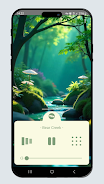
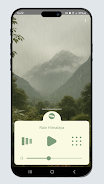
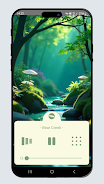
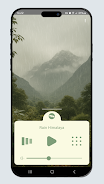
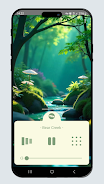
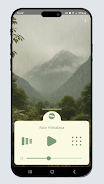
Playback is intentionally simple so the audio supports your routine without adding friction: basic controls include play and pause, independent volume control for the active track and session timing options to stop or reduce audio after a chosen interval. You can save preferred settings as local presets for quick recall, and the app keeps the interface uncluttered so adjustments are fast. The selection of noise colors and natural recordings lets you tailor the texture of background sound to personal preference.
Sessions are organized around practical listening needs rather than game-style levels: presets for sleep, relaxation, meditation and focus provide ready-made starting points that can be refined by duration and volume. Timed sessions with gradual fade-outs help transition from wakeful to restful states and are useful for people who want a predictable end to a listening period. The structure is deliberately straightforward—pick a category, choose a sound, set a duration—and repeatability supports building a calming nightly routine.
SleepWell emphasizes a minimal, low-distraction visual style so the audio remains the primary focus. The interface uses subdued colors and large, legible controls to make quick adjustments easy even in low light, and a dark theme reduces screen glare for bedside use. The layout groups sounds by purpose and descriptive labels help you find the right ambience without trial-and-error. Small touches—like intuitive icons and clearly labeled timers—improve usability for a wide range of users.
Accessibility is part of the app’s design philosophy: SleepWell aims to work smoothly with Android accessibility settings, offering large touch targets, readable text and straightforward navigation that pairs well with common screen readers and accessibility tools. The audio engine is optimized to run in the background so playback can continue while you use other apps or lock the screen, and the controls remain reachable from notification or lock-screen widgets where supported by the device.
The app is built to be lightweight and to perform on a broad range of devices. Sound files are optimized for efficient playback so the app uses minimal CPU and battery while running, and core ambient tracks are available locally after initial setup to reduce the need for constant streaming. That makes SleepWell practical for travel or for use in locations with intermittent connectivity: once a track is available on your device, you can play it without an active network connection.
Replay value comes from subtle differences in each recording and from rotating through curated collections that suit different moods and activities; repeated listening can help you discover which sounds consistently support sleep or focus. At the same time, SleepWell is intentionally narrow in scope: it emphasizes natural and noise-based audio rather than musical playlists or narrated guided meditations, and it is not a substitute for medical advice or structured therapy for chronic sleep disorders. Sound preference is subjective, so trying a few different tracks and settings is recommended to find what works best for you.
Strider
Size:33.41M ProductivityViz Player
Size:9.27M ProductivitySleepWell
Size:200.20M ProductivityBatch Flow
Size:24.00M Productivityimpact.com iPX Events
Size:109.00M ProductivityBorccu
Size:59.33M ProductivityNote Nest
Size:49.00M ProductivityGlow Diary
Size:14.00M ProductivityThe Echelon
Size:42.68M ProductivitySmart Tasks
Size:26.00M ProductivityHabitit
Size:23.44M ProductivityMinibus Checklist
Size:47.96M ProductivityApril 2024 Clash of Clans Update: Unveiling a Fresh Companion, Enhanced Levels, Chat Tagging, and Be
2024-04-16Arrival of Genshin Impact 4.6 Update: 'Embers of Two Realms, Twilight of Crimson'
2024-04-16V2.2 of the Farlight 84 update introduces an overhauled Season structure, fresh in-game currency, an
2024-04-16Monster Never Cry is now accessible on both Android and iOS mobile devices.
2024-04-18PUBG Mobile Teams Up with Bentley Motors: Luxury Cars, Exclusive Collectibles, and Beyond
2024-04-18March 2024 Free Redemption Codes for Honkai: Star Rail
2024-04-18