English
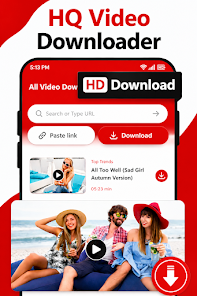
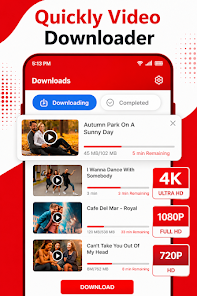
NewPipè Mp3 Mp4 Downloader is a compact utility designed to let you save videos and music for offline use in MP3 and MP4 formats. NewPipè Mp3 Mp4 Downloader places emphasis on a clean interface and efficient performance so you can grab songs, clips, tutorials and longer videos without extra steps; background downloading and a built-in media player let you continue using your device while the app saves and plays files locally.
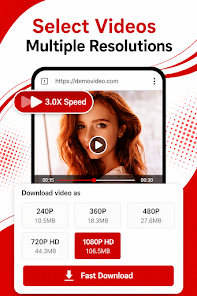
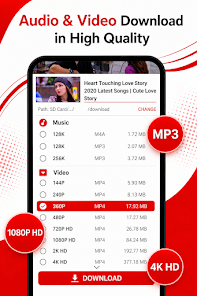
The app supports HD MP4 downloads and selectable quality levels for both video and audio, and it extracts high-quality MP3 audio tracks when you only need sound. Download tasks can be queued and run in the background so you can start other apps while files complete; simple controls allow you to pause or cancel individual transfers. The built-in player opens saved files immediately, so testing audio quality or previewing a clip does not require a separate application. Overall the feature set focuses on reliable saving, flexible quality choices, and lightweight operation that keeps the device responsive.
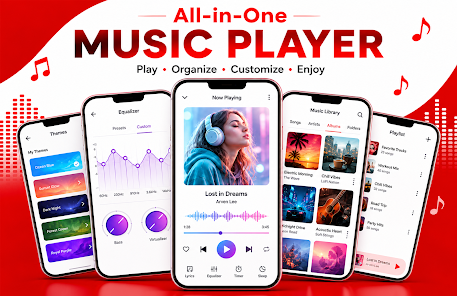
The interface is intentionally minimal to reduce the number of taps required to save content. Primary controls use straightforward gestures and buttons: one tap to add an item to the download queue, a long press to access options such as selecting quality or renaming before download, and clear on-screen indicators to show progress and status. The player uses common playback controls—play, pause, seek—and basic volume and repeat options so navigation feels familiar on phones and tablets.
As you build a personal media library, the app helps you keep files organized with folder grouping and simple sorting by name, date, or size. Progression in daily use comes from curating collections: you can prioritize downloads, manage the queue, and remove duplicates easily. These organization tools turn repeated downloads into a manageable archive rather than a cluttered storage area, which improves long-term usability as your offline library grows.
NewPipè Mp3 Mp4 Downloader gives you control over file size and fidelity through multiple quality presets; choosing a lower bitrate or resolution conserves storage, while higher settings preserve detail when available from the source. You can set preferred download folders on your device, edit file names before saving, and choose whether the app should use Wi‑Fi only to avoid mobile data usage. These options allow you to balance quality, space, and bandwidth according to your needs.
The built-in media player supports offline playback for both audio and video, so content you save is available whenever you need it without an internet connection. Because the app makes it straightforward to collect and preview media, it naturally encourages repeated use: creating personal playlists, revisiting tutorials, or keeping a collection of favorite clips for travel and commuting increases the utility of the app beyond a one-time download tool.
The visual design favors high-contrast text, clear icons, and readable fonts to make navigation accessible across screen sizes. Performance is tuned to be lightweight so the app has a small footprint and minimal impact on battery life; background downloads are handled without tying up the foreground experience. Accessibility considerations include scalable text sizes and a simple layout that reduces cognitive load when searching or managing files.
NewPipè Mp3 Mp4 Downloader cannot save content that is protected or restricted by publishers, and the download quality is limited to the resolution and bitrate of the available source file. It does not advertise cloud synchronization or advanced scheduling in its core feature set. When sources are unavailable or protected, the app will indicate the limitation rather than bypass any access controls.
For best results, use Wi‑Fi when saving large video files and check the app's quality settings before starting a batch of downloads. Rename files at the time of download if you want a predictable library structure, and make use of the queue to prioritize important items first. These small habits help the app stay organized and make your offline media easier to navigate over time.

WaveBoost
Size:61.00M ToolsHUB Financiero
Size:34.28M Tools安心舍
Size:50.60M ToolsRing Locator
Size:56.93M ToolsLiQ
Size:18.15M ToolsOnTrack
Size:27.83M ToolsMEGA FIBRA MG
Size:32.00M ToolsNewPipè Mp3 Mp4 Downloader
Size:26.00M ToolsQuick Percent Calculator
Size:17.83M ToolsClack Forge
Size:47.01M ToolsSV File Manager
Size:6.49M ToolsFitIndex: BMI Calculator
Size:18.00M ToolsApril 2024 Clash of Clans Update: Unveiling a Fresh Companion, Enhanced Levels, Chat Tagging, and Be
2024-04-16Arrival of Genshin Impact 4.6 Update: 'Embers of Two Realms, Twilight of Crimson'
2024-04-16V2.2 of the Farlight 84 update introduces an overhauled Season structure, fresh in-game currency, an
2024-04-16Monster Never Cry is now accessible on both Android and iOS mobile devices.
2024-04-18PUBG Mobile Teams Up with Bentley Motors: Luxury Cars, Exclusive Collectibles, and Beyond
2024-04-18March 2024 Free Redemption Codes for Honkai: Star Rail
2024-04-18