
English
Chord Scale Studio puts a compact jazz theory reference in your pocket, showing which scales fit over complex jazz chords so you can improvise with confidence and make faster practice decisions. Chord Scale Studio analyzes chord symbols you enter or pick from a palette and instantly suggests compatible scale choices, visual voicings, and clear reasoning for each option. The design favors quick lookups during rehearsal or on stage: minimal UI, focused visual guides, and fast response mean the app stays out of your way while keeping musical choices obvious.
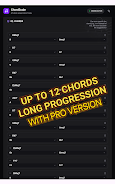
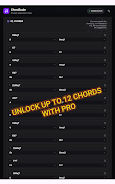
Start by typing a chord name or tapping from a categorized list of common and extended jazz chords; the app then evaluates chord tones, tensions, and functional context to present a selection of matching scales. Each suggestion comes with a short explanation of the harmonic logic and a graphical layout showing how scale tones align with the chord. You can build short progressions to see scales for each chord in order, which helps with reharmonization decisions and planning solo lines. Free users can create and study progressions up to three chords; Pro users can expand that to longer sequences for extended arrangement work.
The interface is built for quick gestures and clear taps: select chords with one touch, drag to reorder progression steps, and pinch or zoom the diagram area to examine voicings in more detail. Visual voicings adapt to common instruments so the diagrams are readable for guitarists and pianists alike, with fretboard and keyboard-style illustrations that show suggested fingerings and voice-leading options. Contextual help appears inline, so you never leave the view you’re working in to understand why a scale fits.
The app supports structured practice by letting you cycle through progressions at a chosen tempo and by offering focused drills that highlight one chord and its most promising scale choices. Use the drill mode to loop through chord changes while you practice soloing, or randomize chords from a saved set to test quick decision-making. Progression-based practice helps you internalize chord–scale relationships so your improvisation choices become instinctive rather than tentative.
Minimalist visual aesthetics keep attention on the music. Color-coded scale degrees and tension markers make patterns obvious without clutter. You can switch between compact and expanded diagram views, adjust notation size for readability, and toggle between a light or dark theme depending on performance lighting. These visual options are designed to support both study and stage use without distracting overlays or heavy menus.
Beyond instant references, the content emphasizes practical understanding: brief explanations show which chord tones demand certain scale choices and which scale degrees create tensions to be resolved. Educators and students can use the app as a quick classroom companion to illustrate reharmonization concepts and to create examples for practice sessions. The app was developed from a performer’s perspective, focusing on what players need when preparing solos or arranging voicings.
Chord Scale Studio is lightweight and optimized for offline operation so you can rely on it in venues with limited connectivity. Accessibility options include adjustable text sizes, contrast-friendly color themes, and clear touch targets for users with different dexterity needs. Small footprint and fast local analysis make the app suitable for rehearsals, lessons, and live situations where responsiveness matters.
The free version intentionally limits progression length to three chords to keep the basic tool accessible while encouraging upgrades for extended rehearsal work; upgrading to Pro expands progressions up to twelve chords and unlocks additional convenience features. The app focuses specifically on jazz chord–scale relationships and does not attempt to be a full textbook replacement, so users seeking exhaustive theoretical treatises may want supplemental resources. Its minimalist approach favors speed and clarity over long-form explanations.
Designed and tested by a professional jazz guitarist and educator, Chord Scale Studio reflects practical workflow choices made by performers and teachers. Regular updates refine chord recognition and expand supported chord types; in-app support and brief help screens are available to guide new users through basic operations. The goal of Chord Scale Studio is to reduce guesswork, speed up decision-making in the moment, and serve as a sustainable reference you can return to during practice and performance.







Compress Video - Resize Video
Size:48.75M Media & VideoMEME Maker: MEME Creator
Size:49.65M Media & VideoInstory Story Video Maker
Size:31.79M Media & VideoDrum Pads 24 - Beats and Music
Size:31.00M Media & VideoRadioTunes
Size:25.30M Media & VideoWiseplay
Size:38.13M Media & VideojetAudio HD Music Player Plus
Size:22.60M Media & VideoTABLA: India Mystical Drums
Size:27.35M Media & VideoOnePlayer
Size:128.00M Media & VideoDeep Bass Booster & Subwoofer
Size:4.30M Media & Videoedjing Mix
Size:70.40M Media & VideoWorld Radio FM Online
Size:24.00M Media & VideoApril 2024 Clash of Clans Update: Unveiling a Fresh Companion, Enhanced Levels, Chat Tagging, and Be
2024-04-16Arrival of Genshin Impact 4.6 Update: 'Embers of Two Realms, Twilight of Crimson'
2024-04-16V2.2 of the Farlight 84 update introduces an overhauled Season structure, fresh in-game currency, an
2024-04-16Monster Never Cry is now accessible on both Android and iOS mobile devices.
2024-04-18PUBG Mobile Teams Up with Bentley Motors: Luxury Cars, Exclusive Collectibles, and Beyond
2024-04-18March 2024 Free Redemption Codes for Honkai: Star Rail
2024-04-18