English
RAM Cleaner Super Easy Utility is an Android maintenance app designed to free memory, remove junk and cached files, and improve battery life and overall responsiveness. RAM Cleaner Super Easy Utility centralizes one-tap cache cleaning, RAM optimization, CPU and battery monitoring, and scheduled routines so that slowdowns, unexpected app closures and rapid battery drain are addressed without digging through multiple settings menus. The app supports both automatic maintenance for everyday users and granular manual controls for advanced users, and it includes deeper options that make the most of rooted devices when available.
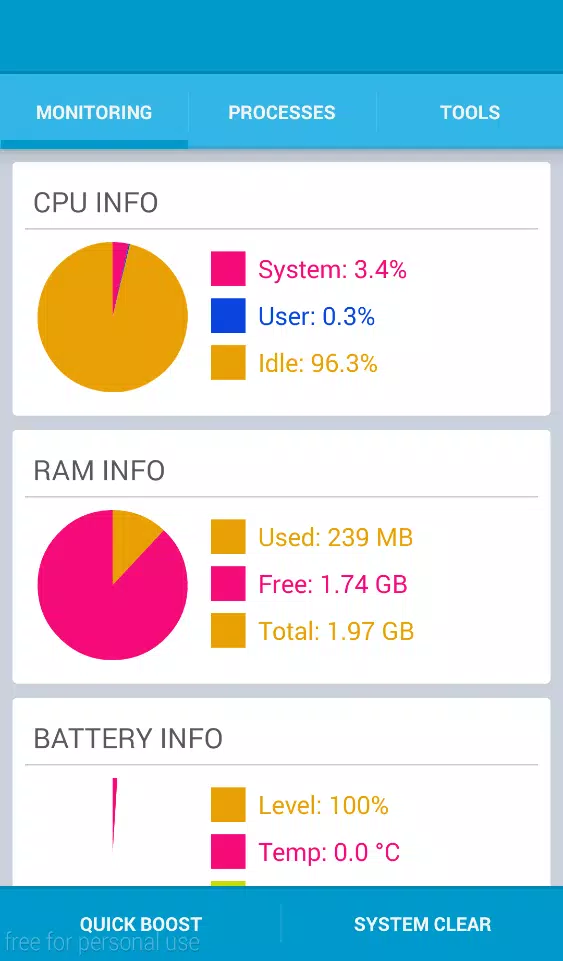
The app offers one-tap clearing of caches and temporary files combined with optional automatic scans that run on a schedule you choose. Real-time monitoring displays CPU load, RAM usage, available ROM and SD storage, and battery status so you can spot resource-hungry apps at a glance. Background optimization services can be configured to run during idle periods to minimize interruptions and maintain steady performance.
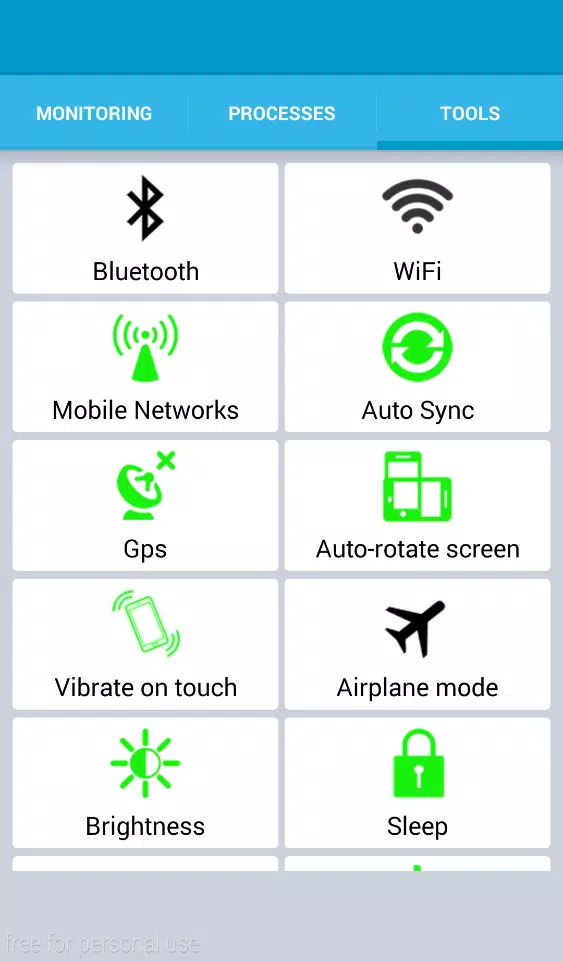
Tools include app-to-SD migration for reclaiming internal storage, batch file deletion for quickly removing multiple large items, and call log cleanup. For users who want extra protection, on-device antivirus scanning and simple network monitoring provide an additional layer of performance-focused security. A built-in flashlight utility offers quick access to a commonly needed tool without switching apps.
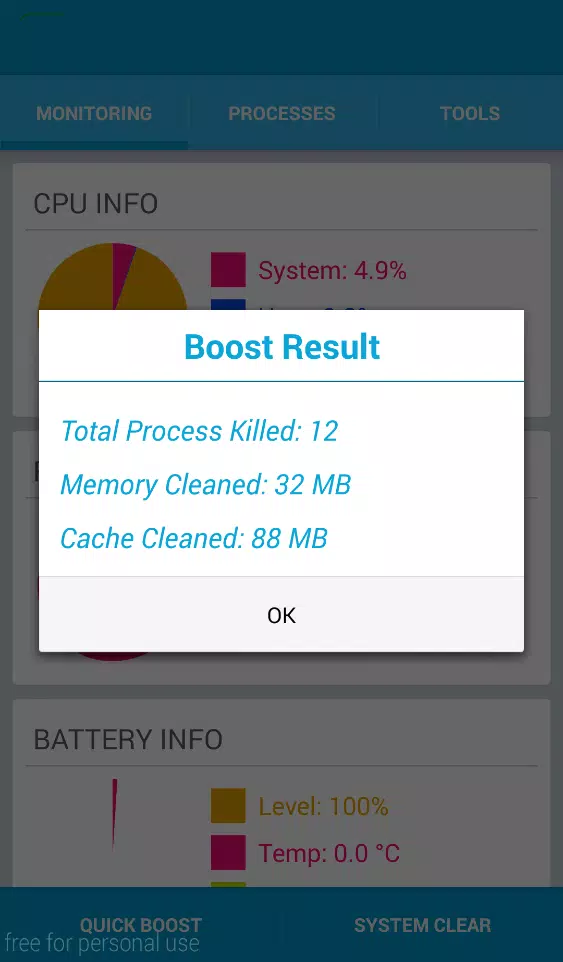
RAM Cleaner Super Easy Utility works in three complementary stages: scan, recommend, and act. Scans identify caches, unused files and background services that consume memory and battery. The app then recommends actions with estimated storage and power savings so you can make informed choices. One-tap actions execute safe optimizations, and automated profiles let the app apply repeatable strategies based on battery level, time of day, or charging state.
For rooted devices the app exposes additional process control and core management so technically inclined users can terminate or isolate problematic services and adjust CPU core behavior. All automated steps include simple confirmations and logs so you can review what was changed and undo actions if needed.
Controls are designed for clarity: a primary action button handles common maintenance tasks, while contextual menus provide access to detailed settings. Progression through regular use is achieved by tailoring automated routines and exceptions lists; as you set rules and whitelist needed apps, the system requires fewer manual interventions. Customization lets you define scan frequency, set thresholds for low-memory alerts, choose which optimizations run on battery saver mode, and create profiles for work, gaming, or travel scenarios.
Notifications are unobtrusive and fully configurable. You can enable summary alerts that report reclaimed space and estimated battery extension or turn on more detailed logs for troubleshooting. These design choices make ongoing maintenance feel like light upkeep rather than a constant chore.
The app uses a clean, readable interface with clear icons, straightforward labels and color contrasts that emphasize important statistics. Dashboard widgets and a compact notification view provide quick access to live metrics without opening the full app. Accessibility options include adjustable font sizes, high-contrast themes and simple button layouts to help users with visual or motor impairments navigate core functions easily.
Interactive charts give a visual sense of usage trends so users can spot gradual changes in app behavior or battery health. The combination of visuals and plain-language guidance helps both novices and experienced users act confidently.
Most features operate fully offline; scans, clearing routines and local antivirus checks do not require a constant internet connection. Replay value comes from tuning and testing different optimization profiles on devices with varied workloads: for example, configuring a profile to balance performance during gaming sessions versus maximizing battery life for travel. Challenge systems are implicit and practical: identify the apps that most impact battery or memory and iteratively refine your settings to improve benchmarks like app launch speed and idle power draw.
RAM Cleaner Super Easy Utility supports Android 4.0 and above, though some advanced features require root privileges to unlock direct process control. Battery-saving actions such as disabling radios or lowering brightness may affect connectivity and app behavior, and those behaviors are clearly explained in settings so you can choose the right balance. Regular updates are delivered to maintain compatibility with new Android versions and to improve detection heuristics and security definitions.
Designed to be a practical maintenance companion rather than a magical cure-all, RAM Cleaner Super Easy Utility aims to make everyday device care simpler and more transparent while giving power users the tools they need to fine-tune performance and storage management.
Colorimeter
Size:5.45M ToolsChatBoost
Size:19.33M ToolsRemote Fire TV
Size:48.04M ToolsgetConf - Hidden Settings
Size:16.66M ToolsTracker Detect Pro
Size:10.39M ToolsWiFi Speed Test Pro
Size:8.11M ToolsGG Mouse Pro 2
Size:45.82M ToolsResource Monitor Mini Pro
Size:3.19M ToolsSmart Keyboard Pro
Size:23.22M ToolsMyScript Math: Solve & Plot
Size:108.76M ToolsText Repeater
Size:11.73M Tools3Dcalc+
Size:12.59M ToolsApril 2024 Clash of Clans Update: Unveiling a Fresh Companion, Enhanced Levels, Chat Tagging, and Be
2024-04-16Arrival of Genshin Impact 4.6 Update: 'Embers of Two Realms, Twilight of Crimson'
2024-04-16V2.2 of the Farlight 84 update introduces an overhauled Season structure, fresh in-game currency, an
2024-04-16Monster Never Cry is now accessible on both Android and iOS mobile devices.
2024-04-18PUBG Mobile Teams Up with Bentley Motors: Luxury Cars, Exclusive Collectibles, and Beyond
2024-04-18March 2024 Free Redemption Codes for Honkai: Star Rail
2024-04-18