
English
NCheck Standard is a biometric attendance and personnel management application built to simplify staff timekeeping while improving accuracy and accountability. NCheck Standard combines face, fingerprint and iris recognition so organizations can register and verify employees for clock-in and clock-out with liveness checks and optional location capture. Designed for office, retail and field deployments, the app reduces manual timesheet errors and buddy-punching by automating enrollment and recurring checks with clear audit records that can be exported for payroll processing.
The app supports multiple biometric modalities so administrators can choose the best sensor mix for their environment: face detection for touchless, fast throughput; fingerprint capture for fixed workstations; and iris recognition where higher assurance is required. Real-time face detection enables people to be recognized while passing by a terminal, and multiple-face detection speeds up group check-ins at shift change. Liveness detection is applied before facial recognition to reduce spoofing attempts, and each verification event can include a geolocation tag to help validate remote or multi-site attendance. Reporting tools aggregate daily and monthly hours, overtime, vacation and sick leave into exportable summaries compatible with common payroll workflows.
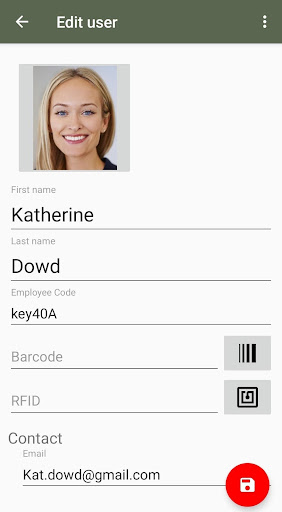
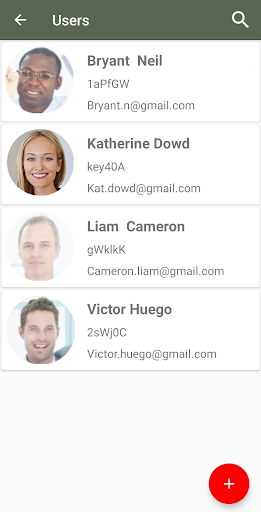
Enrollment is a step-by-step process that guides administrators and employees through registering one or more biometric modalities. The user interface provides clear on-screen prompts and visual feedback during capture so staff know when their registration is successful. Progression for new users is linear and auditable: create an employee record, enroll chosen biometric templates, verify on a test check-in and assign role or shift attributes. Managers can set tolerance levels for matching and adjust liveness sensitivity to balance convenience and security, allowing deployments to be tuned over time rather than requiring a single fixed configuration.
Built with a clean, utilitarian visual style, the interface emphasizes legibility and fast operation in operational environments. Main screens show current check-ins, recent exceptions and a single-action check-in button for straightforward use on kiosk devices or tablets. Administrators can customize display labels, time zone settings, and which biometric options are presented to end users, enabling the app to fit different company workflows without complicating the daily experience for employees. Color and layout choices prioritize accessibility and quick glanceability for busy supervisors.
Attendance data is organized into summaries suitable for payroll processing and workforce management review. Reports can be filtered by employee, department, shift or date range to produce the specific summaries payroll teams need, and the app is designed to produce outputs that integrate with existing payroll pipelines. Built-in exception reports highlight missed check-ins, early departures and repeated failed verifications so managers can address attendance issues before they affect payroll calculations.
The system tolerates intermittent connectivity: local verification and capture continue to function on compatible devices so daily operations are not blocked by temporary network outages. The app records verification events locally and synchronizes records when a stable connection is available, and local caching helps maintain responsiveness on busy terminals. Error handling focuses on clarity for front-line staff and administrators: failed enrollments provide actionable suggestions, and repeated verification errors generate diagnostic information administrators can use to adjust sensor placement or matching thresholds.
NCheck Standard supports different deployment scenarios ranging from single-site kiosks to multi-terminal installations. Accessibility considerations include clear audio/visual prompts during enrollment and check-in to assist users with different needs. Day-to-day replay value comes from reliable, low-friction operation that encourages consistent use: when the system minimizes false rejects and makes check-in fast, employees adopt it as a standard routine rather than an obstacle to work. Over the long term, the application helps organizations maintain accurate personnel records and reduces administrative overhead.
Handling biometric and location data requires attention to privacy and local regulations. NCheck Standard includes administrative controls for managing user access and data retention so organizations can align system behavior with their policies. Deployments typically require compatible biometric sensors and sufficient camera hardware for the selected modality; administrators should evaluate device compatibility and plan enrollment sessions to minimize disruption. Technical documentation and support resources help with initial setup and ongoing tuning to achieve the desired balance between convenience and assurance.
NCheck Standard is intended for organizations that need a dependable, flexible biometric attendance solution with clear reporting and manageable administrative controls. Its combination of modalities, configurable settings and focus on usability make it a practical choice for teams seeking to modernize timekeeping without overcomplicating daily workflows.
Cover Letter
Size:11.77M FinanceCV Engineer
Size:16.85M FinanceSimple Invoice Manager
Size:25.30M Finance华融融达期货
Size:109.18M FinanceChurchNest
Size:83.00M FinanceYnotOne
Size:0.00M FinanceMoohan Taekwondo
Size:10.80M FinanceIBOIX
Size:76.00M FinanceMargin Guard: Risk Calculator
Size:69.00M FinanceLP Protidin
Size:47.00M FinanceMON 3
Size:47.00M FinanceExpo Wallet - Consumer
Size:29.10M FinanceApril 2024 Clash of Clans Update: Unveiling a Fresh Companion, Enhanced Levels, Chat Tagging, and Be
2024-04-16Arrival of Genshin Impact 4.6 Update: 'Embers of Two Realms, Twilight of Crimson'
2024-04-16V2.2 of the Farlight 84 update introduces an overhauled Season structure, fresh in-game currency, an
2024-04-16Monster Never Cry is now accessible on both Android and iOS mobile devices.
2024-04-18PUBG Mobile Teams Up with Bentley Motors: Luxury Cars, Exclusive Collectibles, and Beyond
2024-04-18March 2024 Free Redemption Codes for Honkai: Star Rail
2024-04-18


















