English
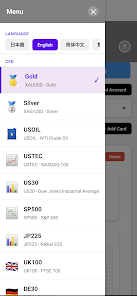
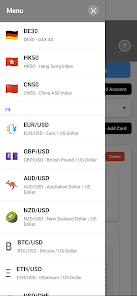
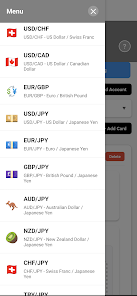
Margin Guard: Risk Calculator is a compact, professional tool designed to help traders and risk managers measure exposure, calculate margins, and set position sizing quickly. It provides clear risk metrics, scenario analysis, and adjustable parameters so users can make more informed trading decisions with minimal friction.
At its core, Margin Guard: Risk Calculator translates complex margin formulas into simple, actionable numbers. Whether you trade futures, forex, stocks, or derivatives, the app converts leverage, account balance, and volatility into margin requirements, potential loss, and recommended trade sizes in seconds.
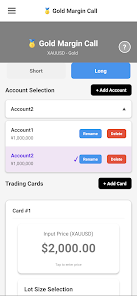
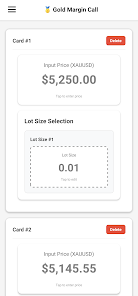
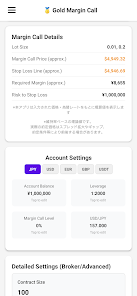
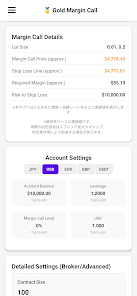
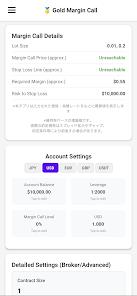
The workflow is straightforward: enter your account balance, desired leverage, and position size, then set stop-loss and take-profit levels. Margin Guard: Risk Calculator computes margin used, free margin, unrealized P&L for scenarios, and the percentage risk per trade. A clear summary helps you decide whether the position fits your risk tolerance.
The interface is built for speed and clarity. Inputs are organized in logical groups with instant outputs, minimizing taps and scrolls. The app runs smoothly on mid-range devices and conserves battery during extended calculations, making it suitable for traders who need quick checks on the go.
Beyond basic computation, Margin Guard: Risk Calculator includes several practical tools to streamline workflow. A risk-percentage slider helps maintain consistent position sizing. A built-in fee estimator adjusts margin and P&L for commissions and funding rates. There is also a scenario exporter for saving or sharing setups with colleagues.
If you are new to margin trading, start with conservative risk percentages and short scenario tests. Use the stop-loss modeling feature to understand how quickly margin can erode under adverse moves. Margin Guard: Risk Calculator is particularly useful for enforcing discipline: set a fixed percent-per-trade and let the app compute position sizes that match your risk plan.
Experienced traders will appreciate the ability to customize contract multipliers, define non-linear fee schedules, and simulate portfolio-level margin across multiple exchanges. The calculator can be used to stress-test strategies and to compute maintenance margin thresholds that trigger margin calls.
Installation takes only a few seconds from your app store. After granting minimal permissions, you can begin inputting instrument details and account parameters. Margin Guard: Risk Calculator supports common Android versions and is optimized to avoid background resource use when not actively calculating.
For traders and risk-conscious investors, Margin Guard: Risk Calculator offers an efficient, reliable way to quantify exposure and keep position sizing aligned with a disciplined plan. Regular use helps reduce surprises and improves decision-making under market stress.
CV Engineer
Size:16.85M FinanceSimple Invoice Manager
Size:25.30M Finance华融融达期货
Size:109.18M FinanceChurchNest
Size:83.00M FinanceYnotOne
Size:0.00M FinanceMoohan Taekwondo
Size:10.80M FinanceIBOIX
Size:76.00M FinanceMargin Guard: Risk Calculator
Size:69.00M FinanceLP Protidin
Size:47.00M FinanceMON 3
Size:47.00M FinanceExpo Wallet - Consumer
Size:29.10M FinanceKassly POS
Size:59.00M FinanceApril 2024 Clash of Clans Update: Unveiling a Fresh Companion, Enhanced Levels, Chat Tagging, and Be
2024-04-16Arrival of Genshin Impact 4.6 Update: 'Embers of Two Realms, Twilight of Crimson'
2024-04-16V2.2 of the Farlight 84 update introduces an overhauled Season structure, fresh in-game currency, an
2024-04-16Monster Never Cry is now accessible on both Android and iOS mobile devices.
2024-04-18PUBG Mobile Teams Up with Bentley Motors: Luxury Cars, Exclusive Collectibles, and Beyond
2024-04-18March 2024 Free Redemption Codes for Honkai: Star Rail
2024-04-18