English
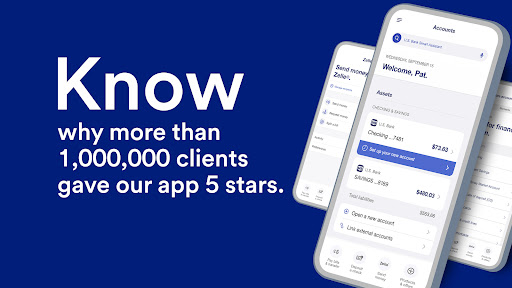
U.S. Bank Mobile Banking puts everyday banking tools into a single app, letting users check balances, transfer funds, deposit checks, and manage cards from a phone. Designed for convenience and security, this mobile solution streamlines account access for individuals and small businesses while keeping important financial controls at your fingertips.
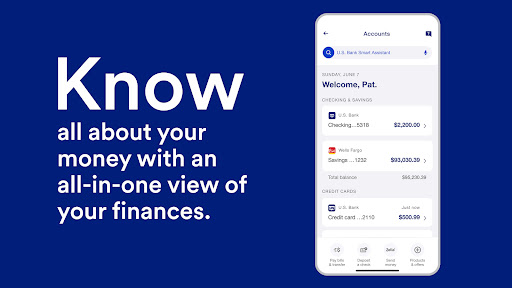
The U.S. Bank Mobile Banking experience focuses on simplifying routine money management. It combines account summaries, bill pay, person-to-person transfers, and mobile deposits into a dashboard that’s accessible in seconds. Whether you need a quick balance check or more advanced account tools, the app reduces friction and keeps core functions within easy reach.
Key tools are organized to speed up common tasks. The account activity feed displays recent transactions and pending items, while customizable alerts notify you about low balances, large withdrawals, or due payments. Mobile check deposit uses your camera to capture checks, and transfer tools let you move funds between linked accounts or send money to friends and family.
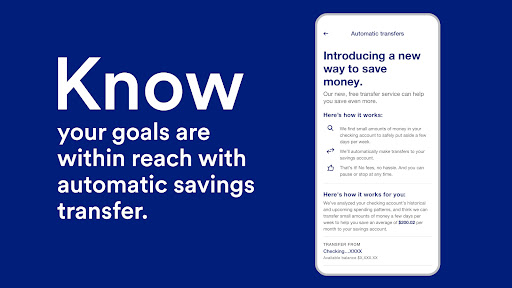
U.S. Bank Mobile Banking supports bill pay and P2P transfers, letting you schedule one-time or recurring payments. Linking external bank accounts or cards is straightforward, and the app displays transfer status updates so you know when money arrives. Integrations with common digital wallets and card controls let you manage contactless payments and on-device security.
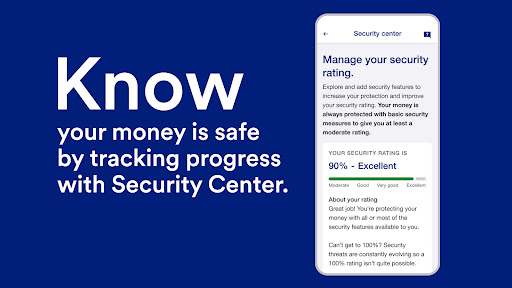
Security is central to the app’s design. Multi-factor authentication and biometric sign-in (fingerprint or face) reduce login friction while enhancing protection. Session timeouts and the ability to lock or freeze cards from the app give immediate control if a card is lost or compromised. Encrypted connections and monitoring tools help detect unusual activity and notify you quickly.
The interface emphasizes clarity: clear typography, card-style account tiles, and a consistent navigation bar. Loading times are generally quick for common queries like balance checks and recent transactions. The app also caches recent activity so you can review them during brief network interruptions, and background updates keep balances current without manual refreshes.
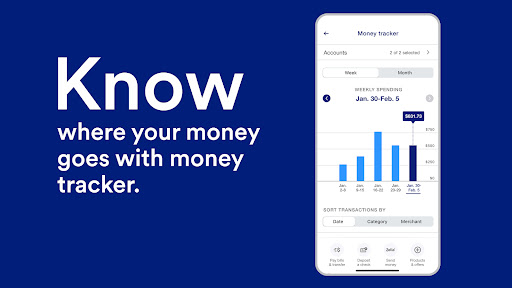
Beyond transactions, the app includes tools to plan and organize finances. Budgeting views group spending by category and show month-to-month trends. For credit card users, detailed statements and reward tracking are available. Alerts and reminders help avoid late fees by prompting on upcoming bills or low balances.
You can personalize notifications, reorder account tiles, and select preferred language settings. Card controls are flexible: set travel notifications, adjust daily spending limits, and enable or disable specific merchant types. These options allow you to tailor the app to your daily habits and security preferences.
Start by registering and enabling biometric login for faster access. Link any external accounts early to simplify transfers, and set two or three key alerts—balance, large transactions, and payment due—to stay informed. Make a habit of checking the account activity feed before making large purchases to catch mistakes or fraud promptly.
People appreciate the combination of core banking features and practical safety controls in one place. U.S. Bank Mobile Banking reduces the need to visit a branch for routine tasks and gives small-business owners a mobile option for quick cash flow checks and payment management. The emphasis on security and clear UI earns positive marks from users who want reliable, everyday banking on the go.
Download the app from an official store, follow the secure registration steps, and verify your identity using the provided prompts. Allow necessary permissions like camera access for mobile deposit and enable push notifications to receive timely alerts. If you run into login issues, in-app help and customer support options guide you through account recovery.
The U.S. Bank Mobile Banking app delivers a streamlined toolkit for personal and small business finance. With focused features, strong security, and adaptable notifications, it serves as a practical companion for managing accounts, payments, and cards from a single mobile interface.
Cover Letter
Size:11.77M FinanceCV Engineer
Size:16.85M FinanceSimple Invoice Manager
Size:25.30M Finance华融融达期货
Size:109.18M FinanceChurchNest
Size:83.00M FinanceYnotOne
Size:0.00M FinanceMoohan Taekwondo
Size:10.80M FinanceIBOIX
Size:76.00M FinanceMargin Guard: Risk Calculator
Size:69.00M FinanceLP Protidin
Size:47.00M FinanceMON 3
Size:47.00M FinanceExpo Wallet - Consumer
Size:29.10M FinanceApril 2024 Clash of Clans Update: Unveiling a Fresh Companion, Enhanced Levels, Chat Tagging, and Be
2024-04-16Arrival of Genshin Impact 4.6 Update: 'Embers of Two Realms, Twilight of Crimson'
2024-04-16V2.2 of the Farlight 84 update introduces an overhauled Season structure, fresh in-game currency, an
2024-04-16Monster Never Cry is now accessible on both Android and iOS mobile devices.
2024-04-18PUBG Mobile Teams Up with Bentley Motors: Luxury Cars, Exclusive Collectibles, and Beyond
2024-04-18March 2024 Free Redemption Codes for Honkai: Star Rail
2024-04-18