English
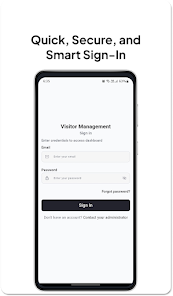
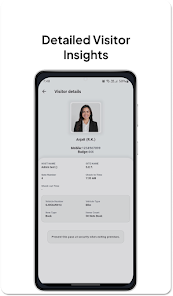
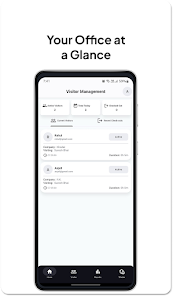
Digital Check-In streamlines visitor registration and staff attendance for businesses, events, and clinics with a simple touchscreen interface, secure data handling, and real-time reporting. It replaces paper logs, speeds throughput, and offers configurable fields so teams can match intake to operational needs and compliance requirements.
Designed for reception desks, front-line teams, and event staff, Digital Check-In turns a tablet or kiosk into a fast, repeatable intake station. The app focuses on reducing bottlenecks during peak times while capturing accurate contact and visit details. Administrators can define workflows, validation rules, and privacy settings without coding, making it suitable for facilities of all sizes.
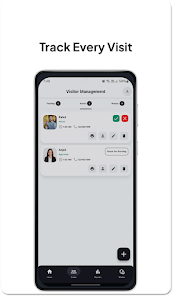
Digital Check-In uses a simple, step-based workflow: a visitor selects a purpose, completes the configured fields, and confirms their entry. For returning users, quick profiles or QR passes speed the process. Staff get notifications when a visitor checks in, and predefined rules can trigger alerts for VIPs, contractors, or individuals needing escorts. The design reduces decision points so users move through the process quickly and consistently.
The interface prioritizes clarity and accessibility. Large buttons, legible fonts, and contrast-conscious color schemes make the core actions obvious to first-time users. Animations are minimal to keep performance snappy on mid-range hardware. Response times for common tasks are tuned so that checking in takes only a few seconds once the form is familiar, and administrators can preview changes instantly through an admin panel.
Integration is a key consideration for modern workflows. Digital Check-In offers connectors for calendar systems, directory services, and cloud storage to synchronize visitors with employee calendars or automatically register guests for meetings. Data export supports CSV and JSON formats so analytics teams can ingest logs. On security, the app supports encrypted local storage, secure API tokens, and configurable retention policies to comply with data protection standards.
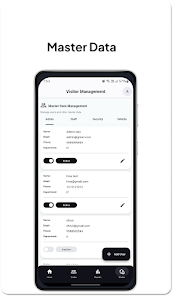
Beyond fields and appearance, administrators can enforce validation rules, required waivers, or consent captures. For medical or education environments, you can require additional compliance fields and store signed consent forms with each entry. Branding options let organizations apply logos and color palettes so kiosks match corporate identity.
Teams choose Digital Check-In for measurable throughput improvements and clearer visitor records. Facilities report fewer manual errors, shorter queues, and easier compliance reporting. The modular design keeps the learning curve low while giving administrators control over many operational variables.
To deploy, install the app on a supported Android device, connect to your network, and use the setup wizard to configure locations and forms. Test the flow with a few trial visitors and iterate on field layouts before scaling. With straightforward administration tools and export options, most organizations can move from installation to production within days.
Cover Letter
Size:11.77M FinanceCV Engineer
Size:16.85M FinanceSimple Invoice Manager
Size:25.30M Finance华融融达期货
Size:109.18M FinanceChurchNest
Size:83.00M FinanceYnotOne
Size:0.00M FinanceMoohan Taekwondo
Size:10.80M FinanceIBOIX
Size:76.00M FinanceMargin Guard: Risk Calculator
Size:69.00M FinanceLP Protidin
Size:47.00M FinanceMON 3
Size:47.00M FinanceExpo Wallet - Consumer
Size:29.10M FinanceApril 2024 Clash of Clans Update: Unveiling a Fresh Companion, Enhanced Levels, Chat Tagging, and Be
2024-04-16Arrival of Genshin Impact 4.6 Update: 'Embers of Two Realms, Twilight of Crimson'
2024-04-16V2.2 of the Farlight 84 update introduces an overhauled Season structure, fresh in-game currency, an
2024-04-16Monster Never Cry is now accessible on both Android and iOS mobile devices.
2024-04-18PUBG Mobile Teams Up with Bentley Motors: Luxury Cars, Exclusive Collectibles, and Beyond
2024-04-18March 2024 Free Redemption Codes for Honkai: Star Rail
2024-04-18