English
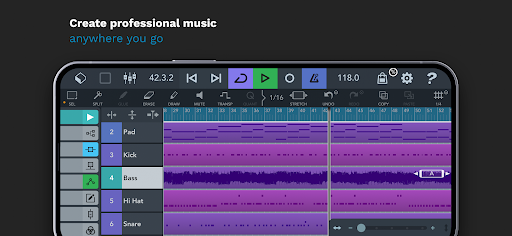
Cubasis 3 - DAW & Music Studio is a streamlined digital audio workstation for Android that brings professional multitrack recording, editing, and mixing to mobile devices. It combines a polished touch interface with powerful instruments, effects, and export options to support musicians, producers, and sound designers on the go.
Designed for musicians who need studio-grade tools without a desktop, Cubasis 3 - DAW & Music Studio packs timeline editing, a mixer, and virtual instruments into a single app. The layout emphasizes speed: record audio or MIDI, trim clips, and apply effects with gestures optimized for touchscreens.
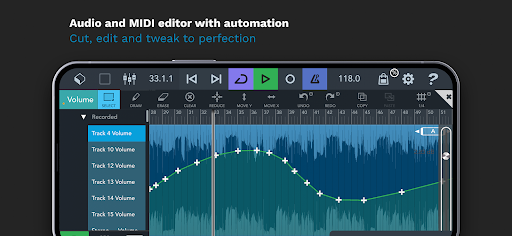
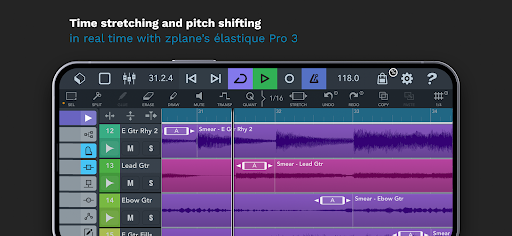
The app covers the full production chain. Record multiple takes with low-latency input and comp them into a single track. Edit audio with fades, crossfades, and time-stretching. For MIDI, use the built-in editors to correct timing, quantize notes, and route patterns to virtual instruments.
The interface balances accessibility with depth. A central timeline gives a clear view of song structure while context-sensitive inspectors let you tweak parameters without switching screens. Gesture controls accelerate common tasks — pinch to zoom the timeline, swipe to nudge regions, and tap to open detailed editors.
Cubasis 3 - DAW & Music Studio is engineered to run smoothly on modern Android hardware. Buffer sizes and sample rates are adjustable to match device capabilities, reducing dropouts during playback. The app supports common audio file formats and can export full mixes or stems for collaboration.
Export options include WAV and MP3, with direct sharing to cloud services or desktop transfer via USB. The app also supports external MIDI controllers and audio interfaces, allowing you to connect keyboards, control surfaces, and microphones for a hybrid mobile/studio setup.
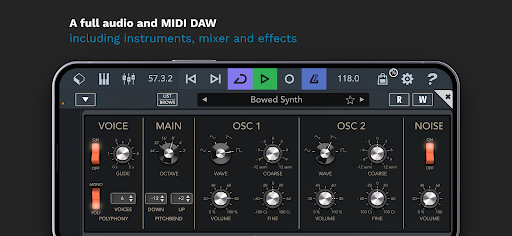
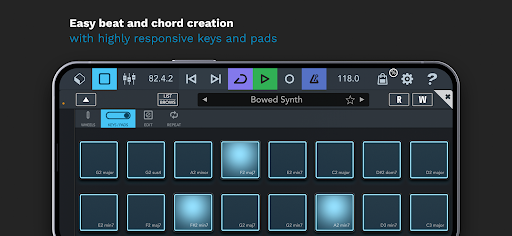
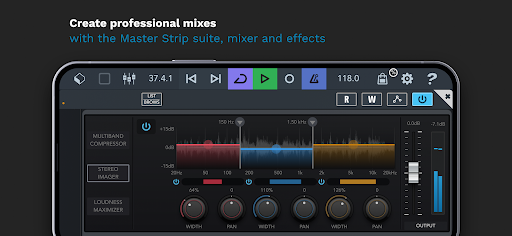
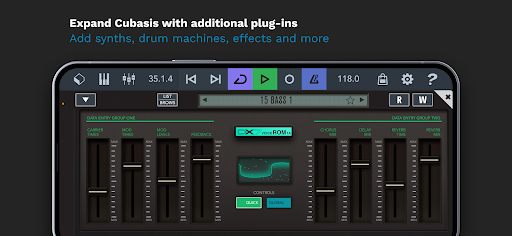
The built-in instruments provide a solid starting point for composition. Each instrument offers parameter controls for shaping timbre and dynamics. Effects range from basic compression and reverb to more creative modulation and delay units. Putting these together in the mixer yields polished arrangements without leaving the app.
Start with a template to speed up session setup. Use track presets and channel strip templates to maintain consistent tones across projects. When recording on mobile, monitor input levels carefully and keep an eye on CPU usage to avoid glitches during overdubs.
Beginners will find the visual workflow approachable while experienced producers can dive into deeper routing and automation options. The included documentation and tutorials help flatten the learning curve, and regular updates add features and hardware compatibility improvements.
For many users, the appeal of Cubasis 3 - DAW & Music Studio is the combination of portability and depth. It’s capable enough for arranging complete songs but accessible enough for quick ideas and on-location recording. The app’s balance of editing tools, effects, and routing makes it a reliable companion when a laptop isn’t practical.
Download, grant microphone and storage permissions, and run through the audio setup to match your device’s performance. Begin with a simple two-track session to learn recording and editing basics, then experiment with instruments and sends as you grow more confident.
Compress Video - Resize Video
Size:48.75M Media & VideoMEME Maker: MEME Creator
Size:49.65M Media & VideoInstory Story Video Maker
Size:31.79M Media & VideoDrum Pads 24 - Beats and Music
Size:31.00M Media & VideoRadioTunes
Size:25.30M Media & VideoWiseplay
Size:38.13M Media & VideojetAudio HD Music Player Plus
Size:22.60M Media & VideoTABLA: India Mystical Drums
Size:27.35M Media & VideoOnePlayer
Size:128.00M Media & VideoDeep Bass Booster & Subwoofer
Size:4.30M Media & Videoedjing Mix
Size:70.40M Media & VideoWorld Radio FM Online
Size:24.00M Media & VideoApril 2024 Clash of Clans Update: Unveiling a Fresh Companion, Enhanced Levels, Chat Tagging, and Be
2024-04-16Arrival of Genshin Impact 4.6 Update: 'Embers of Two Realms, Twilight of Crimson'
2024-04-16V2.2 of the Farlight 84 update introduces an overhauled Season structure, fresh in-game currency, an
2024-04-16Monster Never Cry is now accessible on both Android and iOS mobile devices.
2024-04-18PUBG Mobile Teams Up with Bentley Motors: Luxury Cars, Exclusive Collectibles, and Beyond
2024-04-18March 2024 Free Redemption Codes for Honkai: Star Rail
2024-04-18