English
Komodo Go is a compact productivity app that streamlines task tracking, location-based reminders, and quick workflows for Android users. Designed for fast context switching, it blends an intuitive interface with automation tools so you can organize daily tasks, navigate priorities, and sync essential notes without friction across devices.
Komodo Go targets users who need a lightweight hub for on-the-go productivity. Rather than replacing full-featured project managers, it focuses on speed: capture, categorize, and act. The app prioritizes minimal taps, quick search, and context-aware notifications so your to-dos stay actionable when you actually need them.
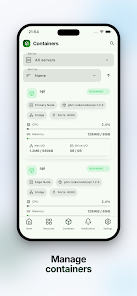
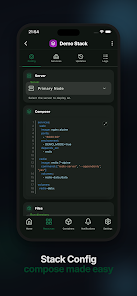
The strengths of Komodo Go lie in thoughtful microfeatures. Smart tags let you slice lists across projects without creating complex hierarchies. The search adapts to partial matches and recent activity, returning the most relevant items in seconds. You can pin frequently used workflows to the home screen, turning multi-step processes into a single tap.
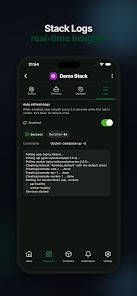
Sync is reliable and unobtrusive. Komodo Go offers cloud backup and optional integration with popular calendar services. Imported events and reminders are merged intelligently, avoiding duplicates while maintaining editability. Third-party integrations are limited but well curated to keep the app responsive.
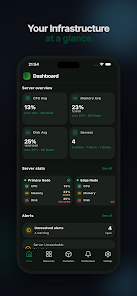
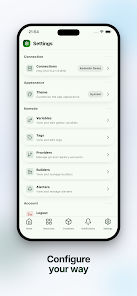
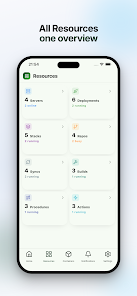
The interface favors clarity: high-contrast lists, compact widgets, and a configurable quick-action bar. Animations are restrained so transitions feel snappy even on mid-range devices. Battery impact is low because background activity focuses on event-driven triggers rather than constant polling.
Customize categories, vibration patterns, and notification layouts. Komodo Go supports a light and dark theme and lets you choose the default action for swipe gestures. These small options reduce friction for daily use and help the app fit different productivity styles.
Starting your day with Komodo Go is straightforward: review the Today view, address high-priority items, and schedule any follow-ups. Location-based reminders will pop when you arrive or leave a place, and the quick workflows save time on repetitive tasks like emailing meeting notes or creating expense entries.
Start small: enable one location reminder and build a single workflow to test the automation. Use tags instead of nested folders at first; they make reorganizing easier. Keep the home screen focused on actions you perform multiple times a day to reduce cognitive overhead.
Users appreciate Komodo Go for its balance of power and simplicity. It fills the space between complex project tools and bare-bones note apps by delivering actionable features without a steep setup. For commuters, field workers, and busy professionals, the context-aware reminders and workflow shortcuts make routine work noticeably faster.
Installation is quick and permissions are limited to what’s necessary for notifications, location triggers, and optional calendar access. The onboarding walkthrough highlights core features and suggests initial workflows, so you can reach a useful setup in under ten minutes.
Overall, Komodo Go is a practical Android companion for users who want to reclaim time through small automations and a focused task experience. It doesn’t try to do everything, but it does the essentials well and stays out of your way while helping you get things done.
LifeUp: Gamified To Do List
Size:17.35M ProductivityVPN Proxy Speed
Size:53.00M ProductivityAI Logo Generator (LogoWiz)
Size:41.50M Productivity3D Logo Maker
Size:39.30M ProductivityAI Chat: Ask AI Chat Anything
Size:42.20M ProductivityStars and Planets
Size:116.42M ProductivityImageMeter
Size:119.22M ProductivityHabitKit
Size:56.87M ProductivityMy Passwords Manager
Size:10.60M ProductivitymiMind
Size:48.30M ProductivityCute Note DDay Todo
Size:15.31M ProductivityCleverType AI Keyboard
Size:33.83M ProductivityApril 2024 Clash of Clans Update: Unveiling a Fresh Companion, Enhanced Levels, Chat Tagging, and Be
2024-04-16Arrival of Genshin Impact 4.6 Update: 'Embers of Two Realms, Twilight of Crimson'
2024-04-16V2.2 of the Farlight 84 update introduces an overhauled Season structure, fresh in-game currency, an
2024-04-16Monster Never Cry is now accessible on both Android and iOS mobile devices.
2024-04-18PUBG Mobile Teams Up with Bentley Motors: Luxury Cars, Exclusive Collectibles, and Beyond
2024-04-18March 2024 Free Redemption Codes for Honkai: Star Rail
2024-04-18