
English
MyMusik is a local music player designed to organize and play MP3, FLAC, WAV and other audio files from your own storage. MyMusik scans folders, imports scattered collections into a searchable private library and keeps everything available offline so you stay in control of your files without a subscription. The app targets collectors, audiobook listeners and anyone who prefers owning media: it prioritizes fast local playback, dependable metadata handling and straightforward library maintenance across phones, tablets and desktop builds.
The core workflow centers on rapid folder imports and continuous background scanning so newly added files appear in searches soon after copying them to a device. Built-in metadata editing allows tag corrections, cover art replacement and embedding lyrics while importing or later during library cleanup. An AI assistant is included to speed up natural-language search queries, create and reorder playlists, queue tracks and perform simple playback commands, which is especially helpful in very large libraries where typed searches can be slow.
Playback uses familiar controls—play, pause, skip, seek and queue management—implemented in a compact touch-friendly player on small screens and a keyboard-aware layout on larger devices. MyMusik exposes fine-grained queuing and playback order options so you can build temporary playlists, pin audiobook bookmarks or step through albums in a specific sequence. Search and filter controls return results from tags, filenames and embedded metadata; the assistant accepts voice or typed queries to request artists, chapters, albums or file attributes for hands-free use.
Folder structure is preserved during import while the scanner maps directories to albums or audiobook collections, making it easier to browse by folder, artist or album. Libraries evolve as you apply consistent tags, cover images and track titles—small, incremental edits improve discoverability over time so large archives become usable without a single large reorganization. Saved playlists, smart lists based on tags or file attributes, and exportable curated lists help you move collections between devices or prepare a subset for offline storage.
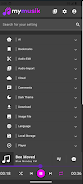
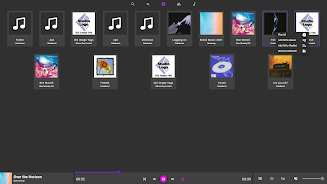
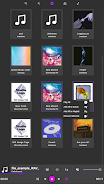
The interface favors a clean, modern look with adjustable artwork display and multiple library views that prioritize album-first, artist-first or folder-first layouts. Theme and layout settings let you control how much metadata appears in lists, whether to show full-size covers or compact thumbnails, and how dense each list should be to suit different screen sizes. These choices let the app feel familiar across device types while keeping attention on quick access rather than visual distraction.
Included utilities permit light editing tasks such as trimming, cutting and simple format conversions while preserving original files during import. These tools are intended for quick, local edits—splitting long recordings, extracting samples or trimming silence—without requiring complex editing suites. A preview mode shows changes before they are saved and batch operations during import accelerate cleanup of large new libraries, so routine maintenance becomes faster and less error-prone.
Offline-first playback ensures files remain available without an internet connection and selective downloads let you manage limited device storage by keeping only necessary items locally. Synchronization options connect Android clients with desktop applications or a web interface so your library follows you; for advanced users a local server or API can automate sync and access across a home network, though those setups require basic networking knowledge to configure securely and avoid exposing files unintentionally.
The app focuses on predictable controls and a straightforward layout to reduce friction for daily listening routines: quick search, reliable metadata and the AI assistant speed up resuming audiobooks or jumping into a curated playlist. Replay value grows from curation—arranging themed playlists, organizing collections by mood or purpose and refining tags and cover art provide ongoing reasons to revisit and refine your library. Accessibility options, including large text and keyboard navigation, aim to make the app usable for a broad range of listeners.
MyMusik is not a streaming service and will not replace subscription catalogs; it only plays files you add to your personal library. Initial imports of very large archives can take time depending on device performance and storage speed, and advanced features such as running a local server require additional setup and security awareness. If your priorities are privacy, local ownership and offline reliability, the app provides a comprehensive set of tools for maintaining and enjoying a personal music and audiobook collection without forcing cloud dependency.



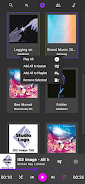
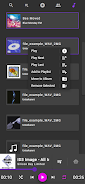
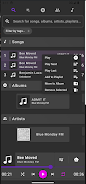
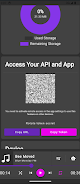
Compress Video - Resize Video
Size:48.75M Media & VideoMEME Maker: MEME Creator
Size:49.65M Media & VideoInstory Story Video Maker
Size:31.79M Media & VideoDrum Pads 24 - Beats and Music
Size:31.00M Media & VideoRadioTunes
Size:25.30M Media & VideoWiseplay
Size:38.13M Media & VideojetAudio HD Music Player Plus
Size:22.60M Media & VideoTABLA: India Mystical Drums
Size:27.35M Media & VideoOnePlayer
Size:128.00M Media & VideoDeep Bass Booster & Subwoofer
Size:4.30M Media & Videoedjing Mix
Size:70.40M Media & VideoWorld Radio FM Online
Size:24.00M Media & VideoApril 2024 Clash of Clans Update: Unveiling a Fresh Companion, Enhanced Levels, Chat Tagging, and Be
2024-04-16Arrival of Genshin Impact 4.6 Update: 'Embers of Two Realms, Twilight of Crimson'
2024-04-16V2.2 of the Farlight 84 update introduces an overhauled Season structure, fresh in-game currency, an
2024-04-16Monster Never Cry is now accessible on both Android and iOS mobile devices.
2024-04-18PUBG Mobile Teams Up with Bentley Motors: Luxury Cars, Exclusive Collectibles, and Beyond
2024-04-18March 2024 Free Redemption Codes for Honkai: Star Rail
2024-04-18


















