English
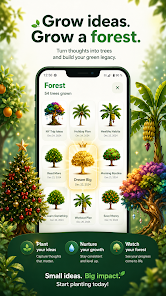
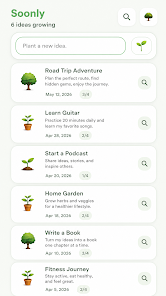
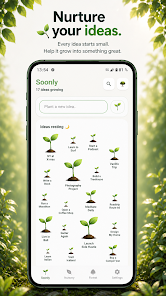
Soonly: Ideas & Notes helps you capture thoughts, sketches and tasks quickly, organizing them into searchable collections and synced notebooks. The app focuses on speed, flexible templates, and lightweight collaboration tools so you can turn fleeting ideas into actionable plans without interrupting your workflow.
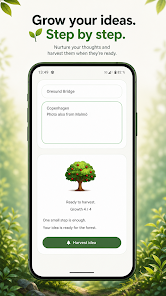
The core of Soonly: Ideas & Notes centers on capturing and organizing information with minimal friction. Quick-entry shortcuts, customizable templates, and fast full-text search make it easy to record notes, voice memos, photos and simple diagrams. Built-in reminders and checklist support help turn notes into next steps.
Soonly places speed and clarity ahead of complexity. The home view shows recent captures and pinned collections, while a compact editor keeps formatting and tools within reach. The editing toolbar adapts to your content type, offering sketching, bullet lists and inline checkboxes. Keyboard shortcuts and gesture controls accelerate repeated tasks.
Organization is intentionally flexible: notebooks provide broad categories and tags enable cross-cutting views. A smart filter combines tags, date ranges and attachment types so you can surface a photo, voice note or idea sequence in seconds. Saved searches and custom filters turn frequently used queries into one-tap views.
When ideas need input, Soonly supports link-based sharing and controlled collaboration. Share a single note or an entire notebook with edit permissions, or export content as plain text or PDF for external review. Comment threads and version history keep conversations tied to specific entries without cluttering the main document.
Designed for everyday use, the app is lightweight and responsive on a wide range of Android devices. Syncing is incremental to reduce data usage, and battery impact is minimized by background throttling. Soonly integrates with the system calendar and supports common cloud services for backup and cross-device access.
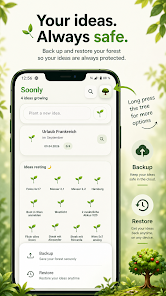
The app offers straightforward data management: local backups, optional cloud sync, and export tools let you control your information. Permission requests are narrowly scoped to the features you enable, and privacy settings allow you to lock specific notes with a passcode or biometric lock on supported devices.
Personalization options help adapt Soonly to your routines. Choose between light and dark themes, define default note types and set swipe gestures for archive or pin actions. Advanced users can create multi-field templates for structured capture, while power shortcuts map frequent actions to hardware buttons or gestures.
Begin by creating a notebook and adding a few sample notes to see how tags and templates interact. Use the widget to speed up capture from the home screen, and enable sync if you want notes available across devices. The onboarding walkthrough highlights essential gestures and explains export and sharing options in a few steps.
Professionals, creatives and students will find value in a tool that blends fast capture with deliberate organization. Soonly: Ideas & Notes works well for anyone who needs an unobtrusive place to collect ideas, manage small projects or maintain a research log without a steep learning curve.
With emphasis on clarity and speed, Soonly: Ideas & Notes provides a balanced workspace for thinking and planning. Its combination of quick capture, smart organization and light collaboration makes it a practical choice for daily note-taking and idea management.
Colorimeter
Size:5.45M ToolsChatBoost
Size:19.33M ToolsRemote Fire TV
Size:48.04M ToolsgetConf - Hidden Settings
Size:16.66M ToolsTracker Detect Pro
Size:10.39M ToolsWiFi Speed Test Pro
Size:8.11M ToolsGG Mouse Pro 2
Size:45.82M ToolsResource Monitor Mini Pro
Size:3.19M ToolsSmart Keyboard Pro
Size:23.22M ToolsMyScript Math: Solve & Plot
Size:108.76M ToolsText Repeater
Size:11.73M Tools3Dcalc+
Size:12.59M ToolsApril 2024 Clash of Clans Update: Unveiling a Fresh Companion, Enhanced Levels, Chat Tagging, and Be
2024-04-16Arrival of Genshin Impact 4.6 Update: 'Embers of Two Realms, Twilight of Crimson'
2024-04-16V2.2 of the Farlight 84 update introduces an overhauled Season structure, fresh in-game currency, an
2024-04-16Monster Never Cry is now accessible on both Android and iOS mobile devices.
2024-04-18PUBG Mobile Teams Up with Bentley Motors: Luxury Cars, Exclusive Collectibles, and Beyond
2024-04-18March 2024 Free Redemption Codes for Honkai: Star Rail
2024-04-18