
English
taylr. is a streamlined mobile app that organizes documents, schedules, and quick notes into a single, searchable workspace. Designed for professionals and creatives, it blends minimal design with powerful automation tools so users can capture ideas, prioritize tasks, and share content without juggling multiple apps.
At its core, taylr. focuses on reducing context switching. Instead of opening separate apps for notes, calendars, and file storage, taylr. consolidates those functions into a flexible hub. The app emphasizes quick capture and retrieval: add text, images, voice clips, or links in seconds, then find them later with a fast full-text search and smart tags.
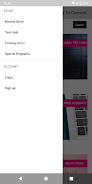
taylr. employs a clean, distraction-free interface. Navigation uses a left sidebar on tablets and a bottom tab bar on phones, keeping primary actions within thumb reach. Fonts and spacing are tuned for readability, and a dark theme preserves battery life on OLED screens. The app balances visible controls with hidden gestures, so power users can work quickly while newcomers find a gentle learning curve.
Search is a highlight: taylr. indexes text inside notes and attached documents, so you can pull up meeting details or a specific phrase in seconds. Filters let you narrow results by date, tag, or content type. For heavy users, saved searches act like dynamic folders that update as new items match the criteria.
One reason many teams adopt taylr. is its flexible customization. Create custom templates for repeated workflows, from meeting minutes to design briefs. Automation rules can tag incoming content, route it to specific folders, or trigger reminders. Those automation options help reduce repetitive steps without requiring complex scripting knowledge.
taylr. connects with popular services to keep your workflow intact. Sync options commonly include calendar platforms and cloud storage providers, plus clipboard and sharing extensions that let you save content from other apps. Integration settings allow you to control sync frequency and data visibility, a welcome feature for users mindful of storage and privacy.
Performance is pragmatic: taylr. optimizes for quick load times even when your library grows. Local caching speeds up access while optional cloud sync keeps devices aligned. The app includes conflict resolution tools so edits from multiple devices merge cleanly, and background syncing minimizes waiting when switching devices.
Start by capturing three types of items you use daily: a meeting note, a to-do, and a reference document. Create tags that match your work habits—project names or client IDs—and try one automation rule, such as tagging all incoming notes with a default project. Regularly prune or archive old items to keep search results relevant.
Teams appreciate taylr. because it reduces app sprawl while supporting varied workflows. Designers can attach mockups, managers can link notes to calendar events, and freelancers can build project templates. Its approach works well when team members need a shared but customizable workspace without heavy administrative overhead.
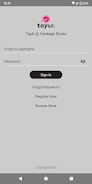
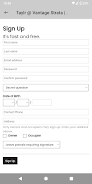
Download and sign up with an email or single sign-on provider, then allow access to calendars and storage as needed. Import tools help bring in notes from other apps, and a setup wizard will walk you through creating your first template and automation. From there, explore search and saved views to tailor the app to how you work.
Whether you’re organizing personal projects or coordinating a small team, taylr. aims to simplify the mechanics of getting things done while giving you control over structure and data. Its combination of clarity, speed, and flexible integrations makes it a strong choice for anyone wanting a central workspace on Android.

LifeUp: Gamified To Do List
Size:17.35M ProductivityVPN Proxy Speed
Size:53.00M ProductivityAI Logo Generator (LogoWiz)
Size:41.50M Productivity3D Logo Maker
Size:39.30M ProductivityAI Chat: Ask AI Chat Anything
Size:42.20M ProductivityStars and Planets
Size:116.42M ProductivityImageMeter
Size:119.22M ProductivityHabitKit
Size:56.87M ProductivityMy Passwords Manager
Size:10.60M ProductivitymiMind
Size:48.30M ProductivityCute Note DDay Todo
Size:15.31M ProductivityCleverType AI Keyboard
Size:33.83M ProductivityApril 2024 Clash of Clans Update: Unveiling a Fresh Companion, Enhanced Levels, Chat Tagging, and Be
2024-04-16Arrival of Genshin Impact 4.6 Update: 'Embers of Two Realms, Twilight of Crimson'
2024-04-16V2.2 of the Farlight 84 update introduces an overhauled Season structure, fresh in-game currency, an
2024-04-16Monster Never Cry is now accessible on both Android and iOS mobile devices.
2024-04-18PUBG Mobile Teams Up with Bentley Motors: Luxury Cars, Exclusive Collectibles, and Beyond
2024-04-18March 2024 Free Redemption Codes for Honkai: Star Rail
2024-04-18


















