English
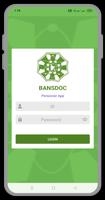
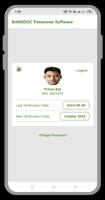
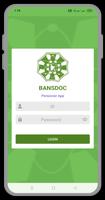
BANSDOC Pensioner App is a mobile solution designed to simplify pension management for seniors and caregivers. It centralizes benefit details, payment schedules, and document access in a single, accessible interface while prioritizing clarity, large-type displays, and essential security controls for everyday administrative tasks.
The BANSDOC Pensioner App targets retired users and support networks who want a straightforward way to track pension entitlements, receipts, and correspondence. It removes clutter from government letters, presenting only the most relevant information and making routine tasks—like checking payment dates and downloading statements—fast and repeatable.
The BANSDOC Pensioner App focuses on practical tools rather than flashy extras. It supports direct viewing of pension schedules and allows users to confirm bank account details quickly. Accessibility features such as adjustable font sizes, high-contrast themes, and simplified menus reduce cognitive load for older users.
Security is handled through multi-factor options and an encrypted document store. Users who prefer delegated access can grant view-only permissions to family members or trusted agents without exposing sensitive credentials.
After an initial setup, the app updates pension data automatically when agencies post new notices. Daily routines typically involve opening the dashboard to scan upcoming disbursements and any flagged messages. When paperwork arrives, it can be uploaded to the document vault and tagged for easy retrieval.
Payment discrepancies are highlighted on the transactions page, and built-in forms let users create a formal query to the pension office. For recurring tasks, saved templates speed up communications and reduce repetitive typing.
Performance is tuned for older devices so that screens load smoothly and animations are minimal. The interface uses large touch targets and a consistent layout so users quickly learn where to find essentials. Response times for common actions—viewing statements, downloading files, or adjusting settings—are kept within a few seconds on average.
Beyond font scaling, the app offers voice prompts and an optional guided mode that explains each interface element when tapped. Color schemes can be adjusted to accommodate different visual needs. These options make the BANSDOC Pensioner App adaptable for a wide range of ability levels.
Help is integrated directly into the app with step-by-step articles and short tutorial clips. If an error occurs, a guided diagnostics tool collects relevant logs and offers simple fixes before prompting users to contact support. Live chat or scheduled callbacks are available for complex cases.
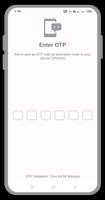
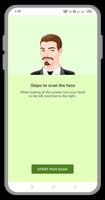
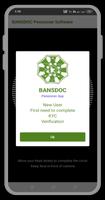
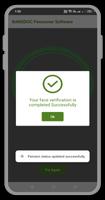
Download, install, and follow the guided onboarding to connect your pension account. The setup walks through identity verification and setting a PIN or biometric lock. After confirmation, the dashboard synchronizes existing documentation and recent transactions so users see current information immediately.
The BANSDOC Pensioner App balances security with usability to make routine pension management less stressful. With its clear layout, document management, and support features, it helps pensioners and caregivers stay organized and confident when handling financial matters and official correspondence.

LifeUp: Gamified To Do List
Size:17.35M ProductivityVPN Proxy Speed
Size:53.00M ProductivityAI Logo Generator (LogoWiz)
Size:41.50M Productivity3D Logo Maker
Size:39.30M ProductivityAI Chat: Ask AI Chat Anything
Size:42.20M ProductivityStars and Planets
Size:116.42M ProductivityImageMeter
Size:119.22M ProductivityHabitKit
Size:56.87M ProductivityMy Passwords Manager
Size:10.60M ProductivitymiMind
Size:48.30M ProductivityCute Note DDay Todo
Size:15.31M ProductivityCleverType AI Keyboard
Size:33.83M ProductivityApril 2024 Clash of Clans Update: Unveiling a Fresh Companion, Enhanced Levels, Chat Tagging, and Be
2024-04-16Arrival of Genshin Impact 4.6 Update: 'Embers of Two Realms, Twilight of Crimson'
2024-04-16V2.2 of the Farlight 84 update introduces an overhauled Season structure, fresh in-game currency, an
2024-04-16Monster Never Cry is now accessible on both Android and iOS mobile devices.
2024-04-18PUBG Mobile Teams Up with Bentley Motors: Luxury Cars, Exclusive Collectibles, and Beyond
2024-04-18March 2024 Free Redemption Codes for Honkai: Star Rail
2024-04-18