English
Pomodoro Timer is a focused productivity app that applies the Pomodoro Technique to help you manage work and breaks, boost concentration, and track sessions. With customizable intervals, visual and sound cues, and detailed session history, Pomodoro Timer makes it easy to organize tasks and maintain momentum through timed work cycles.
Pomodoro Timer centers on a simple but powerful set of tools designed to improve attention and reduce burnout. The app provides configurable work and break intervals, quick start controls, and an intuitive countdown display. Session logging captures completed pomodoros and pauses so you can measure progress over days and weeks. For users who like structure, the long-break scheduling and automatic cycle progression keep the routine consistent without manual input.
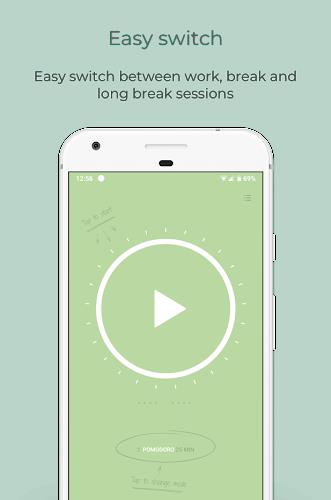
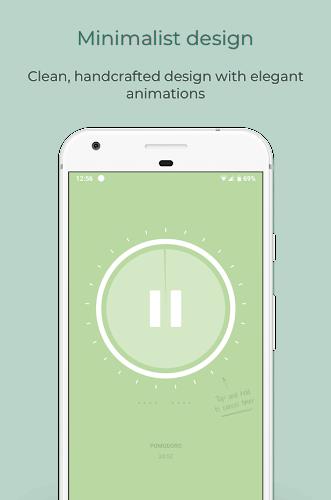
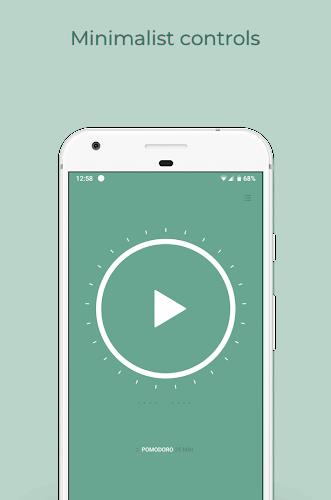
The interface emphasizes clarity: a large timer face, a progress ring that fills as time elapses, and prominent start/stop buttons reduce friction. Task labels let you attach short descriptions to each session so records are meaningful later on. Pomodoro Timer supports a minimal setup flow—choose durations, name your task, tap start—and also offers an advanced mode for those who prefer granular controls such as countdown precision and vibration settings.
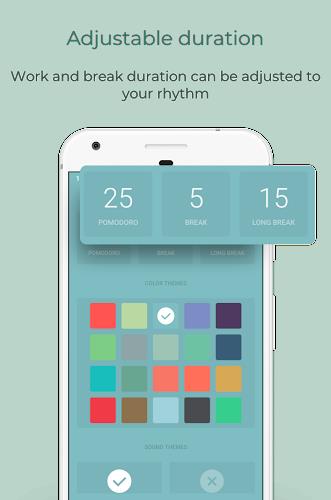
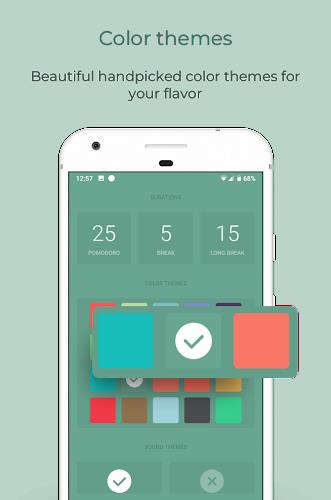
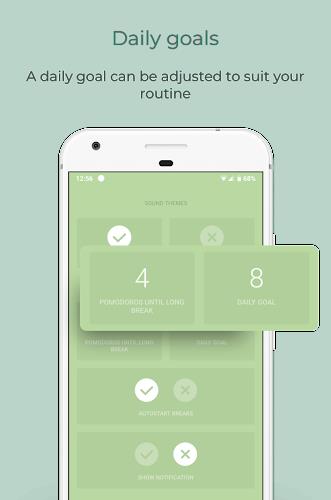
Customization is a standout area. Change work and break lengths, enable or disable auto-start between cycles, and select from multiple alert styles. Themes and color accents let you pick a visual mode that matches your focus preferences, while sound packs range from subtle chimes to more energetic tones. If you need concentration-friendly options, Pomodoro Timer includes a silent mode with only visual cues and optional do-not-disturb integration.
Notifications are configurable to suit different environments. Choose persistent banners for desktop-like reminders, transient alerts for low-interruption rooms, or smartwatch taps if you pair devices. Alert customization includes pre-end reminders (e.g., a 10-second warning) to help you wrap up thoughts before a break. Pomodoro Timer also offers a selection of attention-forward sounds and the ability to use your own audio files for alerts.
Tracking provides actionable insights rather than raw numbers. Session summaries display daily totals, streaks, and the most frequent tasks. Export options let you download CSV logs for deeper analysis or to feed into a personal productivity journal. Visual charts make it easy to spot patterns: identify peak focus hours, days with fragmented sessions, or tasks that consistently take longer than planned.
Pomodoro Timer is built for smooth compatibility across typical Android devices and supports background operation without draining battery when optimized. It integrates with common calendar apps for linked scheduling and has optional widgets for placing a live timer on your home screen. If you use other productivity tools, the app offers simple export and share actions so session data can be moved into task managers or notes apps.
Designed to consume minimal resources, Pomodoro Timer focuses on accurate timing and reliable notifications even when devices lock. The app includes safeguards against accidental resets, like confirmation prompts and session locking. Regular updates ensure the app stays compatible with new Android releases and includes performance optimizations to keep animations smooth and timers precise.
To begin, install Pomodoro Timer, open the app, and set preferred durations for work and break periods. Create a quick task entry, press start, and follow the guided cycle. Over time, check your session history to refine interval lengths and adjust notifications so the app complements your workflow rather than disrupts it. Whether you need help finishing a report or managing study time, Pomodoro Timer offers a practical, lightweight way to bring structure and improved focus to everyday tasks.
LifeUp: Gamified To Do List
Size:17.35M ProductivityVPN Proxy Speed
Size:53.00M ProductivityAI Logo Generator (LogoWiz)
Size:41.50M Productivity3D Logo Maker
Size:39.30M ProductivityAI Chat: Ask AI Chat Anything
Size:42.20M ProductivityStars and Planets
Size:116.42M ProductivityImageMeter
Size:119.22M ProductivityHabitKit
Size:56.87M ProductivityMy Passwords Manager
Size:10.60M ProductivitymiMind
Size:48.30M ProductivityCute Note DDay Todo
Size:15.31M ProductivityCleverType AI Keyboard
Size:33.83M ProductivityApril 2024 Clash of Clans Update: Unveiling a Fresh Companion, Enhanced Levels, Chat Tagging, and Be
2024-04-16Arrival of Genshin Impact 4.6 Update: 'Embers of Two Realms, Twilight of Crimson'
2024-04-16V2.2 of the Farlight 84 update introduces an overhauled Season structure, fresh in-game currency, an
2024-04-16Monster Never Cry is now accessible on both Android and iOS mobile devices.
2024-04-18PUBG Mobile Teams Up with Bentley Motors: Luxury Cars, Exclusive Collectibles, and Beyond
2024-04-18March 2024 Free Redemption Codes for Honkai: Star Rail
2024-04-18