English
Alight Motion is a professional motion design and video editing app that brings animation, visual effects, and vector graphics to mobile devices. It combines a multi-layer timeline, keyframe animation, and color correction tools to let creators produce polished animations and clips directly from their Android phones or tablets.
At its heart, Alight Motion provides a flexible, layer-based editor that supports video, audio, bitmap, vector, and visual effects layers. Users can animate properties with precision using keyframes, apply easing curves for natural motion, and stack effects to create complex visual sequences. Built-in color grading and blending modes help achieve cinematic looks without a desktop workstation.
The interface is organized around a timeline, a preview canvas, and a properties panel. The timeline supports trimming, splitting, and grouping of layers while waveforms and thumbnails aid accurate editing. The canvas uses pinch-to-zoom and two-finger gestures for quick positioning. A contextual properties pane shows transform, opacity, and effect parameters, streamlining adjustments during playback.
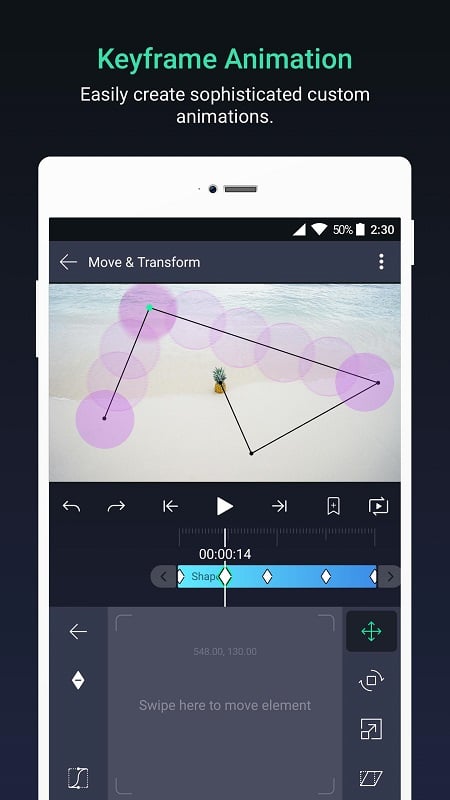
Alight Motion excels at motion design thanks to its robust keyframe system. You can create motion paths, animate scale and rotation, and craft staggered motions with sequence helpers. Custom easing presets and bezier controls allow fine-tuning of acceleration and deceleration. Vector shape tools also make it simple to animate icons, logos, or custom illustrations directly inside the app.
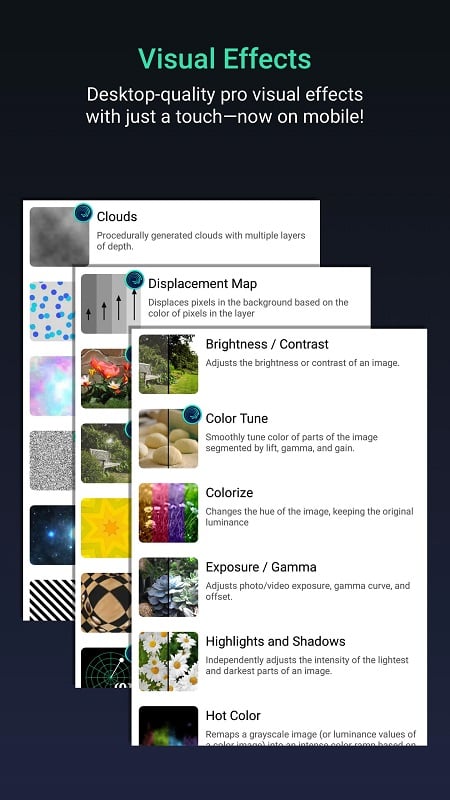
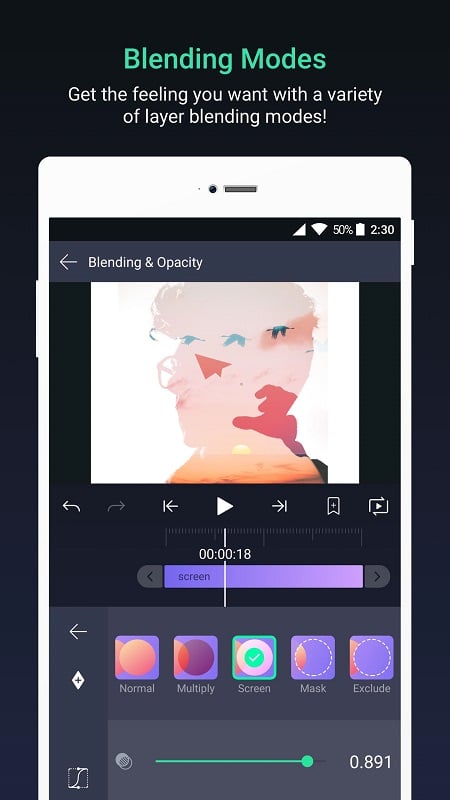
The app includes a wide selection of effects for blur, glow, chroma key, distortion, and stylized looks. Layer blending modes and mask shapes let you composite multiple elements convincingly. Motion blur and shadow effects add depth, while color correction tools—such as curves, hue/saturation, and levels—bring consistency to clips shot under different lighting conditions.
Audio support covers multi-track editing, volume automation, and scrubbing to align visual actions with beats or sound cues. The ability to attach keyframes to audio peaks or use markers on the timeline helps creators synchronize animations to music or voiceovers. Export presets retain high-quality audio for social uploads and sharing platforms.
Export options include common video codecs and transparent backgrounds for motion graphics that require compositing in other apps. You can render at custom resolutions and frame rates, and save projects as templates for reuse. Direct sharing to social platforms, cloud storage, or local galleries simplifies delivering final assets from mobile devices.
Performance depends on device specifications, particularly CPU, GPU, and available memory. Complex compositions with many layers and effects benefit from a more recent Android device. The app makes use of hardware acceleration where available, but heavy color grading or multiple high-resolution layers may require longer render times. Regular updates improve stability and add optimizations for new Android releases.
Begin by creating a new composition with the desired frame size and duration. Import media or draw vector shapes directly in the canvas, then layer elements and add keyframes to animate properties. Explore the effects panel and save useful combinations as presets. New users will find tutorials and community-shared templates helpful for learning common techniques.
Alight Motion is well suited for content creators, social media editors, and designers who need professional motion graphics on the go. Its balance of advanced controls and touch-friendly interface makes it practical for quick edits as well as detailed motion design work. With practice, users can produce high-quality animated intros, lower thirds, and visual effects entirely on a mobile device.
Colorimeter
Size:5.45M ToolsChatBoost
Size:19.33M ToolsRemote Fire TV
Size:48.04M ToolsgetConf - Hidden Settings
Size:16.66M ToolsTracker Detect Pro
Size:10.39M ToolsWiFi Speed Test Pro
Size:8.11M ToolsGG Mouse Pro 2
Size:45.82M ToolsResource Monitor Mini Pro
Size:3.19M ToolsSmart Keyboard Pro
Size:23.22M ToolsMyScript Math: Solve & Plot
Size:108.76M ToolsText Repeater
Size:11.73M Tools3Dcalc+
Size:12.59M ToolsApril 2024 Clash of Clans Update: Unveiling a Fresh Companion, Enhanced Levels, Chat Tagging, and Be
2024-04-16Arrival of Genshin Impact 4.6 Update: 'Embers of Two Realms, Twilight of Crimson'
2024-04-16V2.2 of the Farlight 84 update introduces an overhauled Season structure, fresh in-game currency, an
2024-04-16Monster Never Cry is now accessible on both Android and iOS mobile devices.
2024-04-18PUBG Mobile Teams Up with Bentley Motors: Luxury Cars, Exclusive Collectibles, and Beyond
2024-04-18March 2024 Free Redemption Codes for Honkai: Star Rail
2024-04-18