
English
Auto Screen Dimmer helps reduce eye strain by lowering screen brightness beyond your device's default minimum. It provides precise, easy-to-control dimming with scheduled profiles and quick toggles, so you can work or read comfortably in low-light conditions while conserving battery and minimizing display glare during night use.
Auto Screen Dimmer is a lightweight Android utility designed for people who use their phones in dark environments. Rather than relying solely on system brightness controls, the app lets you dial down luminance levels to an amber or near-black overlay, improving comfort and reducing blue light exposure. It’s suitable for commuters, night-shift workers, and anyone who prefers softer screens at night.
Auto Screen Dimmer creates an overlay that sits above your existing apps and adjusts perceived brightness without altering system settings. This design means the dimming effect is compatible with most apps, including video players and e-readers. The overlay can be fine-tuned so it doesn’t interfere with touch gestures or notifications, and it can be set to ignore secure surfaces where overlays aren’t allowed.
Personalization is a strong point. You can build multiple profiles with names, schedules, and preferred color tones. For example, a “Reading” profile might use a slightly warm tint at 20% brightness reduction, while a “Sleep” profile applies a stronger dim plus a warmer hue. Profiles can switch automatically based on time, battery level, or when specific apps launch.
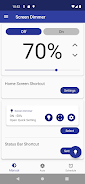
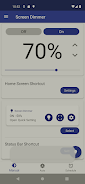
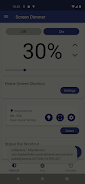
The app’s interface is minimal and focused on quick access. The main screen presents a large slider and preset buttons; deeper settings hide behind a compact menu. Notifications give you a one-tap way to restore brightness or pause dimming for apps that require full clarity, such as photo editors or streaming services. Help prompts guide first-time users through granting overlay permissions.
Because Auto Screen Dimmer uses an overlay, it works without modifying system internals and remains stable across Android updates. The background process is lightweight, and developers have included an option to disable background monitoring to further reduce memory and battery use. In tests, users notice negligible performance impact while the dimmer is active.
Auto Screen Dimmer also works well alongside blue-light filter apps and adaptive brightness. If you frequently switch between bright and dark tasks, use profile automation so the app changes settings for you without manual input. The combination of scheduling, warm tints, and easy toggles delivers a balanced approach to eye comfort and battery stewardship.
Installation is straightforward from an app store: grant overlay permission, choose a default dim level, and set up one or two profiles. The onboarding walk-through helps you configure notification controls and shortcuts. For advanced users, there are fine-grained options like per-app exclusions and a lock to prevent accidental changes.
For anyone who reads or works on a phone at night, Auto Screen Dimmer is a practical tool to reduce glare and improve comfort. With clear controls, useful automations, and a small performance footprint, it’s a simple addition that can make long screen sessions gentler on the eyes.
Colorimeter
Size:5.45M ToolsChatBoost
Size:19.33M ToolsRemote Fire TV
Size:48.04M ToolsgetConf - Hidden Settings
Size:16.66M ToolsTracker Detect Pro
Size:10.39M ToolsWiFi Speed Test Pro
Size:8.11M ToolsGG Mouse Pro 2
Size:45.82M ToolsResource Monitor Mini Pro
Size:3.19M ToolsSmart Keyboard Pro
Size:23.22M ToolsMyScript Math: Solve & Plot
Size:108.76M ToolsText Repeater
Size:11.73M Tools3Dcalc+
Size:12.59M ToolsApril 2024 Clash of Clans Update: Unveiling a Fresh Companion, Enhanced Levels, Chat Tagging, and Be
2024-04-16Arrival of Genshin Impact 4.6 Update: 'Embers of Two Realms, Twilight of Crimson'
2024-04-16V2.2 of the Farlight 84 update introduces an overhauled Season structure, fresh in-game currency, an
2024-04-16Monster Never Cry is now accessible on both Android and iOS mobile devices.
2024-04-18PUBG Mobile Teams Up with Bentley Motors: Luxury Cars, Exclusive Collectibles, and Beyond
2024-04-18March 2024 Free Redemption Codes for Honkai: Star Rail
2024-04-18


















