English
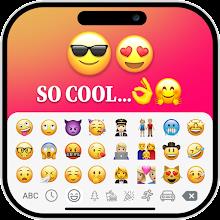
iOS Emojis For Story transforms how you decorate social posts by bringing Apple's polished emoji set to Android stories and captions. It provides a fast keyboard, high-resolution emoji stickers, and seamless copy-paste tools so creators can add recognizable iOS flair to their messages and visual posts.
Designed for users who prefer the aesthetic of iOS emoji, iOS Emojis For Story gives Android phones access to the same symbol library used on Apple devices. The app focuses on quick insertion into social media stories, chat apps, and captions without changing your system font. It’s aimed at casual creators, influencers, and anyone who wants consistent emoji styling across platforms.
The app operates as a companion utility rather than replacing your system emoji set. Install iOS Emojis For Story, grant the minimal permissions it requests, and activate the keyboard if you want inline typing. Alternatively, use the built-in clipboard manager to copy emoji or export sticker images. The workflow emphasizes speed: open the app, pick an emoji or sticker, and paste into your target app in seconds.
Even though it emulates a specific visual style, the app includes personalization options. You can resize sticker exports, select background transparency, and create quick-access favorites. Users can also assemble mini-collections for recurring themes—seasonal icons, brand colors, or frequently used reactions—so creating consistent story designs becomes faster.
iOS Emojis For Story keeps the interface minimal and responsive. Menus are clean, icons load quickly, and the search responds in real time. The keyboard extension is lightweight and avoids intrusive permissions. Because emoji assets are optimized as vector-like image files, the app maintains crisp output without heavy memory usage on most modern Android phones.
Start by enabling the keyboard if you plan to type emoji directly. Use the favorites feature to save commonly used icons and build labeled collections to speed up repeated tasks. If you’re working on photo-heavy stories, export stickers with transparent backgrounds to layer them precisely in a story editor. Regularly clear cached previews to keep the app responsive.
The app requests only essential permissions for keyboard input and file access when exporting stickers. It emphasizes local processing of assets so you don’t need to upload personal content to a cloud service. Check the permissions screen and disable optional access if you prefer a more restrictive setup.
Many users prefer a consistent visual language across platforms. iOS Emojis For Story meets that need without forcing a system-wide change. It’s particularly useful for content creators who publish on multiple devices and want emoji to look identical whether viewers are on Android or iOS. The combination of quick search, clipboard convenience, and high-resolution exports makes it a practical tool for daily content production.
Download and install the app, follow the short setup to enable the keyboard and grant export permissions, then explore categories and mark favorites. Within minutes you’ll be able to paste iOS-style emoji into captions, comments, and stories. Regular updates add emoji and refine search tags, so check the app’s update notes to spot new additions.
iOS Emojis For Story is a focused utility for anyone who values visual consistency and quick workflows when creating social content. Its lightweight design and clear feature set make it easy to adopt and useful for everyday posting.






Colorimeter
Size:5.45M ToolsChatBoost
Size:19.33M ToolsRemote Fire TV
Size:48.04M ToolsgetConf - Hidden Settings
Size:16.66M ToolsTracker Detect Pro
Size:10.39M ToolsWiFi Speed Test Pro
Size:8.11M ToolsGG Mouse Pro 2
Size:45.82M ToolsResource Monitor Mini Pro
Size:3.19M ToolsSmart Keyboard Pro
Size:23.22M ToolsMyScript Math: Solve & Plot
Size:108.76M ToolsText Repeater
Size:11.73M Tools3Dcalc+
Size:12.59M ToolsApril 2024 Clash of Clans Update: Unveiling a Fresh Companion, Enhanced Levels, Chat Tagging, and Be
2024-04-16Arrival of Genshin Impact 4.6 Update: 'Embers of Two Realms, Twilight of Crimson'
2024-04-16V2.2 of the Farlight 84 update introduces an overhauled Season structure, fresh in-game currency, an
2024-04-16Monster Never Cry is now accessible on both Android and iOS mobile devices.
2024-04-18PUBG Mobile Teams Up with Bentley Motors: Luxury Cars, Exclusive Collectibles, and Beyond
2024-04-18March 2024 Free Redemption Codes for Honkai: Star Rail
2024-04-18