English
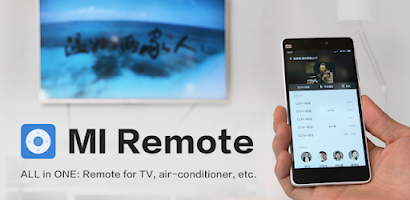
Mi Remote controller - for TV, turns your Android phone into a compact universal television remote that organizes power, volume, channel and input controls into a single, easy-to-read interface. The app is designed for everyday viewing: fast access to transport and navigation buttons, on-screen number keys, and a straightforward setup flow that gets you connected with minimal fuss. It balances a clean visual layout with practical customization so the controls you use most are always within reach.
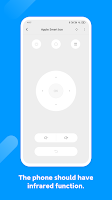
The core experience focuses on reliable control and simple personalization. A familiar directional pad and dedicated transport buttons make menu navigation and media playback intuitive, while on-screen numeric keys let you jump directly to channels. Preloaded device profiles speed pairing for many TV manufacturers, and a built-in learning mode captures signals from an existing remote when a model isn’t listed. Personal shortcuts and scene macros let you combine common steps—such as switching inputs and setting volume—into a single tap.
When using Mi Remote controller - for TV, the app prefers the phone’s infrared blaster for direct, line-of-sight commands, behaving much like a conventional handheld remote without requiring an internet connection. For compatible smart TVs on the same local Wi Fi network, the app can discover and connect to devices using standard local protocols to expose extended functions such as app launching, deeper menu navigation and device-specific settings. Guided prompts walk you through selecting the appropriate connection method so setup is predictable and repeatable.
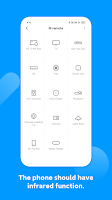
Compatibility is handled through a large device code database and network discovery for smart models. The app works best on Android phones equipped with an IR emitter; however, many smart TV features remain available over Wi Fi when an emitter is not present. Before installing, check the device list in-app to confirm support for your television; regular updates expand the catalog and improve pairing for newer models. The learning function provides a fallback when a preloaded profile is missing, allowing you to map individual buttons directly from an existing remote.
The interface emphasizes readability and responsiveness: buttons are grouped by function, size and spacing are optimized for touch, and themes or contrast settings help improve visibility in different lighting. You can rearrange frequently used controls on the home panel and choose larger button sizes for one-handed operation or accessibility needs. Visual cues such as subtle highlights and brief animations provide feedback for successful commands without draining performance.
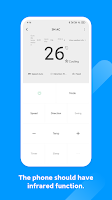
Customization extends from button layout to multi-room organization. Create device profiles for each TV in your home—living room, bedroom or home theater—and switch between them instantly. Scene-based macros act like short automation sequences so your preferred viewing setup (for example, dimming compatible lights and lowering volume for movies) is reproducible in a tap. The setup wizard and profile creation act as a simple progression system: as you add devices and macros the app becomes more tailored and faster to use over time.
Although not a game, the app encourages repeated use by simplifying common interactions and saving time that would otherwise be spent hunting for separate remotes. Frequent updates to the device database, occasional UI refinements and support for backup/export of profiles ensure the app remains useful after phone upgrades. Saved macros and home screen shortcuts increase daily convenience and reduce friction for routine tasks.
Designed to be lightweight, the app stays idle until you initiate control or a local discovery scan. Infrared transmissions are brief and energy efficient, and network features use short, infrequent exchanges so background impact is minimal. Because IR control is purely local, you can operate your TV offline without any internet connectivity, which is useful when privacy or limited network access is a concern.
Accessibility options include larger button layouts and higher-contrast visuals to assist users with visual or dexterity needs. Haptic feedback and clear on-screen confirmation reduce uncertainty after a command is sent. If a device fails to pair, simple troubleshooting guidance—such as verifying the phone has an IR emitter, ensuring both devices are on the same network for Wi Fi mode, or using the learning feature to capture commands—helps resolve the majority of issues quickly.
To begin with Mi Remote controller - for TV, install the app and follow the on-screen wizard to detect your television. Choose a model from the list or run the learning option when necessary, then spend a few minutes arranging essential controls and saving a profile for each room. Back up custom profiles to cloud storage or export them locally so settings can be restored after a device change. With a brief setup, your phone becomes a convenient, single-device replacement for multiple physical remotes.
Colorimeter
Size:5.45M ToolsChatBoost
Size:19.33M ToolsRemote Fire TV
Size:48.04M ToolsgetConf - Hidden Settings
Size:16.66M ToolsTracker Detect Pro
Size:10.39M ToolsWiFi Speed Test Pro
Size:8.11M ToolsGG Mouse Pro 2
Size:45.82M ToolsResource Monitor Mini Pro
Size:3.19M ToolsSmart Keyboard Pro
Size:23.22M ToolsMyScript Math: Solve & Plot
Size:108.76M ToolsText Repeater
Size:11.73M Tools3Dcalc+
Size:12.59M ToolsApril 2024 Clash of Clans Update: Unveiling a Fresh Companion, Enhanced Levels, Chat Tagging, and Be
2024-04-16Arrival of Genshin Impact 4.6 Update: 'Embers of Two Realms, Twilight of Crimson'
2024-04-16V2.2 of the Farlight 84 update introduces an overhauled Season structure, fresh in-game currency, an
2024-04-16Monster Never Cry is now accessible on both Android and iOS mobile devices.
2024-04-18PUBG Mobile Teams Up with Bentley Motors: Luxury Cars, Exclusive Collectibles, and Beyond
2024-04-18March 2024 Free Redemption Codes for Honkai: Star Rail
2024-04-18