English
PCS Mobile is a secure, all-in-one mobile workspace that streamlines access to company systems, documents, and communication tools in a single app. Designed for professionals on the move, it combines secure authentication, smart notifications, and offline capabilities to keep teams productive from anywhere.
PCS Mobile acts as a central hub for business workflows. Instead of juggling multiple applications, users can view reports, approve requests, join chats, and open secured files from one interface. The app focuses on reducing friction between tasks so that routine processes complete faster and with fewer errors.
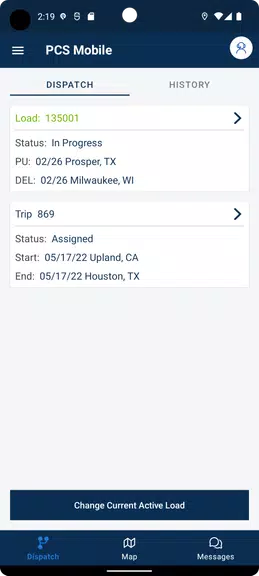
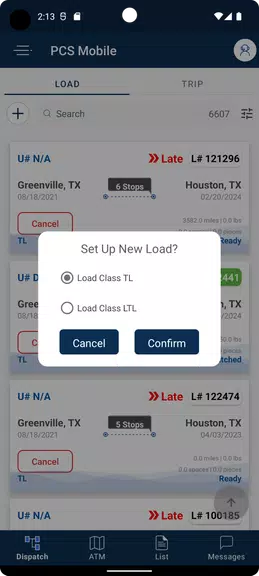
The UI in PCS Mobile emphasizes clarity. A bottom navigation bar gives instant access to your dashboard, messages, and documents. Cards and lists display key items with actionable buttons, such as "Approve" or "Share," minimizing the number of taps required. Visual cues like colored badges and inline previews help prioritize tasks at a glance.
Administrators can tailor which modules appear for different teams, while end users can rearrange widgets on the home screen. Custom theming supports brand colors and increases recognition for large organizations. PCS Mobile also supports configurable notification rules so you receive alerts only for the items that matter.
Performance is a priority: content loads progressively and the app minimizes background data when battery savings are enabled. Smart sync reduces bandwidth by only fetching updates for items you’ve interacted with recently. Error handling is clear and actionable, with retry options that reduce frustration during unreliable connections.
Built with enterprise security in mind, PCS Mobile implements end-to-end encryption, device attestation, and remote wipe capabilities. Audit logs and activity tracing help administrators maintain compliance with internal policies and external regulations. Role-based controls ensure the right people see the right information.
Field staff use the app to access manuals and upload completed work orders. Managers approve requests and review KPIs from the dashboard. Support teams use the messaging system to coordinate quickly, attaching screenshots and documents directly from the device. The offline mode proves particularly useful for staff operating in remote areas.
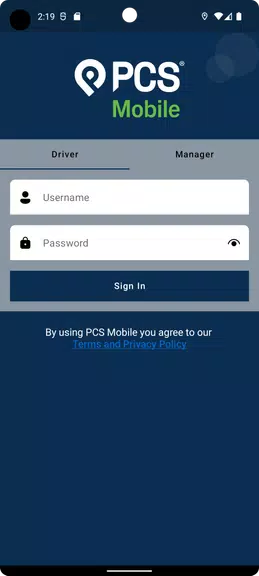
Getting started with PCS Mobile is straightforward. Download and install the APK or from your organization’s app store, then authenticate using your corporate credentials. New users are guided through a brief onboarding flow to configure essential permissions and select the modules relevant to their role.
Organizations choose PCS Mobile to reduce app sprawl, tighten security, and speed up everyday processes. By providing a single, consistent interface across teams, the app reduces training time and improves workflow transparency. IT teams benefit from simplified deployment and centrally managed policies.
For professionals who need secure, reliable access to workplace tools while away from their desk, PCS Mobile offers a balanced mix of functionality and control. Its emphasis on security, offline usability, and streamlined navigation makes it a practical addition to a modern corporate toolkit.

Cover Letter
Size:11.77M FinanceCV Engineer
Size:16.85M FinanceSimple Invoice Manager
Size:25.30M Finance华融融达期货
Size:109.18M FinanceChurchNest
Size:83.00M FinanceYnotOne
Size:0.00M FinanceMoohan Taekwondo
Size:10.80M FinanceIBOIX
Size:76.00M FinanceMargin Guard: Risk Calculator
Size:69.00M FinanceLP Protidin
Size:47.00M FinanceMON 3
Size:47.00M FinanceExpo Wallet - Consumer
Size:29.10M FinanceApril 2024 Clash of Clans Update: Unveiling a Fresh Companion, Enhanced Levels, Chat Tagging, and Be
2024-04-16Arrival of Genshin Impact 4.6 Update: 'Embers of Two Realms, Twilight of Crimson'
2024-04-16V2.2 of the Farlight 84 update introduces an overhauled Season structure, fresh in-game currency, an
2024-04-16Monster Never Cry is now accessible on both Android and iOS mobile devices.
2024-04-18PUBG Mobile Teams Up with Bentley Motors: Luxury Cars, Exclusive Collectibles, and Beyond
2024-04-18March 2024 Free Redemption Codes for Honkai: Star Rail
2024-04-18