English
VBN VPN provides a fast, lightweight solution for secure mobile browsing, combining AES encryption, global server access, and one-tap connections. It aims to simplify privacy protection for everyday users and remote workers while keeping battery and data usage low—an accessible VPN suitable for beginners and experienced users alike.
VBN VPN is a mobile utility designed to make encrypted internet access simple and unobtrusive. It focuses on core VPN functions—privacy, location flexibility, and connection stability—without burdening the user with complex configuration screens. The app’s footprint is small, and it integrates neatly with Android’s networking stack for consistent behavior across devices.
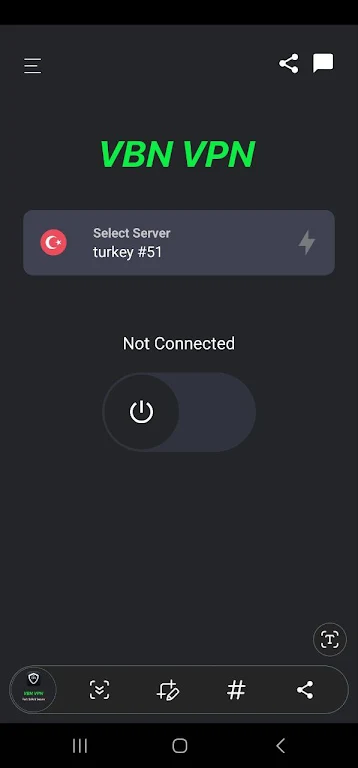
Rather than trying to be a feature-packed Swiss army knife, VBN VPN emphasizes speed and clarity. Server selection, connection status, and basic metrics are visible immediately after launch. Power users will appreciate steady throughput and low overhead, while newcomers benefit from default settings that balance security and performance.
Whether you need to secure your connection on public Wi‑Fi, access region-restricted content, or preserve privacy while traveling, VBN VPN adapts to typical mobile patterns. It’s also useful for remote workers who require a reliable tunnel to cloud services without installing heavy clients.
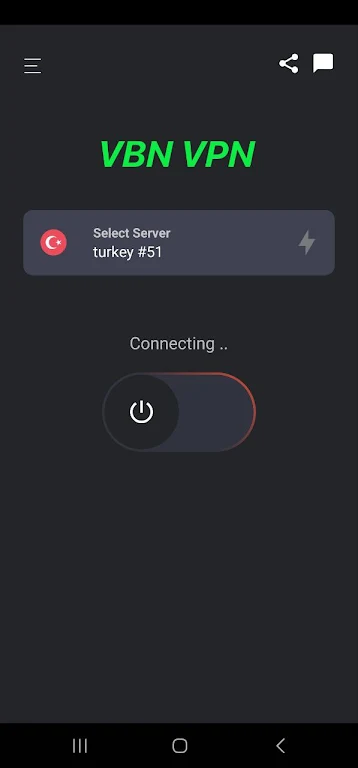
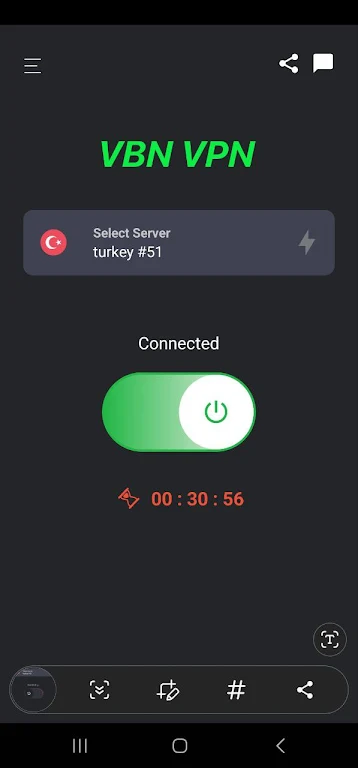
The app uses a client-server model: your device creates an encrypted tunnel to a selected server, and internet traffic is routed through that server. Connections are negotiated automatically with preferred protocols and fallback options. A small status panel shows data transferred, server latency, and session duration so you can monitor performance at a glance.
VBN VPN’s interface is intentionally minimal. Large buttons, clear icons, and readable metrics make the app approachable. Animations are limited to keep CPU usage low, and the design favors contrast and accessibility. On modern mid-range devices, connection setup is quick and sustained throughput remains consistent under typical mobile loads.
The developers designed the service to be mindful of battery life. Background processes are throttled when idle, and periodic keepalive events are minimized. If you rely on extended sessions, the app offers a power-friendly mode to extend uptime without sacrificing connection reliability.
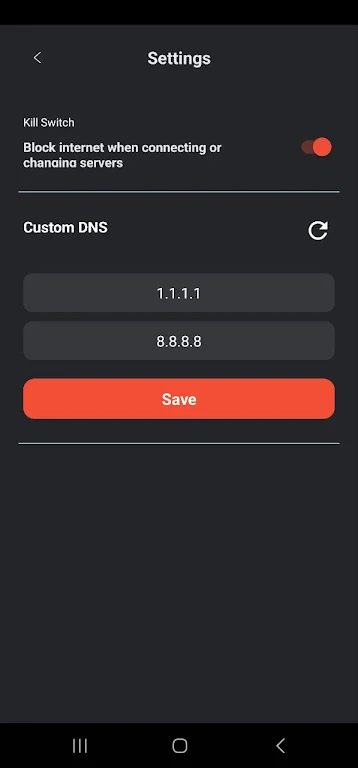
VBN VPN enforces encryption for all tunneled traffic and supports strong ciphers to protect against interception. The privacy policy emphasizes minimal logging; however, users requiring legal-grade guarantees should review the policy directly. DNS handling is configurable to prevent leaks, and the kill switch helps avoid accidental exposure if a connection drops.
Installing VBN VPN is straightforward: download from a trusted store, grant the requested permissions, and tap Connect. Default settings are suitable for most users, but advanced options let you choose protocols or enable split tunneling. The onboarding flow walks you through essentials in under a minute.
Regular updates improve server selection and patch security issues. Built-in help sections and diagnostic export make it easier to report problems to support. Community feedback drives many incremental enhancements, particularly around usability and regional performance.
For users seeking a no-friction VPN on Android, VBN VPN balances privacy, speed, and usability in a compact package. Its straightforward design and sensible defaults reduce the learning curve while retaining controls for more advanced configurations. Test it in your typical usage scenarios to evaluate server latency and overall experience before adopting it as your daily VPN.
LifeUp: Gamified To Do List
Size:17.35M ProductivityVPN Proxy Speed
Size:53.00M ProductivityAI Logo Generator (LogoWiz)
Size:41.50M Productivity3D Logo Maker
Size:39.30M ProductivityAI Chat: Ask AI Chat Anything
Size:42.20M ProductivityStars and Planets
Size:116.42M ProductivityImageMeter
Size:119.22M ProductivityHabitKit
Size:56.87M ProductivityMy Passwords Manager
Size:10.60M ProductivitymiMind
Size:48.30M ProductivityCute Note DDay Todo
Size:15.31M ProductivityCleverType AI Keyboard
Size:33.83M ProductivityApril 2024 Clash of Clans Update: Unveiling a Fresh Companion, Enhanced Levels, Chat Tagging, and Be
2024-04-16Arrival of Genshin Impact 4.6 Update: 'Embers of Two Realms, Twilight of Crimson'
2024-04-16V2.2 of the Farlight 84 update introduces an overhauled Season structure, fresh in-game currency, an
2024-04-16Monster Never Cry is now accessible on both Android and iOS mobile devices.
2024-04-18PUBG Mobile Teams Up with Bentley Motors: Luxury Cars, Exclusive Collectibles, and Beyond
2024-04-18March 2024 Free Redemption Codes for Honkai: Star Rail
2024-04-18