English
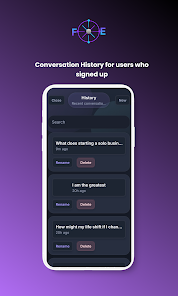
FuturaEngine is a calmer mobile workspace built to help you think through future choices with more clarity. The app uses AI-guided conversations to map options, tradeoffs, and next steps so you can preview scenarios before you commit to a decision. Designed for reflective, deliberate use on a phone or tablet, FuturaEngine keeps prompts and responses readable and focused so your thinking stays organized across sessions. Conversations can be saved locally and synced across devices when you sign in, making it easy to return to earlier explorations as your plans evolve.
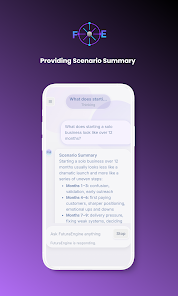
FuturaEngine centers on long-form, structured chat that nudges reflection without rushing you. Instead of a stream of rapid replies, the interface encourages pause and iteration: each prompt is framed to surface assumptions, identify tradeoffs, and break a choice into testable scenarios. Scenario exploration tools let you outline a potential decision, run a short simulated sequence of consequences, and then revise inputs to see how different choices change the outcome. The app also stores context so later conversations remember prior constraints, assumptions, and the options you previously considered.
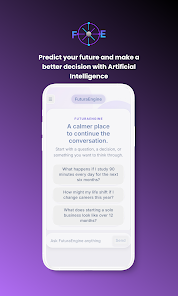
Conversations in FuturaEngine feel like a guided journal crossed with a decision lab. You type your current situation or select from suggested starting prompts, then step through sequenced questions that surface alternatives and risks. Responses are presented in a clean, chat-style layout with clear timestamps and a readable hierarchy so you can scan ideas quickly. Branching is simple: pin an idea to continue exploring it, or start a new scenario to contrast different directions. Each thread is treated as a work-in-progress you can pause, annotate, and return to later.
The app uses straightforward, mobile-friendly controls so reflection stays frictionless. Compose with the on-screen keyboard, tap suggested replies to speed a draft, and use simple gestures to archive or return a conversation to your active list. Progression is driven by the way you structure scenarios: short, repeatable steps help you move from a vague notion to a concrete plan, and saved checkpoints let you measure whether a new habit or decision changed your assumptions over time. There is no competitive leveling or external ranking—progress is personal and tracked by the history and context you generate within the app.
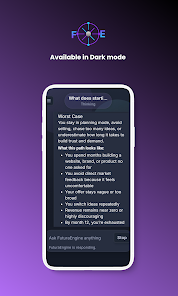
FuturaEngine favors a calm, readable visual language: generous line spacing, clear fonts, and contrast tuned for extended reading sessions. You can adjust text size and choose between a few display densities to make the interface comfortable whether you prefer compact lists or expanded, notebook-style views. Theme options are intentionally restrained to avoid distraction, and layout choices prioritize legibility and quick navigation between current threads and saved context.
The value of FuturaEngine comes from repeated use: revisiting conversations, testing alternate scenarios, and refining plans over weeks or months. Replay value arises naturally as you build a library of reflections and then apply the same scenario framework to new problems—career moves, habit experiments, or relationship decisions. Rather than gamified challenges, the app provides structured prompts and checkpoint-style steps to help you turn reflection into action and measure small wins against the goals you set for yourself.
Accessibility and low-friction use were considered throughout the design. FuturaEngine respects platform accessibility settings for text size and contrast and is compatible with common assistive features. Basic draft creation and local saves work offline so you can capture ideas without a network connection; when you sign in and reconnect, the app will sync those drafts to keep your context available across devices. Offline capability is focused on keeping your work safe and editable rather than enabling real-time collaboration.
FuturaEngine is intended as a personal thinking tool and not a substitute for professional advice. It should not be used as a source of medical, legal, or financial counsel and is not designed for clinical diagnostics or fitness tracking. Use the app to structure reflection and explore options, but consult qualified professionals for decisions that require expert assessment.
LifeUp: Gamified To Do List
Size:17.35M ProductivityVPN Proxy Speed
Size:53.00M ProductivityAI Logo Generator (LogoWiz)
Size:41.50M Productivity3D Logo Maker
Size:39.30M ProductivityAI Chat: Ask AI Chat Anything
Size:42.20M ProductivityStars and Planets
Size:116.42M ProductivityImageMeter
Size:119.22M ProductivityHabitKit
Size:56.87M ProductivityMy Passwords Manager
Size:10.60M ProductivitymiMind
Size:48.30M ProductivityCute Note DDay Todo
Size:15.31M ProductivityCleverType AI Keyboard
Size:33.83M ProductivityApril 2024 Clash of Clans Update: Unveiling a Fresh Companion, Enhanced Levels, Chat Tagging, and Be
2024-04-16Arrival of Genshin Impact 4.6 Update: 'Embers of Two Realms, Twilight of Crimson'
2024-04-16V2.2 of the Farlight 84 update introduces an overhauled Season structure, fresh in-game currency, an
2024-04-16Monster Never Cry is now accessible on both Android and iOS mobile devices.
2024-04-18PUBG Mobile Teams Up with Bentley Motors: Luxury Cars, Exclusive Collectibles, and Beyond
2024-04-18March 2024 Free Redemption Codes for Honkai: Star Rail
2024-04-18