English
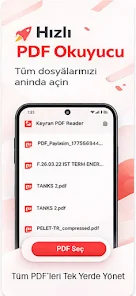
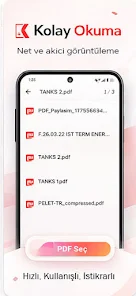
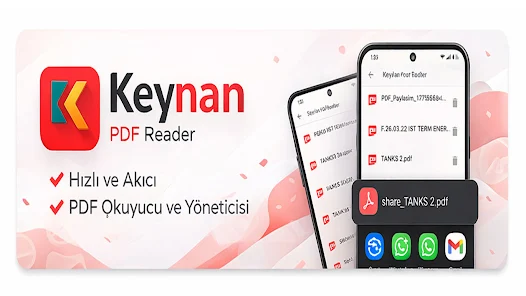
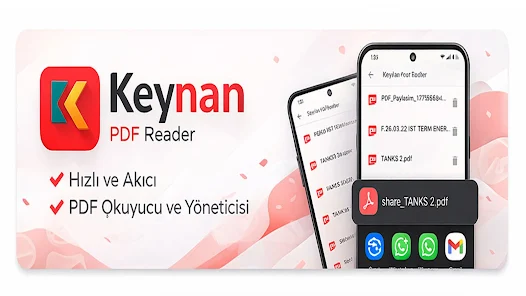
Keynan - PDF reader is a compact, ground-up PDF viewer and file manager designed for Android 7.0 and newer devices. Keynan - PDF reader puts a premium on fast document access and a clean, distraction-free reading surface: it launches large files quickly, offers smooth page skipping and pinch-to-zoom interaction, and keeps basic sharing tools close at hand so you can send PDFs without bouncing between apps. The app's roughly 23 MB install footprint makes it a practical choice when storage and performance matter.
The core experience centers on rapid viewing and straightforward file handling. Fast rendering and responsive page turns mean long documents open with minimal delay, and intuitive navigation controls help you move through pages without breaking concentration. Touch gestures — including swipe navigation and pinch-to-zoom — are implemented to feel natural on phones and tablets. Built-in sharing lets you forward documents directly from the viewer using Android’s standard share sheet, and a small set of file-management actions (browse, rename, move, delete) helps you keep a tidy local library without cloud dependencies. The design emphasizes offline availability: once a PDF is on your device, Keynan - PDF reader loads it without network access.
The app favors familiar mobile reading gestures so there’s little of a learning curve. Swipe gestures advance or reverse pages, and simple on-screen controls provide quick access to page navigation when you prefer taps over swipes. Pinch-to-zoom is complemented by precise zoom sensitivity to allow comfortable reading of dense technical pages or small print. The viewer remembers your position in a document during a session so switching between files is less disruptive to workflow. Controls are placed to reduce accidental taps while reading, and visual feedback is subtle to keep attention on the document itself.
Keynan - PDF reader supports basic organization patterns that mirror how people work with documents: a browsable file list, a simple folder structure for grouping related PDFs, and a recent-files view for quick resumption of ongoing reading. Rather than complex cloud-based sync or edits, the app focuses on letting you progress through materials reliably: open long reports, manuals, or e-books and return to the point where you left off. These practical navigation and organization tools form a lightweight progression system that helps you manage reading, study, or reference tasks without unnecessary overhead.
The visual presentation is intentionally minimal. A neutral background, clear typography for UI elements, and unobtrusive controls keep the content in the foreground. Viewing options are lean but useful: adjustable zooming, consistent page rendering, and layout choices that favor readability on both narrow phone screens and wider tablets. The interface avoids heavy decorations or complex panels, which helps maintain fast performance even on lower-end hardware.
Keynan - PDF reader provides a small set of personalization and accessibility choices aimed at real-world use. Users can rely on touch-based zooming and navigation to accommodate different vision needs, and the app’s compact footprint reduces install and update time for devices with limited storage. Because it operates locally, documents remain accessible without internet access, which is helpful for travel, secure environments, or simply conserving mobile data. The straightforward UI and predictable controls make the app approachable for a wide range of users.
The app is optimized for quick load times and smooth navigation, but it intentionally avoids advanced editing, annotations, or cloud-sync features. If you need in-depth editing tools or multi-device synchronization, those functions are not part of this initial release. The current build reflects an early-stage release with a modest user base; public downloads are low as the application grows and gathers feedback. Performance remains a priority, with the goal of keeping the viewing experience stable across a variety of document sizes.
Keynan - PDF reader is published by Keynan and the first public build is version 1.0.0, released on May 4, 2026. The package requires Android 7.0 and up and is packaged at about 23 MB, which helps keep updates small. The developer is actively collecting user feedback and plans to refine navigation and organizational tools based on real-world usage rather than adding heavy feature sets that would compromise speed or simplicity.

LifeUp: Gamified To Do List
Size:17.35M ProductivityVPN Proxy Speed
Size:53.00M ProductivityAI Logo Generator (LogoWiz)
Size:41.50M Productivity3D Logo Maker
Size:39.30M ProductivityAI Chat: Ask AI Chat Anything
Size:42.20M ProductivityStars and Planets
Size:116.42M ProductivityImageMeter
Size:119.22M ProductivityHabitKit
Size:56.87M ProductivityMy Passwords Manager
Size:10.60M ProductivitymiMind
Size:48.30M ProductivityCute Note DDay Todo
Size:15.31M ProductivityCleverType AI Keyboard
Size:33.83M ProductivityApril 2024 Clash of Clans Update: Unveiling a Fresh Companion, Enhanced Levels, Chat Tagging, and Be
2024-04-16Arrival of Genshin Impact 4.6 Update: 'Embers of Two Realms, Twilight of Crimson'
2024-04-16V2.2 of the Farlight 84 update introduces an overhauled Season structure, fresh in-game currency, an
2024-04-16Monster Never Cry is now accessible on both Android and iOS mobile devices.
2024-04-18PUBG Mobile Teams Up with Bentley Motors: Luxury Cars, Exclusive Collectibles, and Beyond
2024-04-18March 2024 Free Redemption Codes for Honkai: Star Rail
2024-04-18