English
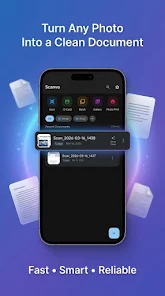
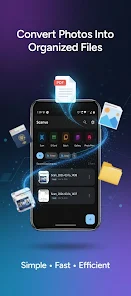
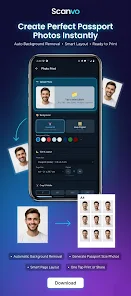
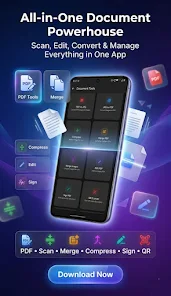
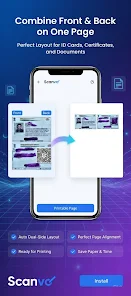
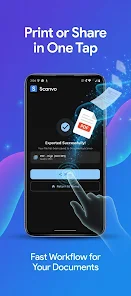
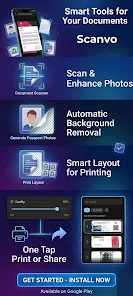
Scanvo: PDF & Doc Scanner turns your Android device into a portable document workstation, capturing receipts, notes, and multi-page documents with sharp OCR-ready output. Lightweight and focused, the app streamlines scanning, cropping, and exporting to PDF or image formats while keeping controls accessible for quick batch operations.
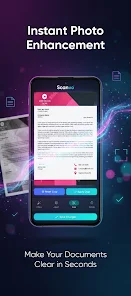
Scanvo: PDF & Doc Scanner is a utility designed for users who need reliable, fast document capture on the go. It blends automatic detection, edge correction, and basic image enhancement into a compact interface so you can produce readable PDFs or images without fuss. The app is suitable for students, small business owners, and anyone who frequently digitizes paper documents.
Using Scanvo is straightforward: frame a page, allow the app to detect edges, then confirm or fine-tune the crop. You can scan additional pages to form a single PDF or save each image individually. Built-in filters improve contrast for printed text and receipts, while OCR analyzes characters for selectable, searchable text.
The app offers practical controls without overwhelming new users. You can adjust image quality and compression to balance clarity and file size. For frequent tasks, set default export formats and enable auto-save to a preferred folder. Password-protected PDFs are available for sensitive content, and metadata fields help organize scans.
Scanvo focuses on speed and clarity. The app launches quickly and processes captures with minimal lag on modern phones. The camera preview shows clear guides for alignment, and action buttons stay within easy thumb reach. Scanning several pages and exporting a PDF typically completes in seconds, depending on device hardware and image quality settings.
To get better scans faster, work on a flat surface with even lighting. Use the app's auto-filter to increase contrast for receipts and thin-ink documents. When scanning many pages, group similar-size items together and use batch export to reduce repetitive steps. If accuracy matters, proofread OCR results and correct any misrecognized text before exporting.
Users pick Scanvo: PDF & Doc Scanner for its balance of power and simplicity. It delivers dependable scans without complex menus, supports essential export formats, and integrates with common sharing destinations. For anyone who needs to turn paper into usable digital files quickly, it provides a focused toolset that fits daily workflows.
Install the app from your preferred Android store, grant camera and storage permissions, and try a short test scan to familiarize yourself with the auto-crop and filter options. Explore settings to set preferred export formats and enable cloud syncing for backups. Regular updates can add language packs for OCR or new export improvements, so check the app settings for updates.
Scanvo: PDF & Doc Scanner makes document digitization accessible and efficient. With a few simple taps you can digitize receipts, notes, contracts, and book pages, then organize and share them in formats that work across devices and services.
LifeUp: Gamified To Do List
Size:17.35M ProductivityVPN Proxy Speed
Size:53.00M ProductivityAI Logo Generator (LogoWiz)
Size:41.50M Productivity3D Logo Maker
Size:39.30M ProductivityAI Chat: Ask AI Chat Anything
Size:42.20M ProductivityStars and Planets
Size:116.42M ProductivityImageMeter
Size:119.22M ProductivityHabitKit
Size:56.87M ProductivityMy Passwords Manager
Size:10.60M ProductivitymiMind
Size:48.30M ProductivityCute Note DDay Todo
Size:15.31M ProductivityCleverType AI Keyboard
Size:33.83M ProductivityApril 2024 Clash of Clans Update: Unveiling a Fresh Companion, Enhanced Levels, Chat Tagging, and Be
2024-04-16Arrival of Genshin Impact 4.6 Update: 'Embers of Two Realms, Twilight of Crimson'
2024-04-16V2.2 of the Farlight 84 update introduces an overhauled Season structure, fresh in-game currency, an
2024-04-16Monster Never Cry is now accessible on both Android and iOS mobile devices.
2024-04-18PUBG Mobile Teams Up with Bentley Motors: Luxury Cars, Exclusive Collectibles, and Beyond
2024-04-18March 2024 Free Redemption Codes for Honkai: Star Rail
2024-04-18