English
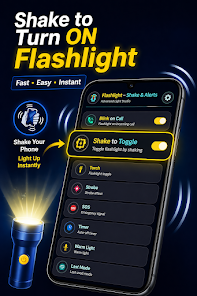
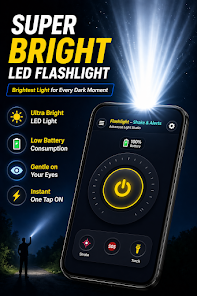
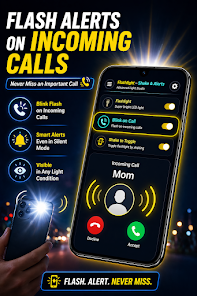
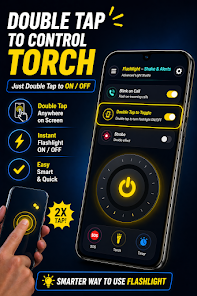
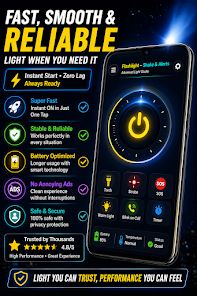
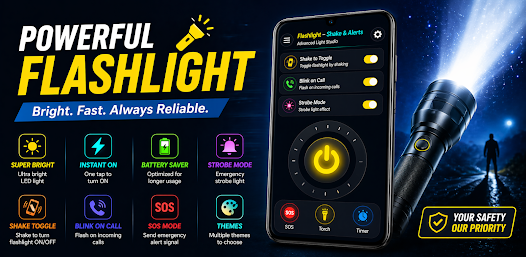
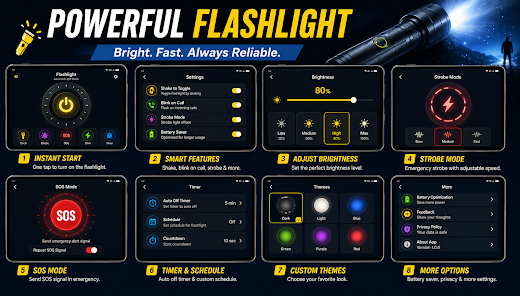
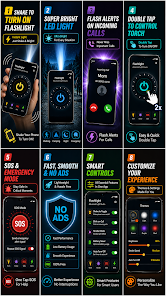
Flashlight Torch Light & Alert is a compact utility that turns your Android device into a dependable light source with added notification and strobe features. It combines a straightforward torch, adjustable brightness levels, and alert modes for emergencies, making it practical for everyday use and occasional safety needs.
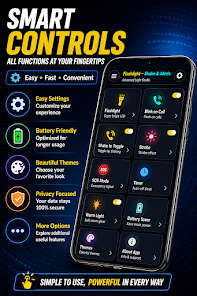
This app focuses on delivering a simple, fast flashlight experience while adding flexible alert capabilities. The interface keeps primary controls front and center, so users can access steady light, blinking signals, or sound alerts without digging through menus. Battery-friendly options help extend usage during longer tasks or power outages.
The interface prioritizes clarity: large toggle buttons, readable icons, and minimal color distractions. Flashlight Torch Light & Alert reacts quickly to taps, and transition animations are kept short to reduce input lag. The app also monitors power use; it offers a low-power mode that dims the output and disables background animations to extend battery life during extended use.
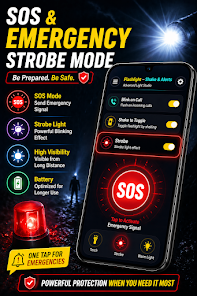
Whether you're finding a dropped item in dim light, walking to a parking lot, or managing a roadside emergency, the app adapts to different needs. Select steady light for reading, switch to a low-brightness mode to preserve night vision, or choose a strobe to attract attention. SOS and pattern presets can be used without setup, so you can react quickly in urgent situations.
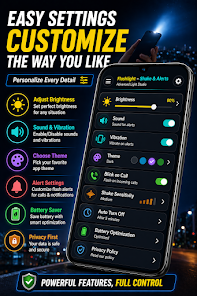
Customization options are practical rather than decorative. You can store preferred brightness levels, select between flashing frequencies, and assign a default startup mode. The app also supports simple color screen light for devices without a camera flash, allowing soft ambient illumination when LED output would be too harsh.
To get the most out of Flashlight Torch Light & Alert, try these approaches: set a comfortable maximum brightness to protect eyes, use the widget for one-touch access in emergencies, and test the strobe patterns so you know which mode is most visible in daylight. Remember that frequent use of the camera LED will drain battery, so plan accordingly when you rely on it for extended periods.
Flash and strobe modes are effective for signaling but can cause discomfort or trigger photosensitive reactions in some people. Use flashing patterns with caution in crowded areas. When using the flashlight while driving or biking at night, keep the beam angled to avoid blinding others.
Installing the app is straightforward: allow the permissions requested for camera/flash access and notifications, then choose your default launch behavior. The initial setup walks you through granting necessary access and lets you test brightness and alert features immediately. If you prefer, enable the notification widget so the torch can be activated without opening the main interface.
Many users favor Flashlight Torch Light & Alert for its combination of speed, practical customization, and energy-conscious options. It doesn't overload with unnecessary features; instead, it focuses on reliability and quick response. As a utility, it sits in that useful middle ground between simple flashlight apps and feature-heavy toolkits.
For anyone who values quick access to light and simple alerting tools, this app presents a balanced set of functions that are easy to learn and effective in real situations.
Colorimeter
Size:5.45M ToolsChatBoost
Size:19.33M ToolsRemote Fire TV
Size:48.04M ToolsgetConf - Hidden Settings
Size:16.66M ToolsTracker Detect Pro
Size:10.39M ToolsWiFi Speed Test Pro
Size:8.11M ToolsGG Mouse Pro 2
Size:45.82M ToolsResource Monitor Mini Pro
Size:3.19M ToolsSmart Keyboard Pro
Size:23.22M ToolsMyScript Math: Solve & Plot
Size:108.76M ToolsText Repeater
Size:11.73M Tools3Dcalc+
Size:12.59M ToolsApril 2024 Clash of Clans Update: Unveiling a Fresh Companion, Enhanced Levels, Chat Tagging, and Be
2024-04-16Arrival of Genshin Impact 4.6 Update: 'Embers of Two Realms, Twilight of Crimson'
2024-04-16V2.2 of the Farlight 84 update introduces an overhauled Season structure, fresh in-game currency, an
2024-04-16Monster Never Cry is now accessible on both Android and iOS mobile devices.
2024-04-18PUBG Mobile Teams Up with Bentley Motors: Luxury Cars, Exclusive Collectibles, and Beyond
2024-04-18March 2024 Free Redemption Codes for Honkai: Star Rail
2024-04-18