
English
Simple Email - Temporary Email puts disposable email addresses at your fingertips so you can sign up for services, access gated content, or test websites without exposing your personal inbox. This lightweight utility is built around a straightforward goal: create and manage throwaway inboxes quickly and with minimal fuss, giving you a safer, spam-free way to interact online while keeping your main account clean and private.
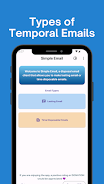
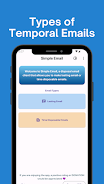
The app generates short-lived addresses that receive incoming messages for a configurable period. Creating an address takes a single tap; messages sent to that address appear in a dedicated temporary inbox managed within the app. You can keep an address active for a brief window to receive verification links or promotional codes, then discard it when it has served its purpose. This lifecycle control reduces the need to expose your permanent email and limits the time spam or unwanted newsletters can reach you.
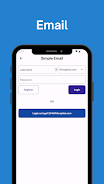
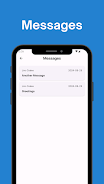
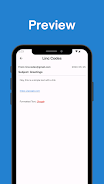
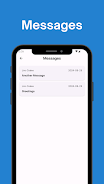
Simple Email - Temporary Email offers a compact set of controls designed for quick use. Create a new disposable address with one tap, refresh an inbox to fetch recent messages, and clear or delete an address when it is no longer needed. Navigational controls are intentionally simple: a main inbox list shows all active temporary addresses, and tapping any address opens a lightweight message viewer. Common gestures such as swipe-to-delete are supported to help manage addresses and messages rapidly. The interface prioritizes clarity so new users can start protecting their inbox right away.
Temporary messages are grouped by address so you can track the progression of a signup or verification flow without sifting through your permanent mailbox. Each address has an expiration setting that you can check and adjust; once expired, the address stops receiving mail and can be removed from your list. This progression system—create, receive, expire, delete—helps keep ephemeral communications organized and easy to clean up after you finish a task.
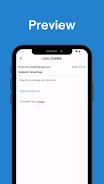
The app emphasizes a clean, readable visual style with clear typographic hierarchy and simple iconography to indicate address status, unread messages, and expiration timers. You can give a temporary address a short label for easier reference when managing several addresses at once. Display options — such as compact or expanded message previews — help you scan messages faster. The design keeps clutter to a minimum so the focus stays on the task of receiving and disposing of short-term mail.
Simple Email - Temporary Email is intended to protect your privacy during one-off signups and short interactions; it is not a substitute for a permanent email account or for long-term correspondence. Temporary addresses are designed for short-term use and may not be suitable for account recovery, ongoing communication, or receipt of highly sensitive documents. The app stores only the messages necessary to display recent activity for each temporary address and gives you tools to delete content when you choose. Users should avoid relying on disposable addresses for critical, long-lived accounts.
The app retains recently fetched messages for short-term viewing so you can reference a verification code or link even if you briefly lose connectivity, but core functionality requires an internet connection to receive new mail. Accessibility considerations include readable font sizes, clear contrast, and straightforward navigation controls to support a wide range of users. The simple layout reduces cognitive load and makes it easier to perform common tasks with minimal taps.
Common uses include signing up for newsletters when you want to avoid long-term mailing lists, claiming limited-time offers without exposing your primary address, testing a service during a trial period, or protecting your inbox while browsing new websites. Because creating, expiring, and replacing addresses is fast, the app encourages repeatable use: create a throwaway address whenever you need short-term privacy and discard it afterward to keep your inbox uncluttered.
Choose short expiration windows for single-use verifications and slightly longer windows when you expect follow-up emails. Keep only active addresses you need and delete expired ones to maintain a tidy list. Remember that while Simple Email - Temporary Email is a practical tool for reducing spam and protecting your primary inbox, it should be used alongside good account hygiene such as unique passwords and two-factor authentication for important accounts.
LifeUp: Gamified To Do List
Size:17.35M ProductivityVPN Proxy Speed
Size:53.00M ProductivityAI Logo Generator (LogoWiz)
Size:41.50M Productivity3D Logo Maker
Size:39.30M ProductivityAI Chat: Ask AI Chat Anything
Size:42.20M ProductivityStars and Planets
Size:116.42M ProductivityImageMeter
Size:119.22M ProductivityHabitKit
Size:56.87M ProductivityMy Passwords Manager
Size:10.60M ProductivitymiMind
Size:48.30M ProductivityCute Note DDay Todo
Size:15.31M ProductivityCleverType AI Keyboard
Size:33.83M ProductivityApril 2024 Clash of Clans Update: Unveiling a Fresh Companion, Enhanced Levels, Chat Tagging, and Be
2024-04-16Arrival of Genshin Impact 4.6 Update: 'Embers of Two Realms, Twilight of Crimson'
2024-04-16V2.2 of the Farlight 84 update introduces an overhauled Season structure, fresh in-game currency, an
2024-04-16Monster Never Cry is now accessible on both Android and iOS mobile devices.
2024-04-18PUBG Mobile Teams Up with Bentley Motors: Luxury Cars, Exclusive Collectibles, and Beyond
2024-04-18March 2024 Free Redemption Codes for Honkai: Star Rail
2024-04-18


















