
English
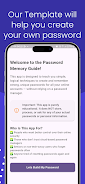
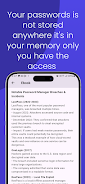
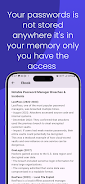
Password Manager Guide helps users choose, set up, and use password managers effectively. The app explains concepts like vaults, encryption, autofill, and two-factor authentication, with practical tips for creating strong passwords, migrating accounts, and organizing credentials across devices while emphasizing security best practices for everyday use.
Password Manager Guide breaks down core topics into clear sections so anyone can follow along. You will find explanations of encryption types, vault architecture, backup options, and the differences between local and cloud-based storage. The guide also compares popular features such as password generation, secure notes, and biometric unlocking methods.
This guide focuses on tools that matter when selecting a password manager. It outlines password strength meters, one-click autofill, cross-device sync, emergency access options, and secure sharing for families or teams. Readers get step-by-step walkthroughs on importing existing passwords and exporting data securely to avoid lockout or data loss.
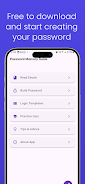
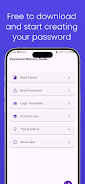
One section of Password Manager Guide is dedicated to interface and usability. It explains typical layouts for vaults, folders, and entry templates. The guide shows how to customize entry fields, tag items for quick searching, and set up shortcut actions. Clear screenshots and diagrams help users map the learning curve before installing any software.
Creating robust passwords and passphrases is central to the guide’s advice. It covers best practices for length, entropy, and pattern avoidance, and demonstrates the value of built-in password generators. The guide also explains how to layer defenses with two-factor authentication and hardware keys while maintaining convenient access.
Syncing across phones, tablets, and desktops is often necessary but can introduce risks. Password Manager Guide evaluates synchronization methods and recommends secure options, including encrypted cloud services and self-hosted solutions. You will learn how to schedule encrypted backups and test restores so credentials are always recoverable after device loss or failure.
Moving from one password manager to another can be intimidating. The guide walks through export/import procedures, common compatibility issues, and safe intermediate storage formats. It also suggests organizational schemes—by account type, risk level, or usage frequency—to keep your vault tidy and efficient.
Privacy-focused readers will appreciate detailed discussions on zero-knowledge models, open-source vs proprietary software, and vendor trust models. Password Manager Guide outlines what to look for in audit reports, disclosure policies, and update cadence. It clarifies how features like local-only storage or end-to-end encryption affect security posture.
The guide offers practical workflows for daily routines: onboarding new devices, sharing credentials with family, rotating sensitive passwords, and responding to suspected breaches. Real-world scenarios help users create policies that balance security with convenience, such as setting rotation schedules for financial accounts and critical admin credentials.
Compatibility matters when choosing a password manager. Password Manager Guide lists common operating systems, browser extensions, and mobile integration points to consider. It explains performance considerations like database size impact, autofill latency, and how to troubleshoot sync conflicts without exposing secrets.
Decision-making advice in the guide helps match needs to features—whether you need a lightweight mobile-first app, a business-ready team platform, or a privacy-centered self-hosted vault. It provides a checklist for evaluating trials, price tiers, enterprise management features, and support options before committing to a service.
For newcomers, Password Manager Guide provides a simple getting-started checklist: select a recommended manager, enable two-factor authentication, import or create essential logins, and set up an encrypted backup. Stepwise instructions reduce setup friction and help people stay secure without overcomplicating daily habits.
The final section points to ongoing learning: how to follow security advisories, where to find independent audits, and ways to test password health. The guide helps readers adopt a maintenance mindset so credential hygiene becomes a routine rather than a one-time task.
Whether you are setting up vaults for personal use or managing credentials for a small team, Password Manager Guide delivers pragmatic, actionable guidance designed to reduce risk and simplify secure access across devices.




LifeUp: Gamified To Do List
Size:17.35M ProductivityVPN Proxy Speed
Size:53.00M ProductivityAI Logo Generator (LogoWiz)
Size:41.50M Productivity3D Logo Maker
Size:39.30M ProductivityAI Chat: Ask AI Chat Anything
Size:42.20M ProductivityStars and Planets
Size:116.42M ProductivityImageMeter
Size:119.22M ProductivityHabitKit
Size:56.87M ProductivityMy Passwords Manager
Size:10.60M ProductivitymiMind
Size:48.30M ProductivityCute Note DDay Todo
Size:15.31M ProductivityCleverType AI Keyboard
Size:33.83M ProductivityApril 2024 Clash of Clans Update: Unveiling a Fresh Companion, Enhanced Levels, Chat Tagging, and Be
2024-04-16Arrival of Genshin Impact 4.6 Update: 'Embers of Two Realms, Twilight of Crimson'
2024-04-16V2.2 of the Farlight 84 update introduces an overhauled Season structure, fresh in-game currency, an
2024-04-16Monster Never Cry is now accessible on both Android and iOS mobile devices.
2024-04-18PUBG Mobile Teams Up with Bentley Motors: Luxury Cars, Exclusive Collectibles, and Beyond
2024-04-18March 2024 Free Redemption Codes for Honkai: Star Rail
2024-04-18


















