
English
Alt Min is a lightweight utility designed to optimize background processes and minimize battery drain on Android devices. It combines automated scheduling, adaptive rules, and one-touch controls to reduce unnecessary activity while keeping essential apps responsive. Ideal for users seeking balanced performance without manual tweaking.
Alt Min monitors active apps and system tasks to identify energy-intensive behavior. Instead of forcing aggressive app kills, it applies context-aware restrictions that pause or defer noncritical processes when the device is idle, on low battery, or under heavy load. The result is longer uptime and smoother foreground performance.
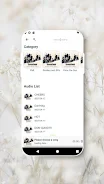
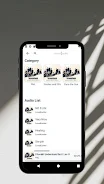
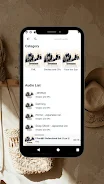
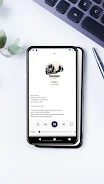
The interface in Alt Min emphasizes clarity. A dashboard presents current battery status, active profile, and recent optimizations. Setting up a new profile follows a simple step-by-step flow: choose conditions, select apps to target, and define the restriction level. Tooltips and contextual help guide first-time users through common scenarios.
Alt Min integrates with Android’s system APIs to apply restrictions safely without requiring root access. It supports a wide range of devices and Android versions, adapting permissions and available features accordingly. Integration with notification settings ensures that urgent alerts still get through even when background activity is limited.
Designed to be low-overhead, Alt Min itself consumes minimal CPU and memory. The app relies on scheduled checks and event-driven triggers rather than continuous scanning, which reduces its footprint. System benchmarks and user reports typically show measurable battery savings after a few days of adaptive learning.
Alt Min requests only the permissions necessary to manage background tasks and display over other apps where needed. Data collected for analytics is stored locally by default, and optional usage reports can be anonymized before being shared. The app avoids harvesting personal content and focuses exclusively on system and app activity metrics.
Begin by installing Alt Min and granting the minimal permissions it requests. Tap the dashboard to run an initial scan; then create a Balanced profile that pauses nonessential syncing at low battery thresholds. Add a few exempt apps like messaging or navigation to keep core functions responsive. Test different profiles for a week to let the adaptive engine learn your behavior.
Alt Min can be a helpful tool for anyone trying to stretch battery life without sacrificing the responsiveness of essential apps. With a focus on smart automation, clear controls, and modest system impact, it helps maintain a steady balance between longevity and functionality on a variety of Android devices.
Cover Letter
Size:11.77M FinanceCV Engineer
Size:16.85M FinanceSimple Invoice Manager
Size:25.30M Finance华融融达期货
Size:109.18M FinanceChurchNest
Size:83.00M FinanceYnotOne
Size:0.00M FinanceMoohan Taekwondo
Size:10.80M FinanceIBOIX
Size:76.00M FinanceMargin Guard: Risk Calculator
Size:69.00M FinanceLP Protidin
Size:47.00M FinanceMON 3
Size:47.00M FinanceExpo Wallet - Consumer
Size:29.10M FinanceApril 2024 Clash of Clans Update: Unveiling a Fresh Companion, Enhanced Levels, Chat Tagging, and Be
2024-04-16Arrival of Genshin Impact 4.6 Update: 'Embers of Two Realms, Twilight of Crimson'
2024-04-16V2.2 of the Farlight 84 update introduces an overhauled Season structure, fresh in-game currency, an
2024-04-16Monster Never Cry is now accessible on both Android and iOS mobile devices.
2024-04-18PUBG Mobile Teams Up with Bentley Motors: Luxury Cars, Exclusive Collectibles, and Beyond
2024-04-18March 2024 Free Redemption Codes for Honkai: Star Rail
2024-04-18


















