
English
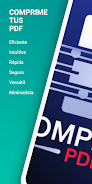
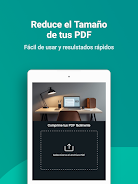
Comprimir PDF is a compact Android utility designed to reduce PDF file size quickly and reliably, keeping layout and readability intact. It targets users who need to save storage, speed up sharing, or prepare documents for email and web uploads without technical complexity.
At its core, Comprimir PDF shrinks PDF files by optimizing images, removing redundant data, and recompressing resources. The process is automatic but configurable, which makes the tool suitable for both casual users and professionals who require predictable results for different document types.
The interface is clean and streamlined. Primary actions are presented on a main screen with large buttons for Select, Compress, and Share. Navigation is minimal: tap to add files from local storage, cloud services, or a recent files list. Advanced settings are tucked behind an icon for people who want finer control over image DPI, font embedding, and metadata retention.
Comprimir PDF balances speed and quality. On modern devices the app completes typical single-file compressions in seconds. For larger or image-heavy PDFs, the app provides progress feedback and estimated completion time. Memory and CPU use are optimized to avoid slowing other apps during batch jobs.
This app is useful in many scenarios: sending attachments that must meet inbox size limits, uploading manuals and whitepapers to websites, reducing storage on phones or tablets, or preparing documents for digital forms that cap upload size. It also helps when archiving documents so backups take less space.
Begin by installing the app, then open Comprimir PDF and allow access to files. Use the Select button to import a document, pick a preset, and tap Compress. A new file is saved alongside the original with a suffix that indicates the compression level, making it easy to compare versions.
Users appreciate Comprimir PDF for its straightforward approach and minimal learning curve. The ability to preview changes, set quality levels, and process many files at once makes it a practical choice for students, freelancers, and office workers. The app integrates with common cloud providers, so compressed files are easy to store or share.
Built to handle varied document structures, the app includes error handling for corrupted files and offers guidance when a file can’t be compressed further. Regular updates improve compatibility with newer PDF standards and refine compression routines.
Whether you work with contracts, ebooks, or reports, Comprimir PDF simplifies the task of managing document sizes while preserving important content. Its balance of simplicity and configurable options helps users keep file-sharing and storage problems under control.







LifeUp: Gamified To Do List
Size:17.35M ProductivityVPN Proxy Speed
Size:53.00M ProductivityAI Logo Generator (LogoWiz)
Size:41.50M Productivity3D Logo Maker
Size:39.30M ProductivityAI Chat: Ask AI Chat Anything
Size:42.20M ProductivityStars and Planets
Size:116.42M ProductivityImageMeter
Size:119.22M ProductivityHabitKit
Size:56.87M ProductivityMy Passwords Manager
Size:10.60M ProductivitymiMind
Size:48.30M ProductivityCute Note DDay Todo
Size:15.31M ProductivityCleverType AI Keyboard
Size:33.83M ProductivityApril 2024 Clash of Clans Update: Unveiling a Fresh Companion, Enhanced Levels, Chat Tagging, and Be
2024-04-16Arrival of Genshin Impact 4.6 Update: 'Embers of Two Realms, Twilight of Crimson'
2024-04-16V2.2 of the Farlight 84 update introduces an overhauled Season structure, fresh in-game currency, an
2024-04-16Monster Never Cry is now accessible on both Android and iOS mobile devices.
2024-04-18PUBG Mobile Teams Up with Bentley Motors: Luxury Cars, Exclusive Collectibles, and Beyond
2024-04-18March 2024 Free Redemption Codes for Honkai: Star Rail
2024-04-18


















