
English
nslhub streamlines device management and file transfers into a single, lightweight utility designed for power users and casual users alike. It consolidates network tools, quick backups, and remote access features into an accessible interface, reducing friction for everyday workflows while retaining advanced settings for IT professionals.
nslhub positions itself as a multitool for Android environments, blending practical utilities with a tidy user experience. Rather than focusing on one workflow, it acts as a central hub for tasks such as syncing files, managing connections, and scheduling routine maintenance. The app is compact yet feature-rich, making it suitable for devices with limited storage and for users who need reliable, fast utilities.
The workflow is straightforward: connect a device or network share, pick the action you need, and run it. nslhub abstracts complex settings behind sensible defaults while leaving expert controls available. Users who prefer one-click solutions can rely on presets, while administrators can tweak timeouts, encryption options, and logging verbosity to match professional environments.
The interface balances clarity and depth. Panels are logically grouped, and visual indicators show transfer progress and system status. nslhub keeps background memory usage low and handles large file queues without significant slowdowns. Animated transitions are subtle, and a dark theme helps reduce eye strain during extended sessions.
Battery and data consumption are addressed by configurable limits. You can restrict heavy transfers to Wi-Fi only, schedule jobs for low-power periods, and set concurrent connection caps to avoid saturating a network. These controls make the app predictable on both high-end phones and older hardware.
Customization is a strong point. Users can define templates for common operations, bind actions to widgets, and integrate with cloud providers for hybrid backups. For those who need tight device control, nslhub supports plugins and exposes an API for automation, enabling third-party tools to trigger transfers or queries programmatically.
Security features include encrypted transfer channels, optional password protection for job profiles, and integrity checks after each transfer. Regular checkpointing ensures that interrupted tasks resume without data corruption. The app keeps a compact history of actions so users can review what happened and when.
In real-world testing, nslhub completed large sync jobs consistently and recovered gracefully from dropped connections. Error messages are actionable and often suggest corrective steps, shortening the troubleshooting loop.
IT technicians and advanced users appreciate nslhub for its balance of control and automation. It reduces manual overhead, especially when managing multiple devices, and its scripting hooks make it a reliable component in larger maintenance workflows.
Installation is quick: download, grant necessary permissions, and follow the guided setup to add your first device or storage location. A short onboarding wizard walks through core features so you can perform a first transfer in minutes.
For users who want a polished toolkit for device and file management, nslhub delivers a practical blend of power, efficiency, and clarity without unnecessary complexity.
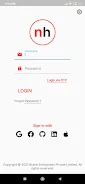

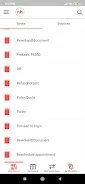
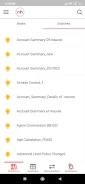
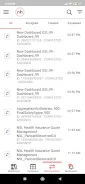
Remote Fire TV
Size:48.04M ToolsgetConf - Hidden Settings
Size:16.66M ToolsTracker Detect Pro
Size:10.39M ToolsWiFi Speed Test Pro
Size:8.11M ToolsGG Mouse Pro 2
Size:45.82M ToolsResource Monitor Mini Pro
Size:3.19M ToolsSmart Keyboard Pro
Size:23.22M ToolsMyScript Math: Solve & Plot
Size:108.76M ToolsText Repeater
Size:11.73M Tools3Dcalc+
Size:12.59M ToolsMyScoreTracker
Size:80.28M ToolsPanda Touch Pro
Size:18.13M ToolsApril 2024 Clash of Clans Update: Unveiling a Fresh Companion, Enhanced Levels, Chat Tagging, and Be
2024-04-16Arrival of Genshin Impact 4.6 Update: 'Embers of Two Realms, Twilight of Crimson'
2024-04-16V2.2 of the Farlight 84 update introduces an overhauled Season structure, fresh in-game currency, an
2024-04-16Monster Never Cry is now accessible on both Android and iOS mobile devices.
2024-04-18PUBG Mobile Teams Up with Bentley Motors: Luxury Cars, Exclusive Collectibles, and Beyond
2024-04-18March 2024 Free Redemption Codes for Honkai: Star Rail
2024-04-18


















