English
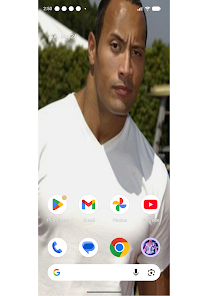
The Rock Wallpaper 4K delivers a curated collection of high-resolution rock and stone textures tailored for Android devices, combining sharp imagery with easy browsing and quick setup. Users can apply vivid mountain, cliff, and geological close-up backgrounds in seconds while preserving battery and system responsiveness.
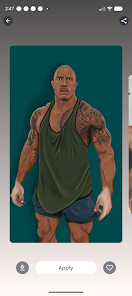
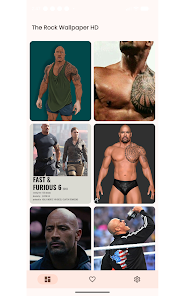
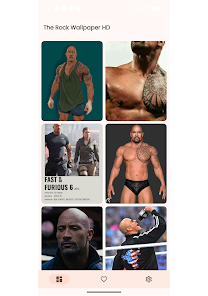
The Rock Wallpaper 4K focuses on providing striking photographic and rendered wallpapers centered on natural stone, rock formations, and mineral detail. It caters to users who prefer organic, textured backgrounds rather than abstract or illustrated designs. The library is organized for quick discovery, with categories that let you jump straight to mountains, canyons, pebbles, or macro mineral shots.
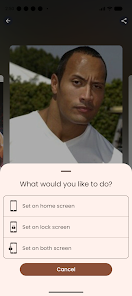
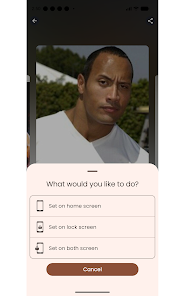
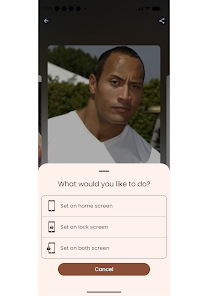
Functionality emphasizes practical tools for wallpaper management. You get streamlined download controls, options to set a wallpaper for lock screen, home screen, or both, and a built-in preview to test crops and scaling. The app includes a simple auto-rotation scheduler and lightweight cache management to avoid excessive storage use.
The interface is minimal and photo-forward: full-screen thumbnails, swipe navigation, and a simple bottom bar for actions. Performance is tuned so even older devices can browse large images without stutter. Background data use is limited to image downloads, and the app provides an option to download only on Wi‑Fi to control bandwidth.
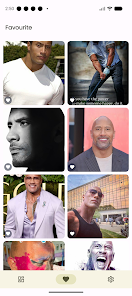
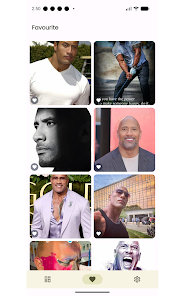
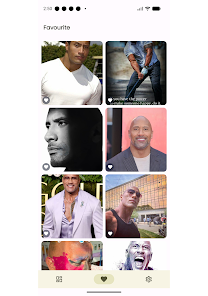
Beyond applying static backgrounds, The Rock Wallpaper 4K offers light customization: subtle color filters, blur intensity for depth-of-field effects, and automated cropping that respects subject positioning. You can save custom edits to a personal collection and set favorites for quick access. The app supports different aspect ratios and will suggest optimal crops for various phone models.
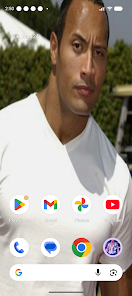
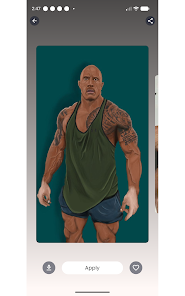
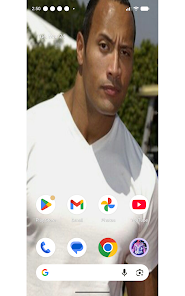
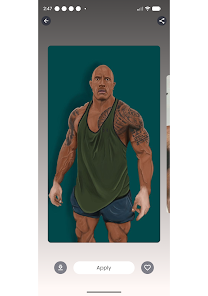
Installing and using The Rock Wallpaper 4K is straightforward. After granting storage permission (or using scoped storage), browse categories, tap any image to preview, and select the action you want: download or set as wallpaper. The preview screen shows how the image will look with icons and widgets visible, which helps avoid awkward focal points behind UI elements.
Pick wallpapers with clear focal points away from the center if you use many home‑screen icons. Use the reduced-resolution mode at night or when conserving battery. Save favorites into custom collections if you like rotating backgrounds—this speeds up daily selection. For a cleaner look, try monochrome or muted-toned rock images that reduce visual noise behind app icons.
The Rock Wallpaper 4K appeals to users who want a nature-driven aesthetic combined with efficient utility. The curated selection reduces time spent hunting high-quality images elsewhere, while the editing and crop tools remove the need for third-party photo editors. Reviewers often praise the clarity and realistic textures, particularly on devices with high-PPI screens.
The app keeps permissions minimal and explains each request. If you prefer offline browsing, the download manager allows bulk saves to local storage. Occasional in-app prompts suggest new additions, but you can opt out to keep the experience focused. Regular updates add fresh images and small optimizations rather than feature bloat.
Whether you want a dramatic canyon vista or a subtle mineral macro for a clean home screen, The Rock Wallpaper 4K delivers a focused collection and practical tools for everyday use. The combination of crisp imagery, simple customization, and considerate performance tuning makes it a solid choice for anyone seeking textured, nature-inspired backgrounds on Android devices.



MIUl Circle - Icon Pack
Size:134.98M PersonalizationLines Gold Pro - Icon Pack
Size:65.13M PersonalizationFlight Dark Pro - Icon Pack
Size:48.36M PersonalizationAres Light: Pastel Icon Pack
Size:79.87M PersonalizationDots Live Wallpaper - Battery
Size:8.44M PersonalizationChroma - Icon Pack
Size:51.41M PersonalizationOne UI Fluffy Icon Pack
Size:79.19M PersonalizationPixly Limitless Fluo Icon Pack
Size:110.46M PersonalizationPixly Professional Dark
Size:77.11M PersonalizationPixly Paint - Icon Pack
Size:125.78M PersonalizationWatch Faces by Watch Base
Size:9.40M PersonalizationPixly Dark 3D - Icon Pack
Size:106.58M PersonalizationApril 2024 Clash of Clans Update: Unveiling a Fresh Companion, Enhanced Levels, Chat Tagging, and Be
2024-04-16Arrival of Genshin Impact 4.6 Update: 'Embers of Two Realms, Twilight of Crimson'
2024-04-16V2.2 of the Farlight 84 update introduces an overhauled Season structure, fresh in-game currency, an
2024-04-16Monster Never Cry is now accessible on both Android and iOS mobile devices.
2024-04-18PUBG Mobile Teams Up with Bentley Motors: Luxury Cars, Exclusive Collectibles, and Beyond
2024-04-18March 2024 Free Redemption Codes for Honkai: Star Rail
2024-04-18