English
My Task Manager is a streamlined productivity app that helps users organize tasks, schedules, and priorities with a clean interface and powerful tools. Designed for everyday use, it combines task lists, reminders, and time-tracking features to keep workflows focused and make daily planning faster and more reliable.
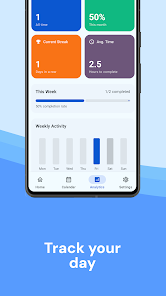
My Task Manager targets professionals, students, and anyone juggling multiple responsibilities. The app focuses on reducing friction in task capture and follow-through, offering quick entry options, configurable reminders, and a central dashboard to view priorities at a glance.
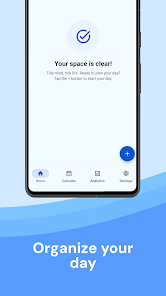
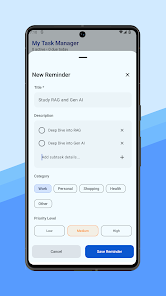
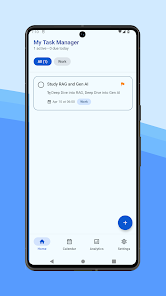
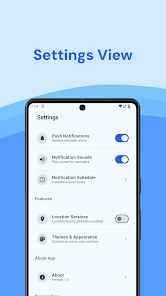
Start by creating a few core projects and importing any existing lists. Capturing new tasks is intentionally fast: type a short note, assign a due date, and swipe to schedule. The main dashboard presents a prioritized list for the day, upcoming items, and any overdue tasks. Notifications can be tuned so they appear only when you need them.
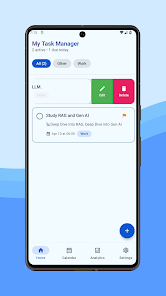
The interface prioritizes clarity. Color-coded priorities and compact list rows make scanning quick without overwhelming the view. My Task Manager places commonly used actions within reach—add, complete, reschedule—so repetitive operations stay efficient. Icons and inline labels reduce the need for deep menus.
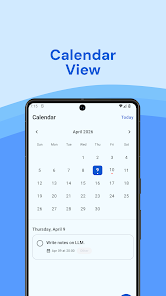
Customization is a strong point. Users can create custom task templates, define default reminder offsets, and set preferred sorting rules. Integrations with calendar apps and simple CSV import/export enable the app to fit existing workflows rather than forcing a new one. For teams, sharing and basic collaboration are available through project links.
The app is optimized for smooth performance on mid-range devices. Task lists remain responsive even when populated with hundreds of items. Offline support stores changes locally and syncs when a connection is available, which is useful for frequent travelers or unreliable networks.
My Task Manager also includes keyboard shortcuts and gesture controls that experienced users can enable to speed navigation. These small efficiencies compound over time, reducing the friction of managing many small duties.
Data is encrypted during sync and stored locally when offline. The app asks for only the permissions necessary for core features like notifications and calendar access. For users who want additional security, passcode or biometric lock options are available for the app.
This app is well suited to people who need a practical, no-nonsense approach to task management. Freelancers, office professionals, and students who juggle deadlines will find the balance between simplicity and capability especially valuable. While casual users can stick to basic lists, power users will appreciate the customization options and integration hooks.
Install the app, allow notifications, and set up a couple of projects. Import any existing lists if needed, and spend a few minutes creating templates for repeated tasks. Within a week you should notice clearer priorities and fewer missed deadlines.
My Task Manager provides a practical feature set without unnecessary complexity. It supports sensible daily routines, offers reliable syncing, and gives enough configuration to adapt to different working styles. For anyone looking to convert scattered notes into a structured plan, it’s a solid option.
LifeUp: Gamified To Do List
Size:17.35M ProductivityVPN Proxy Speed
Size:53.00M ProductivityAI Logo Generator (LogoWiz)
Size:41.50M Productivity3D Logo Maker
Size:39.30M ProductivityAI Chat: Ask AI Chat Anything
Size:42.20M ProductivityStars and Planets
Size:116.42M ProductivityImageMeter
Size:119.22M ProductivityHabitKit
Size:56.87M ProductivityMy Passwords Manager
Size:10.60M ProductivitymiMind
Size:48.30M ProductivityCute Note DDay Todo
Size:15.31M ProductivityCleverType AI Keyboard
Size:33.83M ProductivityApril 2024 Clash of Clans Update: Unveiling a Fresh Companion, Enhanced Levels, Chat Tagging, and Be
2024-04-16Arrival of Genshin Impact 4.6 Update: 'Embers of Two Realms, Twilight of Crimson'
2024-04-16V2.2 of the Farlight 84 update introduces an overhauled Season structure, fresh in-game currency, an
2024-04-16Monster Never Cry is now accessible on both Android and iOS mobile devices.
2024-04-18PUBG Mobile Teams Up with Bentley Motors: Luxury Cars, Exclusive Collectibles, and Beyond
2024-04-18March 2024 Free Redemption Codes for Honkai: Star Rail
2024-04-18