English
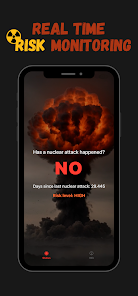
Nuke Check is a lightweight Android utility that helps users assess radiation-related alerts, validate sensor data, and visualize exposure information quickly. Designed for practical field use, Nuke Check combines live readings, location tags, and concise summaries so professionals and concerned citizens can interpret radiological information without unnecessary complexity.
Nuke Check is built for emergency responders, safety officers, lab technicians, and informed members of the public who need timely, reliable radiation information. The app focuses on turning raw sensor feeds into readable insights, reducing analysis time when decisions must be made. It emphasizes clarity over jargon while supporting advanced data access for technical users.
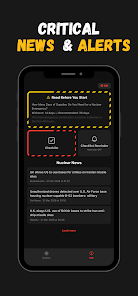
After pairing a compatible device, Nuke Check ingests measurement streams and normalizes values for consistent display. Built-in filters smooth short-term fluctuation while preserving spikes so users can distinguish noise from meaningful events. Threshold logic triggers alerts and marks events in the timeline, allowing fast review of when and where readings changed significantly.
The interface is intentionally uncluttered. A dashboard presents the current reading, recent trendline, and status indicators in a single view. Interactive map tiles let users tap readings to open detailed records. Settings are grouped by device, alert profile, and data export, simplifying setup even when multiple instruments are in use.
Nuke Check supports local storage and optional cloud sync to back up logs. Export options include CSV for spreadsheets and JSON for integration with GIS systems or reporting tools. Exports include metadata such as device ID, timestamp, geocoordinates, and calibration details to ensure traceability for audits and incident reports.
The app is optimized for battery life and low-latency updates on modern Android devices. It works well on tablets for field teams that need larger maps and on phones for rapid deployment. Compatibility covers a wide range of external sensors; a device compatibility list and pairing guide are available within the app to assist with setup.
Security features include optional encryption for synced data and local passcode protection to restrict access. Personal data collection is minimized: only necessary metadata for device operation and mapping is stored. Users can clear logs or export and remove data to comply with organizational policies or privacy requirements.
Typical workflows supported by Nuke Check include quick site sweeps, continuous monitoring during an incident, and post-event analysis. Teams can create profiles for different missions with pre-configured thresholds and export templates, accelerating response times and standardizing reports across multiple operators.
Installation is straightforward: install from the app store, enable Bluetooth or network access, then follow the in-app pairing assistant to connect your sensor. Calibration and unit preferences are set during the initial setup, and sample data helps users confirm correct operation before deploying in the field.
Nuke Check balances simplicity with the technical capabilities required by professionals. Its streamlined presentation of measurements, flexible export options, and robust alerting mechanics make it a practical choice for teams that need fast, defensible radiological information on Android devices.
LifeUp: Gamified To Do List
Size:17.35M ProductivityVPN Proxy Speed
Size:53.00M ProductivityAI Logo Generator (LogoWiz)
Size:41.50M Productivity3D Logo Maker
Size:39.30M ProductivityAI Chat: Ask AI Chat Anything
Size:42.20M ProductivityStars and Planets
Size:116.42M ProductivityImageMeter
Size:119.22M ProductivityHabitKit
Size:56.87M ProductivityMy Passwords Manager
Size:10.60M ProductivitymiMind
Size:48.30M ProductivityCute Note DDay Todo
Size:15.31M ProductivityCleverType AI Keyboard
Size:33.83M ProductivityApril 2024 Clash of Clans Update: Unveiling a Fresh Companion, Enhanced Levels, Chat Tagging, and Be
2024-04-16Arrival of Genshin Impact 4.6 Update: 'Embers of Two Realms, Twilight of Crimson'
2024-04-16V2.2 of the Farlight 84 update introduces an overhauled Season structure, fresh in-game currency, an
2024-04-16Monster Never Cry is now accessible on both Android and iOS mobile devices.
2024-04-18PUBG Mobile Teams Up with Bentley Motors: Luxury Cars, Exclusive Collectibles, and Beyond
2024-04-18March 2024 Free Redemption Codes for Honkai: Star Rail
2024-04-18