English
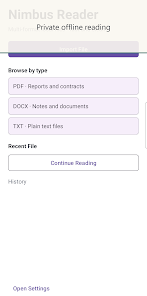
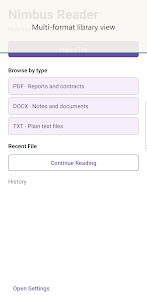
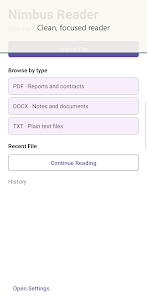
Nimbus Reader is a lightweight, feature-rich Android reading app designed to open PDFs, EPUBs and other documents quickly. It offers fast rendering, annotation tools and cloud sync to keep files available across devices. Ideal for students, professionals and casual readers who need flexible viewing and organization options.
Nimbus Reader focuses on delivering a smooth, no-friction reading experience. Core capabilities include support for common ebook and document formats, page-by-page and continuous scrolling, text reflow for narrow screens, night mode and customizable font settings. Built-in search and table-of-contents navigation make locating content fast, while a compact file browser lets you manage documents without leaving the app.
The interface is uncluttered and designed for quick access to reading tools. Tap zones and a minimalist toolbar keep controls out of the way while you read, but they appear instantly when needed. Thumbnail previews and a sliding page seek bar help you jump to a specific section, and a simple gestures system supports zoom, pan and two-finger rotation. The app keeps common actions one or two taps away to reduce friction during long reading sessions.
Annotating is one of the strengths of Nimbus Reader. Highlight text in multiple colors, add sticky notes, draw with a pen tool and place bookmarks to mark important pages. Annotations are organized in a single list so you can review or export them later. For academic or work use, the app can export highlighted snippets and notes as plain text or structured files that integrate with your workflow.
Managing a growing collection is simple. Create folders, sort by date or title, and pin frequently used documents to the top of your library. Search by file name or metadata and filter results by format. Cloud connection options let you link to popular storage services so files can be imported automatically or kept in sync across multiple devices without manual transfers.
Performance is optimized for mid-range and high-end Android devices. Rendering is hardware-accelerated where available, reducing page load times and improving smoothness when zooming large images or complex PDFs. The app supports a wide range of file types and handles large documents with minimal lag. Battery and memory usage remain conservative to keep reading uninterrupted over long periods.
For professional users, export functionality is practical: save annotated copies, flatten annotations into a new PDF or extract notes for citation. Nimbus Reader integrates with share menus on Android so documents can be forwarded to email, messaging apps or cloud utilities. These integrations make it straightforward to include annotated pages in presentations, reports or collaborative projects.
Customization options let you set up a reading environment that suits your eyes and habits. Choose from color themes, adjust margins and line spacing, and select a preferred font. Accessibility options include text-to-speech support and high-contrast modes to improve readability for users with vision needs. The app also respects system-wide accessibility settings for larger text and alternative input methods.
Getting started with Nimbus Reader is straightforward: install from the store, grant access to device storage if you want local file browsing, and import your first documents via file manager, email or connected cloud service. The first-time setup includes optional tips that highlight annotation tools and navigation gestures so you can begin annotating and organizing quickly.
Nimbus Reader is well suited to anyone who reads frequently on Android — students preparing research, professionals reviewing documents, and readers who prefer a flexible, responsive app for ebooks and PDFs. With its annotation features, cloud sync and focused interface, the app balances convenience and power for day-to-day reading and document work.
Colorimeter
Size:5.45M ToolsChatBoost
Size:19.33M ToolsRemote Fire TV
Size:48.04M ToolsgetConf - Hidden Settings
Size:16.66M ToolsTracker Detect Pro
Size:10.39M ToolsWiFi Speed Test Pro
Size:8.11M ToolsGG Mouse Pro 2
Size:45.82M ToolsResource Monitor Mini Pro
Size:3.19M ToolsSmart Keyboard Pro
Size:23.22M ToolsMyScript Math: Solve & Plot
Size:108.76M ToolsText Repeater
Size:11.73M Tools3Dcalc+
Size:12.59M ToolsApril 2024 Clash of Clans Update: Unveiling a Fresh Companion, Enhanced Levels, Chat Tagging, and Be
2024-04-16Arrival of Genshin Impact 4.6 Update: 'Embers of Two Realms, Twilight of Crimson'
2024-04-16V2.2 of the Farlight 84 update introduces an overhauled Season structure, fresh in-game currency, an
2024-04-16Monster Never Cry is now accessible on both Android and iOS mobile devices.
2024-04-18PUBG Mobile Teams Up with Bentley Motors: Luxury Cars, Exclusive Collectibles, and Beyond
2024-04-18March 2024 Free Redemption Codes for Honkai: Star Rail
2024-04-18