English
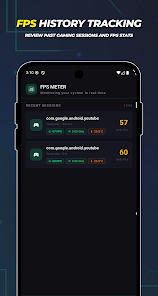
FPS Monitor - FPS Meter is a compact Android tool that provides a real-time on-screen FPS display and system statistics. Designed for gamers and developers, it reports frame rate, CPU/GPU load, and frame timing unobtrusively, enabling quick performance checks during gameplay, benchmarking sessions, or app testing without interfering with controls.
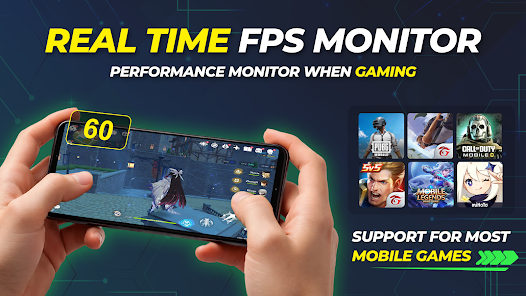
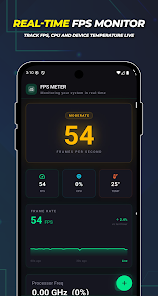
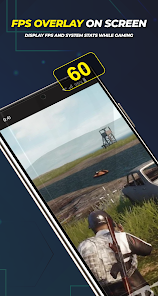
FPS Monitor - FPS Meter places a persistent overlay that reports instantaneous frames per second and secondary metrics such as CPU usage, GPU utilization, frame time, and memory consumption. The overlay is lightweight and configurable, so it stays visible while you play, stream, or debug an application. It’s intended for users who want immediate feedback about device performance.
Once installed, the app requests permission to draw over other apps and, if required, to access system stats. After enabling these options you can position the counter anywhere on screen. The monitor samples frame timing and system metrics at a chosen interval and displays both instantaneous and average values so you can spot stutters, drops, or thermal throttling events.
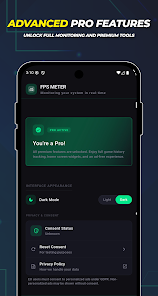
The interface favors simplicity: a compact floatable widget combined with a settings menu. Tap the widget to expand quick options or open the main settings to change sampling rate, metric selection, font size, and color scheme. Advanced users can adjust smoothing parameters to filter out spikes and obtain a more stable readout.
Customization is a strong point. You can select which metrics appear, set thresholds that change colors when performance degrades, and create presets for different scenarios (gaming, recording, idle testing). If you monitor multiple titles or apps, save profiles so you can switch configurations instantly.
The design aims to be unobtrusive: background activity is minimal and configurable. Sampling frequency dictates measurement fidelity and resource usage — higher frequencies provide finer detail but may modestly increase CPU load. The app gives recommendations for balance, and a power-saving mode reduces sampling to extend battery life during long sessions.
FPS Monitor - FPS Meter is useful for mobile gamers who want to verify smoothness and diagnose frame drops. Developers and QA engineers can reproduce and document performance issues with logs. Content creators who stream mobile gameplay can confirm stable output and troubleshoot quality changes in real time.
Install the APK, grant the overlay permission, and pick a default profile. Place the overlay where it won’t block important UI elements, then run a typical workload to observe baseline performance. Create a log and compare results after adjusting graphics settings or enabling power-saving modes to see real differences.
FPS Monitor - FPS Meter combines a clean interface with useful telemetry and flexible configuration. It’s a practical choice for anyone who needs clear, actionable performance information on Android devices without a steep learning curve.
Colorimeter
Size:5.45M ToolsChatBoost
Size:19.33M ToolsRemote Fire TV
Size:48.04M ToolsgetConf - Hidden Settings
Size:16.66M ToolsTracker Detect Pro
Size:10.39M ToolsWiFi Speed Test Pro
Size:8.11M ToolsGG Mouse Pro 2
Size:45.82M ToolsResource Monitor Mini Pro
Size:3.19M ToolsSmart Keyboard Pro
Size:23.22M ToolsMyScript Math: Solve & Plot
Size:108.76M ToolsText Repeater
Size:11.73M Tools3Dcalc+
Size:12.59M ToolsApril 2024 Clash of Clans Update: Unveiling a Fresh Companion, Enhanced Levels, Chat Tagging, and Be
2024-04-16Arrival of Genshin Impact 4.6 Update: 'Embers of Two Realms, Twilight of Crimson'
2024-04-16V2.2 of the Farlight 84 update introduces an overhauled Season structure, fresh in-game currency, an
2024-04-16Monster Never Cry is now accessible on both Android and iOS mobile devices.
2024-04-18PUBG Mobile Teams Up with Bentley Motors: Luxury Cars, Exclusive Collectibles, and Beyond
2024-04-18March 2024 Free Redemption Codes for Honkai: Star Rail
2024-04-18