English
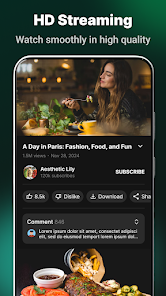
Tube App: Video & MP3 Player is a compact Android media player that streams and saves videos while converting audio for offline listening. It offers background playback, playlist creation, and an efficient file manager. The app focuses on fast search, format compatibility, and battery-friendly playback for casual and power users alike.
Tube App: Video & MP3 Player combines several common media tools into a single, approachable package. Users can watch online videos, extract MP3 audio tracks, or maintain local libraries. The application prioritizes smooth playback and convenient file organization, making it simple to switch between watching, listening, and downloading without jumping between multiple apps.
The feature set is designed to cover everyday media needs while keeping the interface uncluttered. Highlights include:
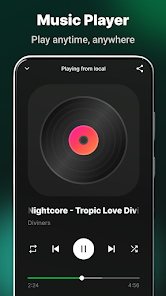
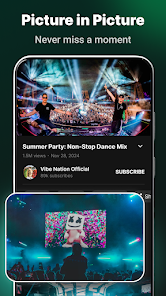
The user interface emphasizes clarity: large thumbnails, readable controls, and a minimal learning curve. Playback controls remain visible during viewing, and a compact mini-player appears when you navigate away from the app. Tube App: Video & MP3 Player keeps primary functions within easy reach — play, pause, seek, and add-to-playlist actions are one tap away.
Playback is optimized for both low-end and modern devices. The app adjusts buffering strategies to reduce stutter and uses power-aware routines to limit battery drain during long listening sessions. Hardware acceleration is employed when available, improving frame rates for high-resolution video and reducing CPU load during decoding.
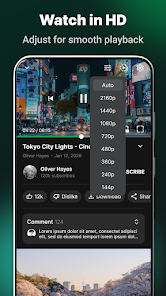
Downloading options let you choose resolution and format before saving. Convert videos to MP3 during download to save storage space and time when you only need the audio. Downloads are organized in a built-in file manager that displays file size, format, and download date; this makes it easy to clean up media and manage storage.
Several customization options let users shape their listening and viewing experience. Adjust playback speed for podcasts or instructional videos, toggle repeat and shuffle modes, and fine-tune audio with basic equalizer presets. For hands-free control, the app supports media buttons on headsets and lock-screen widgets for quick access.
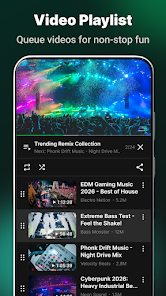
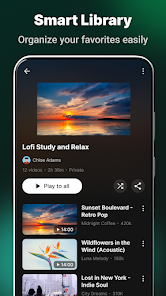
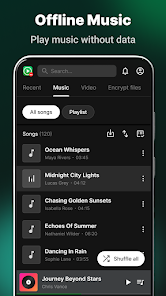
Typical workflows are straightforward: search for a video, preview it, and decide whether to stream or download. Create playlists for commutes, workouts, or study sessions and sync them locally so they’re available offline. Tube App: Video & MP3 Player is particularly handy for users who want a single app to manage both video and audio without switching environments.
The app runs on a wide range of Android versions and is optimized for both phones and tablets. It gracefully handles intermittent connections by resuming partial downloads and saving playback position for interrupted videos. Regular updates add support for new formats and improve stability across device models.
Tube App: Video & MP3 Player offers a flexible, no-frills approach to handling media on Android. It focuses on practical features—reliable playback, smart downloads, and simple organization—so users can enjoy audio and video content efficiently without cluttered menus or steep learning curves.

Colorimeter
Size:5.45M ToolsChatBoost
Size:19.33M ToolsRemote Fire TV
Size:48.04M ToolsgetConf - Hidden Settings
Size:16.66M ToolsTracker Detect Pro
Size:10.39M ToolsWiFi Speed Test Pro
Size:8.11M ToolsGG Mouse Pro 2
Size:45.82M ToolsResource Monitor Mini Pro
Size:3.19M ToolsSmart Keyboard Pro
Size:23.22M ToolsMyScript Math: Solve & Plot
Size:108.76M ToolsText Repeater
Size:11.73M Tools3Dcalc+
Size:12.59M ToolsApril 2024 Clash of Clans Update: Unveiling a Fresh Companion, Enhanced Levels, Chat Tagging, and Be
2024-04-16Arrival of Genshin Impact 4.6 Update: 'Embers of Two Realms, Twilight of Crimson'
2024-04-16V2.2 of the Farlight 84 update introduces an overhauled Season structure, fresh in-game currency, an
2024-04-16Monster Never Cry is now accessible on both Android and iOS mobile devices.
2024-04-18PUBG Mobile Teams Up with Bentley Motors: Luxury Cars, Exclusive Collectibles, and Beyond
2024-04-18March 2024 Free Redemption Codes for Honkai: Star Rail
2024-04-18