English
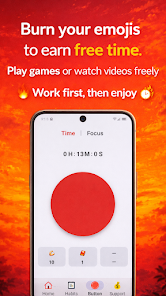
TimeTime is a focused time-management app that helps individuals and small teams track tasks, measure productivity intervals, and visualize work patterns through easy-to-read reports and timers. It combines a simple interface with flexible scheduling to make planning and reviewing your day straightforward and fast.
At its core, TimeTime provides a set of tools designed to reduce friction in tracking work. Timers and manual entries let you capture effort by task or project, while a built-in calendar view ties sessions to deadlines and appointments. A tag system and quick filters make it simple to slice data by client, project, or focus area. For teams, shared projects and exportable logs support billing and payroll workflows.
TimeTime emphasizes minimal interruption: start a timer with one tap, switch contexts without losing history, and resume paused sessions quickly. Use it as a personal accountability tool to apply techniques like time blocking or the Pomodoro method, or as a lightweight team tracker to monitor who is working on what. The app’s notifications and progress indicators help maintain momentum without overwhelming you with alerts.
Understanding where your time goes is one of TimeTime’s strongest suits. Weekly and monthly dashboards summarize total hours by category, and visual charts highlight trends such as peak productivity windows and recurring distractions. Export options include CSV and PDF, enabling integration with invoicing systems or productivity reviews. These insights let you make informed adjustments to schedules and priorities.
TimeTime offers flexible settings so you can tailor the experience to your needs. Configure workday hours, set default task durations, and define project rates for billing calculations. Color-coded projects and widgets give fast visual cues, while adjustable notification rules let you choose how and when the app reminds you to start or stop sessions. For privacy-sensitive users, local-only data storage and simple backup tools provide additional control.
Designed to be lightweight, TimeTime runs smoothly on a wide range of Android devices without draining battery life. The interface is optimized for both phones and tablets, and offline mode preserves timers and entries when network connectivity is intermittent. Data sync across devices is handled efficiently, so teams can access up-to-date logs without noticeable lag.
Onboarding with TimeTime is straightforward: create a profile, add a few projects or tags, and start a timer. The app includes quick tutorials and contextual tips that guide new users through common tasks such as projecting weekly capacity or exporting a billing report. Templates for common workflows speed up setup for freelancers, consultants, and small teams.
TimeTime balances simplicity with functionality, making it suitable for solo professionals and small teams who want a clear picture of how work gets done. With its focus on fast entry, useful analytics, and reliable performance, TimeTime can become a dependable part of a productive routine without adding complexity to your day.


LifeUp: Gamified To Do List
Size:17.35M ProductivityVPN Proxy Speed
Size:53.00M ProductivityAI Logo Generator (LogoWiz)
Size:41.50M Productivity3D Logo Maker
Size:39.30M ProductivityAI Chat: Ask AI Chat Anything
Size:42.20M ProductivityStars and Planets
Size:116.42M ProductivityImageMeter
Size:119.22M ProductivityHabitKit
Size:56.87M ProductivityMy Passwords Manager
Size:10.60M ProductivitymiMind
Size:48.30M ProductivityCute Note DDay Todo
Size:15.31M ProductivityCleverType AI Keyboard
Size:33.83M ProductivityApril 2024 Clash of Clans Update: Unveiling a Fresh Companion, Enhanced Levels, Chat Tagging, and Be
2024-04-16Arrival of Genshin Impact 4.6 Update: 'Embers of Two Realms, Twilight of Crimson'
2024-04-16V2.2 of the Farlight 84 update introduces an overhauled Season structure, fresh in-game currency, an
2024-04-16Monster Never Cry is now accessible on both Android and iOS mobile devices.
2024-04-18PUBG Mobile Teams Up with Bentley Motors: Luxury Cars, Exclusive Collectibles, and Beyond
2024-04-18March 2024 Free Redemption Codes for Honkai: Star Rail
2024-04-18