English
ODOK is a versatile Android utility that streamlines file management, secure sharing, and quick access to cloud services. Designed for efficiency, ODOK combines a clean interface with advanced transfer tools, lightweight performance, and customizable workflows to help users organize files, synchronize devices, and share content with confidence.
ODOK brings together essential tools for everyday file tasks in a single app. Expect a responsive file browser with support for common formats, thumbnail previews for images and videos, an integrated document viewer, and a media player that opens files without forcing downloads. Batch operations let you move, copy, rename, or compress multiple items at once, while a robust search engine finds files by name, type, date, or user-created tags.
The app supports connections to major cloud providers via standard APIs and adds SMB/FTP access for local network drives. Sync rules let you set one-way or two-way synchronization schedules for folders, so backups and mirrored libraries stay current without manual intervention. For transfers between devices, ODOK offers Wi-Fi Direct and peer-to-peer modes that maximize throughput and avoid mobile data usage.
Security is built into sharing workflows. You can generate shareable links with optional password protection, expiration times, and permission levels (view, download, edit). Local folders can be locked with a PIN or biometric authentication where supported. End-to-end encrypted transfers are available for sensitive files, and logs provide a simple audit trail so you can see recent activity and transfer history.
The interface focuses on clarity and speed: a customizable home screen shows pinned folders, recent files, and quick actions. ODOK supports drag-and-drop within supported devices, split-screen multitasking on tablets, and several appearance themes including dark mode. Gesture shortcuts and configurable long-press actions let you tailor navigation to your workflow, and a compact mode reduces visual clutter on smaller displays.
ODOK is optimized to minimize battery usage and memory footprint while maintaining high transfer speeds for large files. Transfers resume automatically after interruptions, and background tasks continue when the screen is off. The app detects network changes and adjusts transfer behavior to avoid partial uploads or duplicated data. For users handling large media libraries, indexing runs incrementally to keep the app responsive.
Designed for a broad range of Android devices, ODOK supports modern API levels and adapts to both phones and tablets. Integration with other Android apps is provided via share intents, so you can open or send files directly from messaging or editing apps. Permissions follow the platform’s recommended model; initial setup prompts for storage and network access, and granular settings let you revoke or restrict capabilities anytime.
After installation, connect your preferred cloud account and allow storage access to enable full functionality. Use the built-in tutorial to learn core gestures and try a small sync task to verify settings. Customize the home screen with your most-used folders and enable scheduled backups only after confirming the destination storage has sufficient space.
ODOK aims to simplify file handling on Android by combining a polished interface, flexible sync options, and practical security features. With thoughtful defaults and advanced controls available for power users, it suits people who want dependable file transfers without sacrificing speed or privacy.
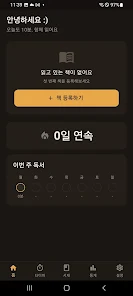
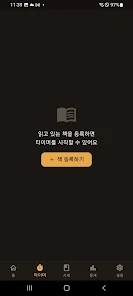
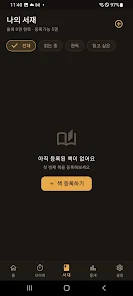
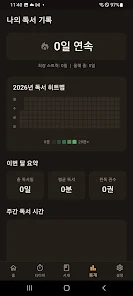
LifeUp: Gamified To Do List
Size:17.35M ProductivityVPN Proxy Speed
Size:53.00M ProductivityAI Logo Generator (LogoWiz)
Size:41.50M Productivity3D Logo Maker
Size:39.30M ProductivityAI Chat: Ask AI Chat Anything
Size:42.20M ProductivityStars and Planets
Size:116.42M ProductivityImageMeter
Size:119.22M ProductivityHabitKit
Size:56.87M ProductivityMy Passwords Manager
Size:10.60M ProductivitymiMind
Size:48.30M ProductivityCute Note DDay Todo
Size:15.31M ProductivityCleverType AI Keyboard
Size:33.83M ProductivityApril 2024 Clash of Clans Update: Unveiling a Fresh Companion, Enhanced Levels, Chat Tagging, and Be
2024-04-16Arrival of Genshin Impact 4.6 Update: 'Embers of Two Realms, Twilight of Crimson'
2024-04-16V2.2 of the Farlight 84 update introduces an overhauled Season structure, fresh in-game currency, an
2024-04-16Monster Never Cry is now accessible on both Android and iOS mobile devices.
2024-04-18PUBG Mobile Teams Up with Bentley Motors: Luxury Cars, Exclusive Collectibles, and Beyond
2024-04-18March 2024 Free Redemption Codes for Honkai: Star Rail
2024-04-18