English
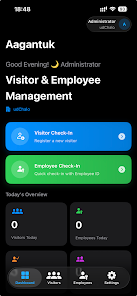
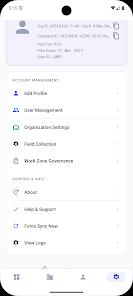
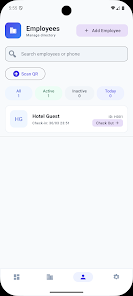
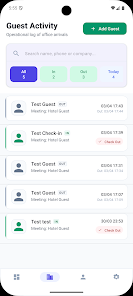
Aagantuk is a lightweight productivity app designed to streamline task management and local collaboration for Android users. It combines simple scheduling, secure document sharing, and contextual reminders in a compact interface, making daily organization faster while reducing clutter and the learning curve for mobile workflows.
Aagantuk focuses on helping users coordinate small teams, personal projects, and recurring routines without overwhelming menus or heavy cloud dependencies. You can create tasks, attach files, and set location‑aware or time‑based reminders. The app emphasizes quick setup and offline functionality so that plans remain accessible even in low connectivity environments.
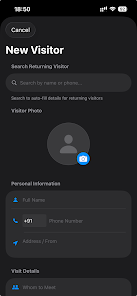
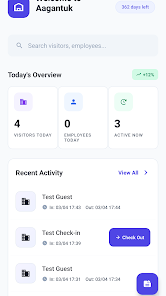
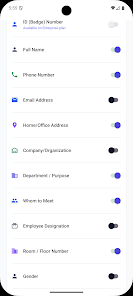
The user interface keeps essential actions within one or two taps. Aagantuk uses clear icons and context menus so new users can start creating tasks immediately. Navigation favors horizontal boards and a single unified timeline for reminders, which reduces the number of screens to learn. Widgets and quick actions make it easy to add tasks from the notification shade or home screen.
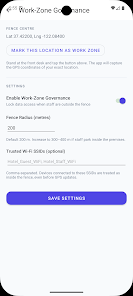
Aagantuk stores most data locally and encrypts shared transfers between devices, aiming to give users more control over sensitive information. The app supports a broad range of Android versions and is optimized for both phones and tablets. Permissions are requested progressively, so the app only asks for access when a feature requires it, improving transparency and privacy.
Designed to be resource-friendly, Aagantuk runs smoothly on modest hardware and uses a small memory footprint to preserve battery life. Background synchronization is throttled to avoid unnecessary network usage while still keeping data current. When handling larger boards or many attachments, the app prioritizes responsiveness by loading condensed task previews and deferring heavy file downloads until requested.
Begin by creating a board and adding your first tasks. Use the built‑in templates for common scenarios like event planning, daily routines, or shopping lists to save setup time. Invite collaborators by sharing a link or scanning a QR code for local pairing. Customize reminders to match your schedule and enable widgets for one‑tap access to critical lists.
Aagantuk fits users who prefer minimalist productivity tools with straightforward collaboration. It sacrifices some advanced project management complexities in favor of speed and simplicity, making it ideal for day-to-day coordination, quick planning sessions, and users who value offline access and controlled sharing. Give Aagantuk a try to see whether its focused toolset matches your mobile workflow needs.
LifeUp: Gamified To Do List
Size:17.35M ProductivityVPN Proxy Speed
Size:53.00M ProductivityAI Logo Generator (LogoWiz)
Size:41.50M Productivity3D Logo Maker
Size:39.30M ProductivityAI Chat: Ask AI Chat Anything
Size:42.20M ProductivityStars and Planets
Size:116.42M ProductivityImageMeter
Size:119.22M ProductivityHabitKit
Size:56.87M ProductivityMy Passwords Manager
Size:10.60M ProductivitymiMind
Size:48.30M ProductivityCute Note DDay Todo
Size:15.31M ProductivityCleverType AI Keyboard
Size:33.83M ProductivityApril 2024 Clash of Clans Update: Unveiling a Fresh Companion, Enhanced Levels, Chat Tagging, and Be
2024-04-16Arrival of Genshin Impact 4.6 Update: 'Embers of Two Realms, Twilight of Crimson'
2024-04-16V2.2 of the Farlight 84 update introduces an overhauled Season structure, fresh in-game currency, an
2024-04-16Monster Never Cry is now accessible on both Android and iOS mobile devices.
2024-04-18PUBG Mobile Teams Up with Bentley Motors: Luxury Cars, Exclusive Collectibles, and Beyond
2024-04-18March 2024 Free Redemption Codes for Honkai: Star Rail
2024-04-18